Cute Thing Corner
Buy me a coffee

Minecraft

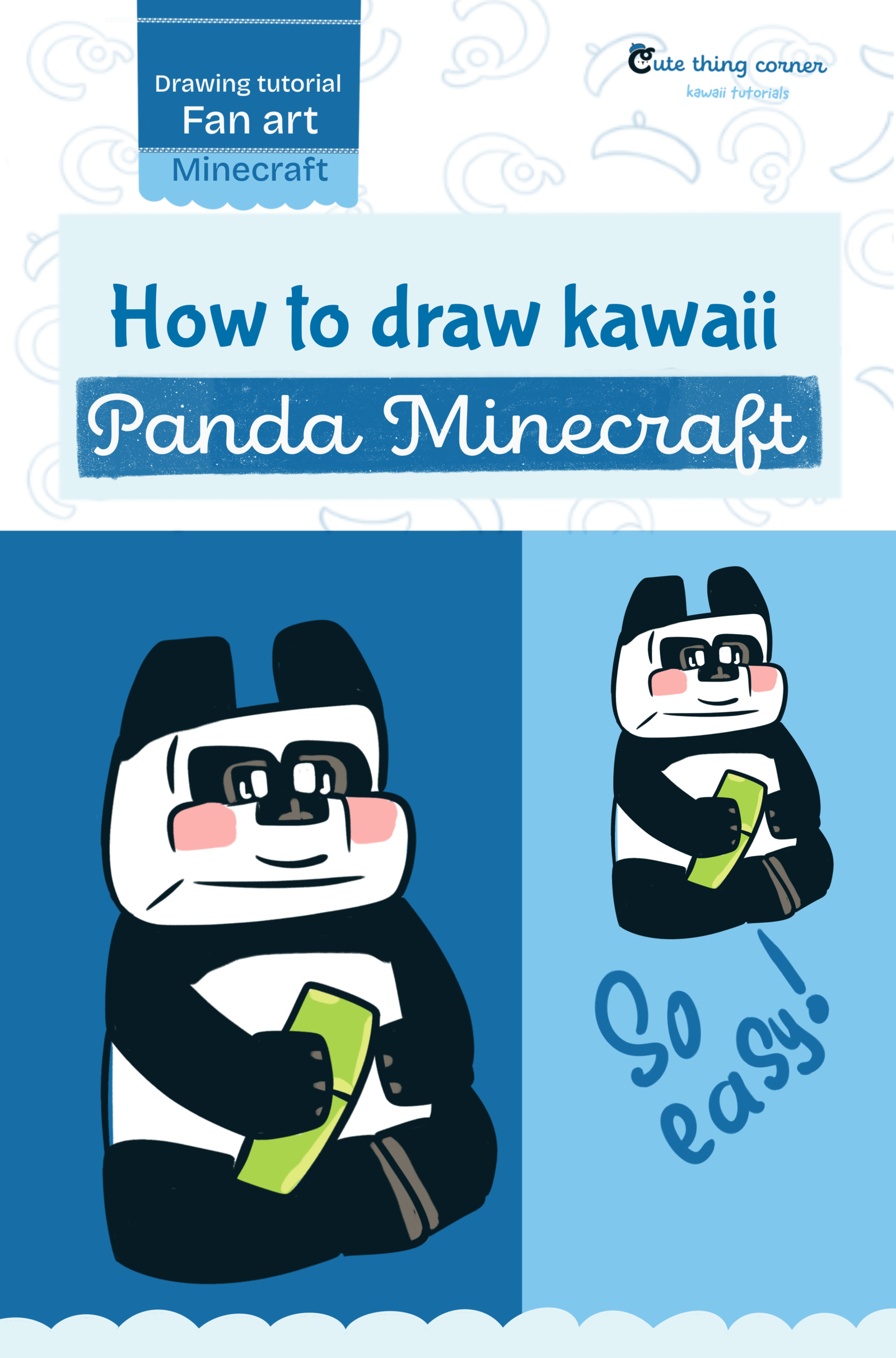
How to Draw Cute Panda Minecraft Step by Step

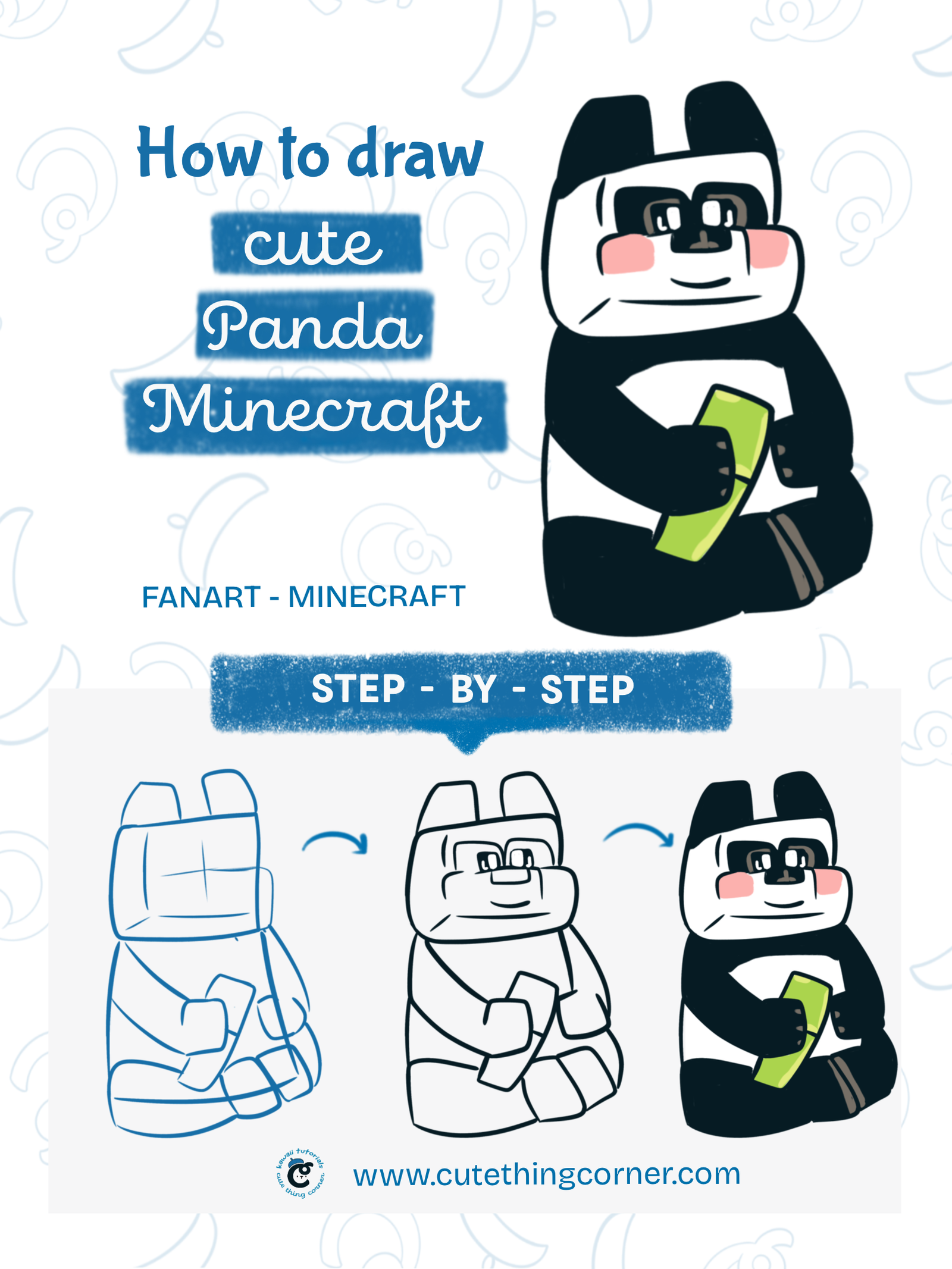
Want to learn how to draw cute Panda Minecraft in an easy, beginner-friendly way? In this tutorial, we’ll build the panda from simple rounded blocks, then add its arms, sitting legs, bamboo, facial features, and classic…
  • Advanced
  • 15 minutes
  • 12 steps
How to Draw Cute Panda Minecraft Step by Step

Before You Start

Want to learn how to draw cute Panda Minecraft in an easy, beginner-friendly way? In this tutorial, we’ll build the panda from simple rounded blocks, then add its arms, sitting legs, bamboo, facial features, and classic black-and-white colors.

This cute Minecraft-inspired panda is perfect for kids, beginners, and anyone who loves kawaii drawing.

What You Need

  • Pencil
  • Eraser
  • Black pen or fineliner
  • Black, white, pink, green, and gray coloring tools
  • Paper or drawing tablet

Step 1

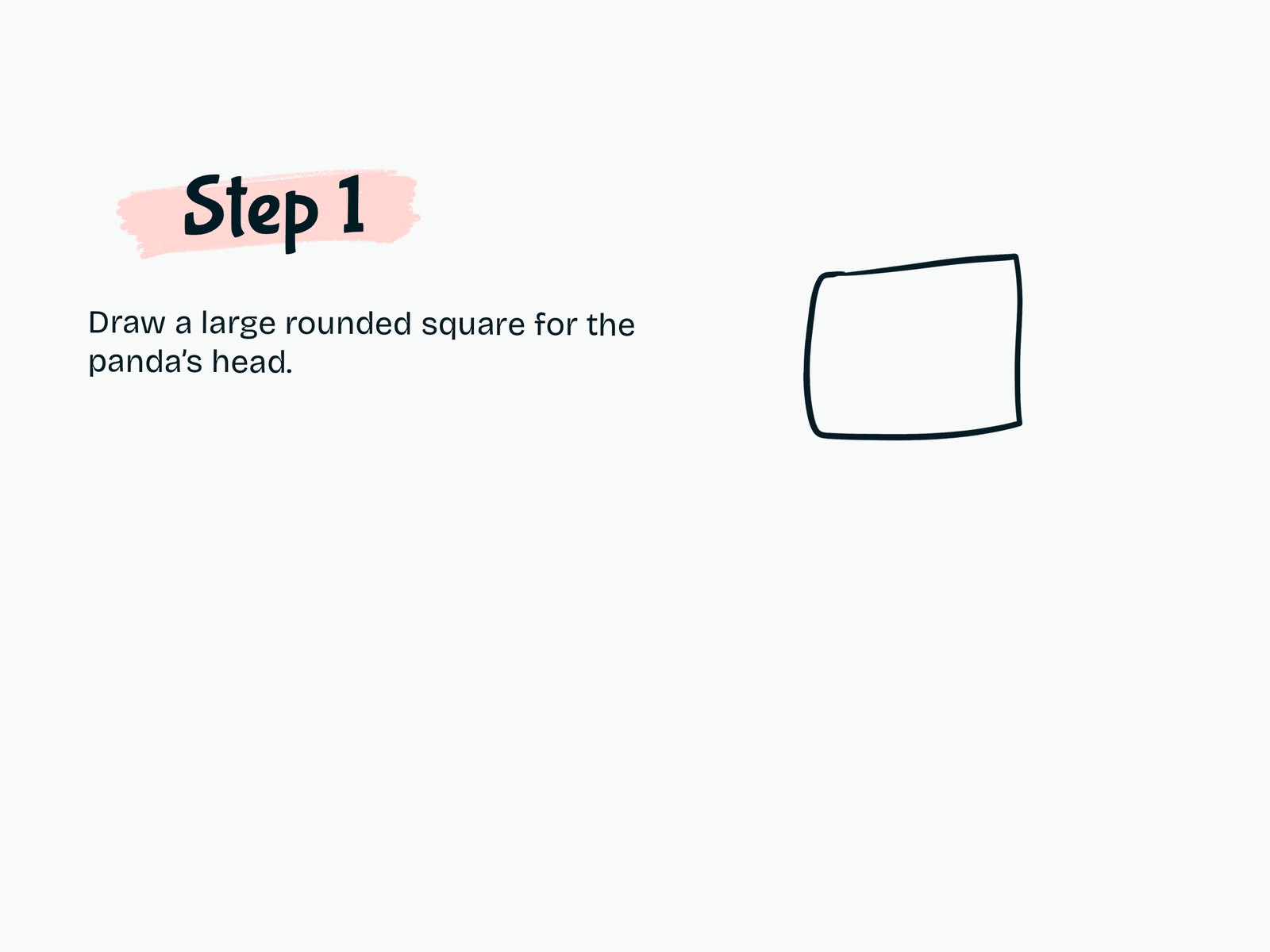
Draw the Panda’s Head

Start with a large rounded square for the panda’s head.

Keep the corners slightly soft instead of perfectly sharp. This will help the panda look cuter.

Step 2

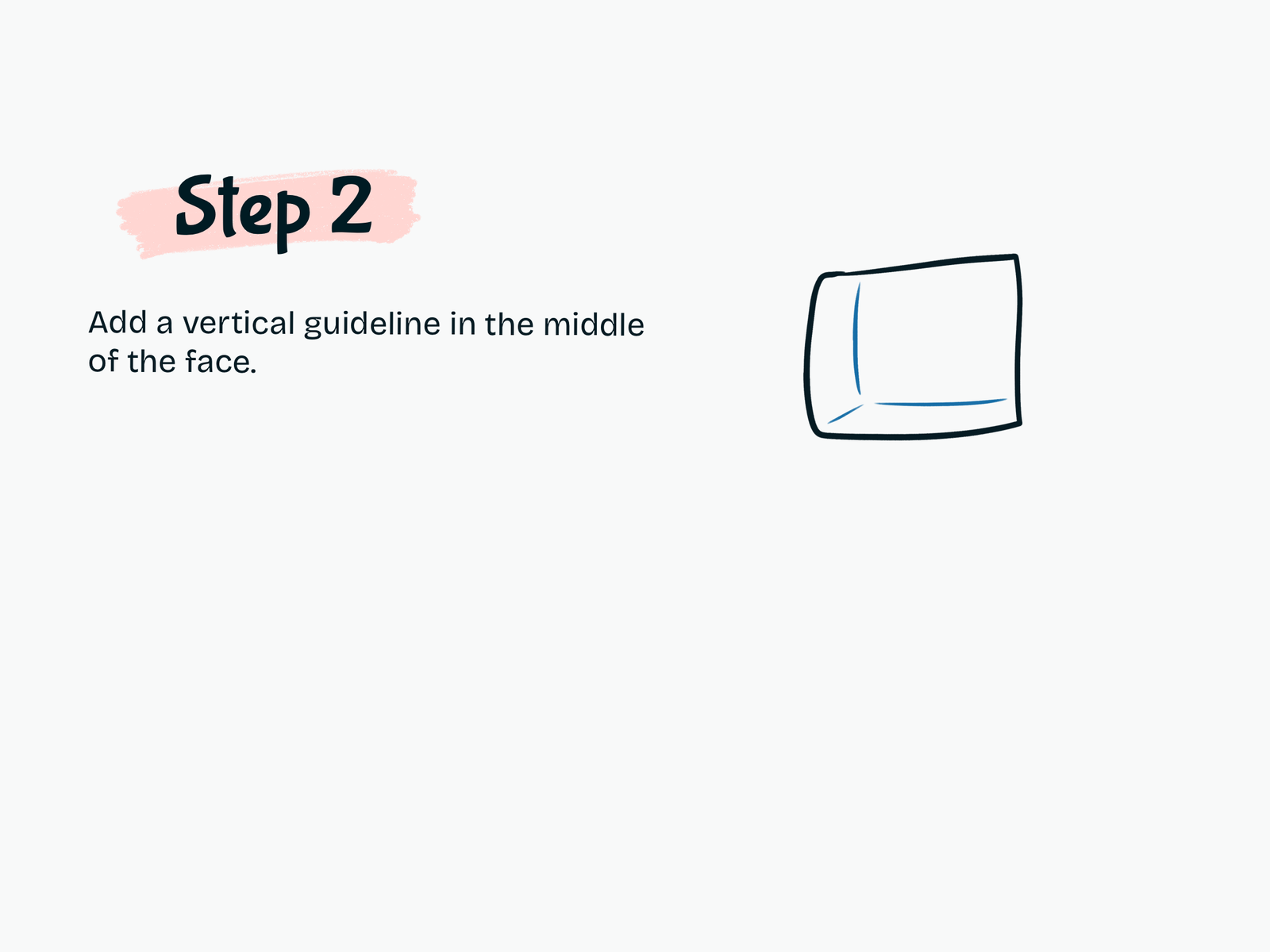
Add the Face Guidelines

Sketch light guidelines inside the head to help place the facial features.

Add a vertical guide through the face and a horizontal guide across the lower part of the head.

Step 3

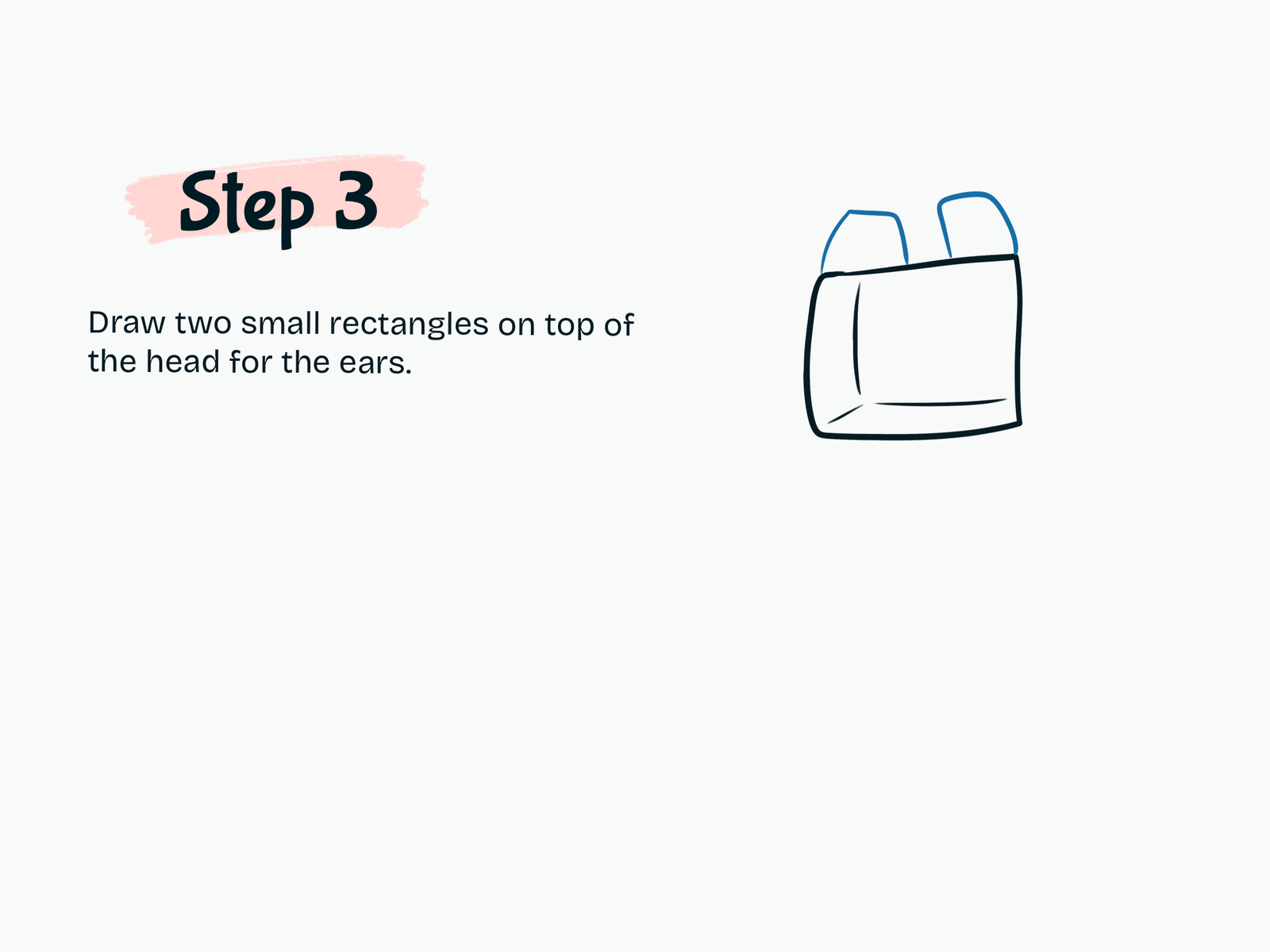
Draw the Ears

Draw two small rounded rectangular shapes on top of the head.

Place one ear on each side, leaving a small gap between them.

Step 4

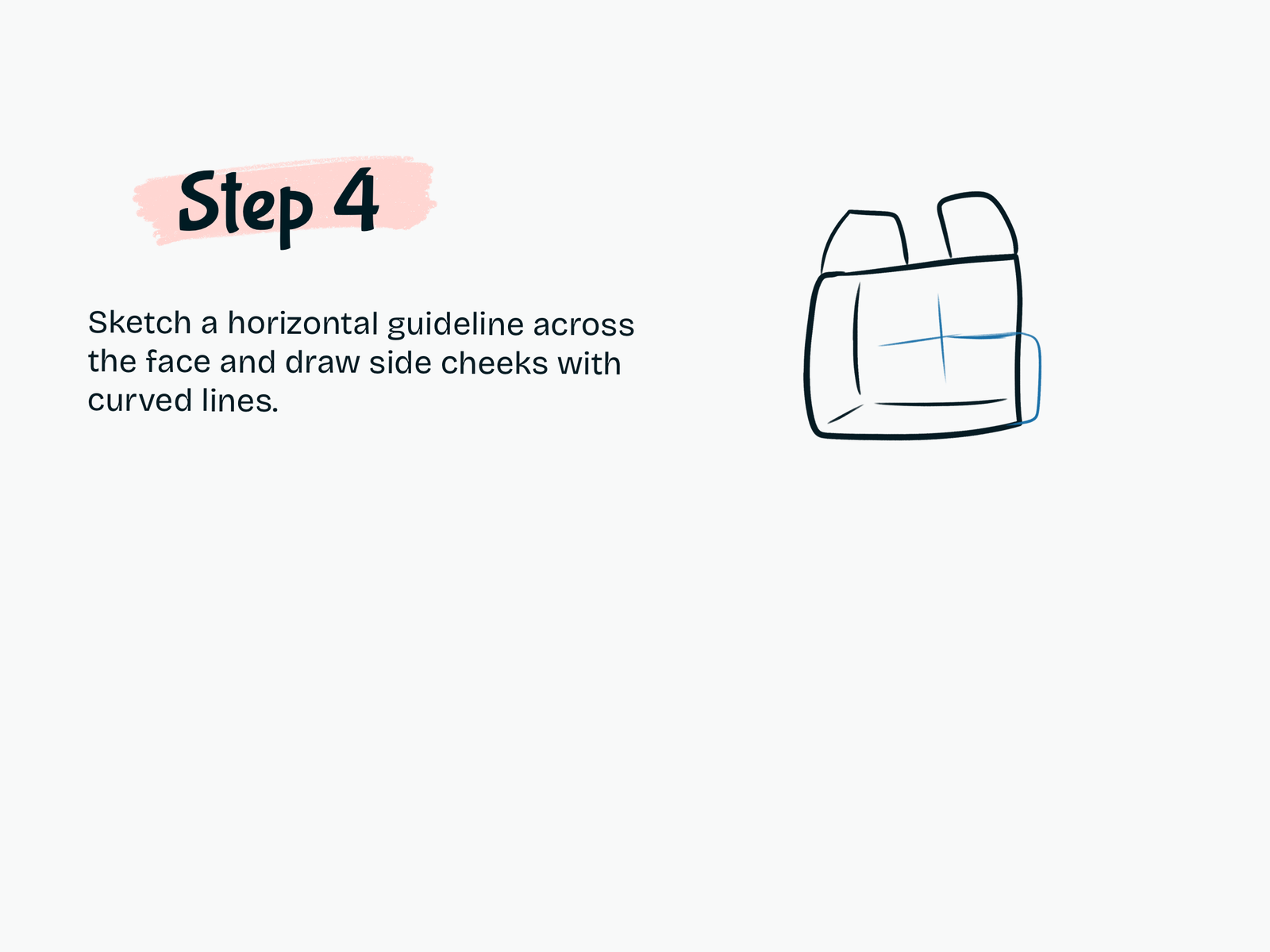
Shape the Cheeks

Add a horizontal facial guideline and begin shaping the side cheeks with soft curved lines.

This makes the face wider and gives the panda its cute rounded expression.

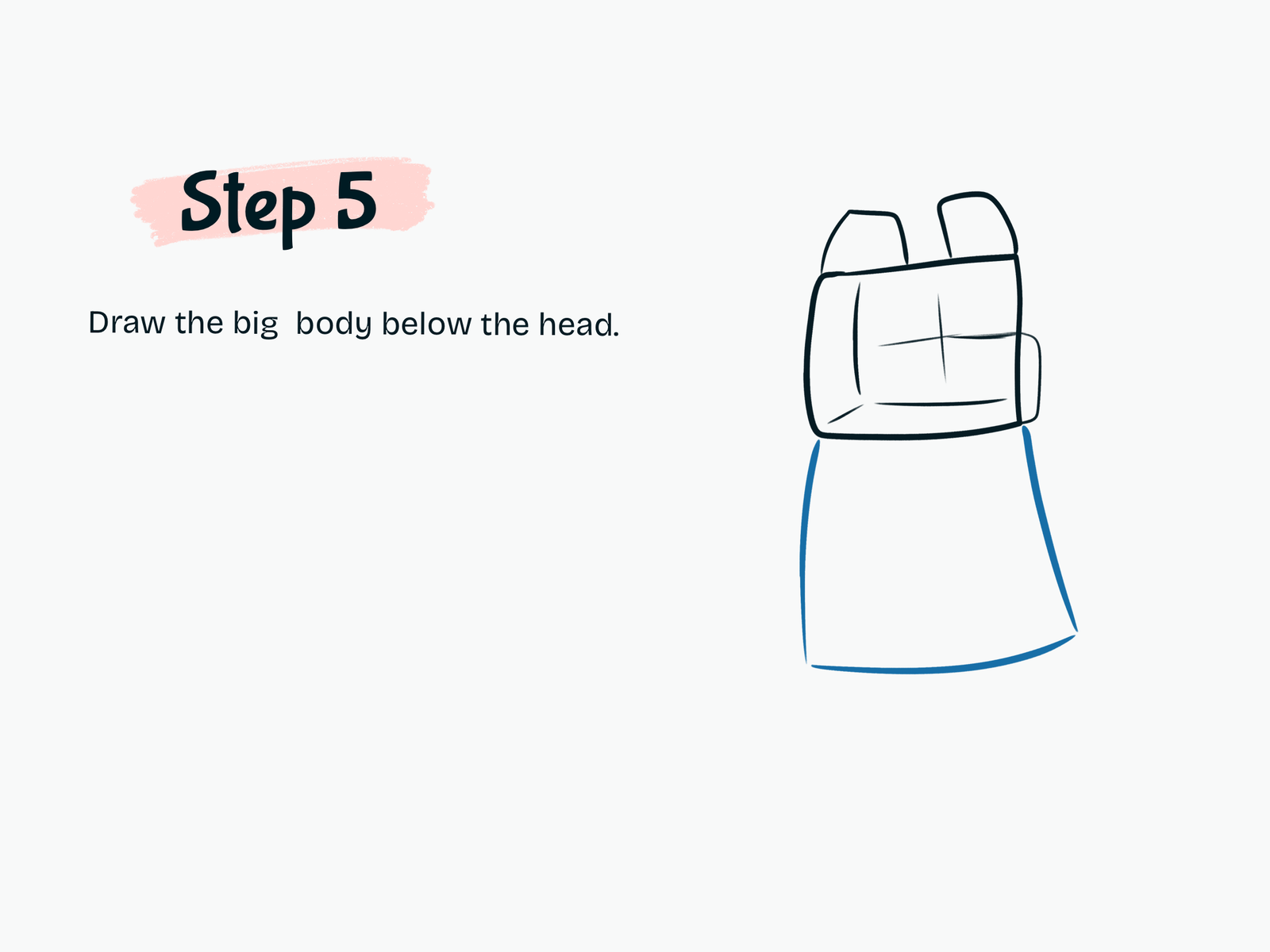
Step 5

Draw the Body

Under the head, draw a large body shape.

Make the body wider toward the bottom so the panda feels soft, heavy, and relaxed while sitting.

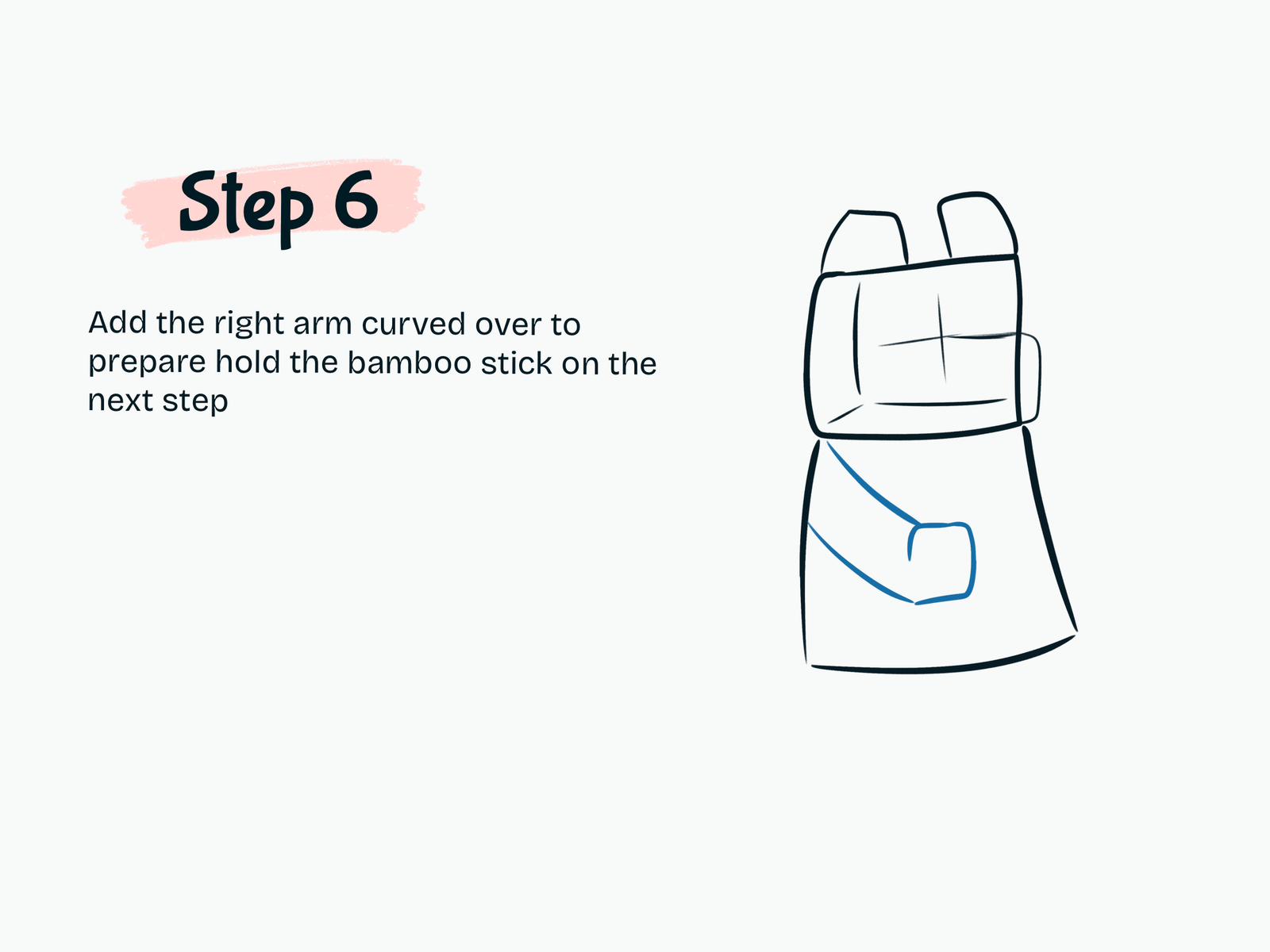
Step 6

Draw the First Arm

Draw one arm curving across the front of the body.

Bend the arm inward and form a simple paw near the center of the belly. This paw will hold the bamboo.

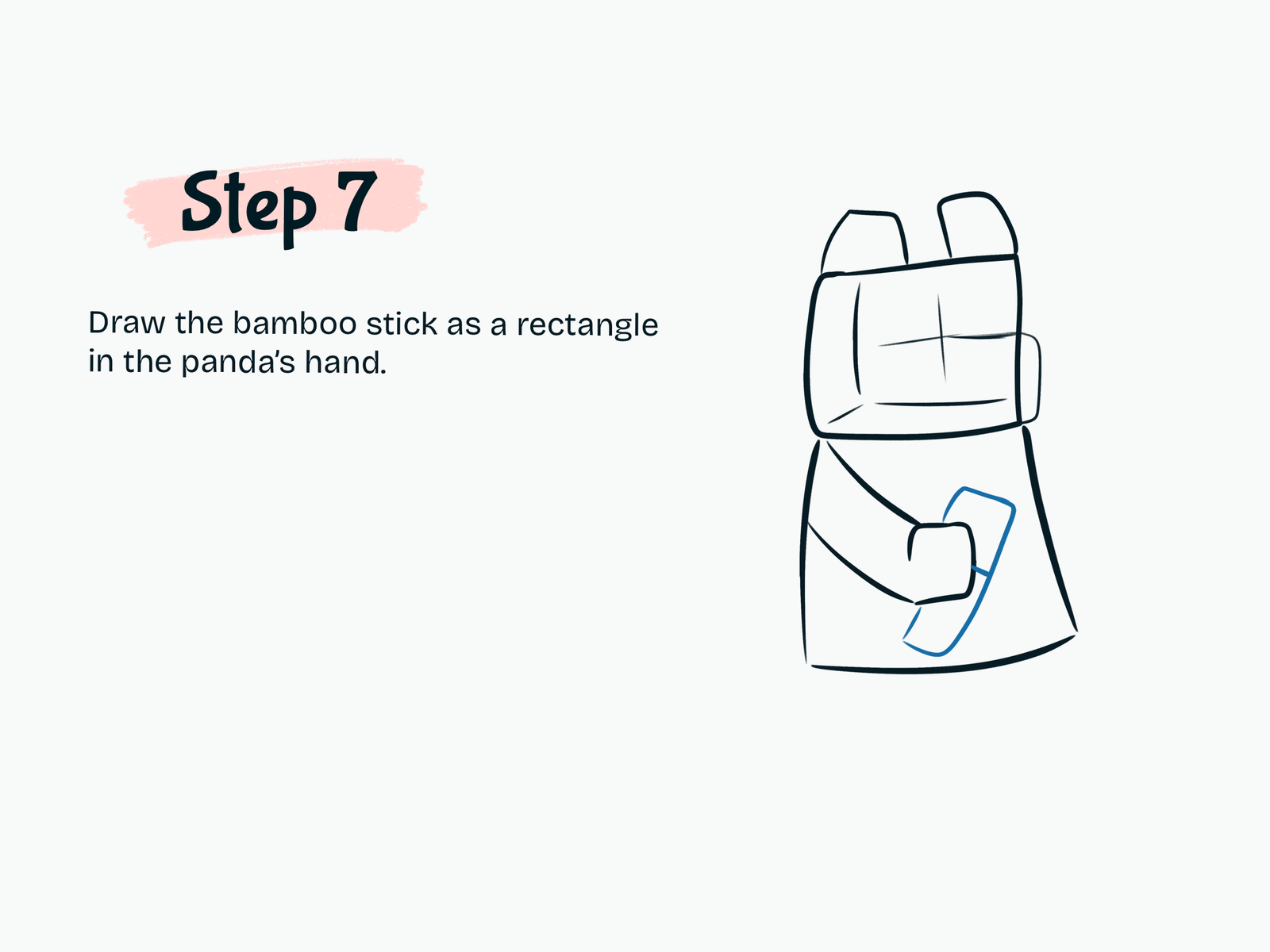
Step 7

Add the Bamboo

Draw a long rectangular bamboo stick inside the panda’s paw.

Angle it slightly so it rests naturally across the body

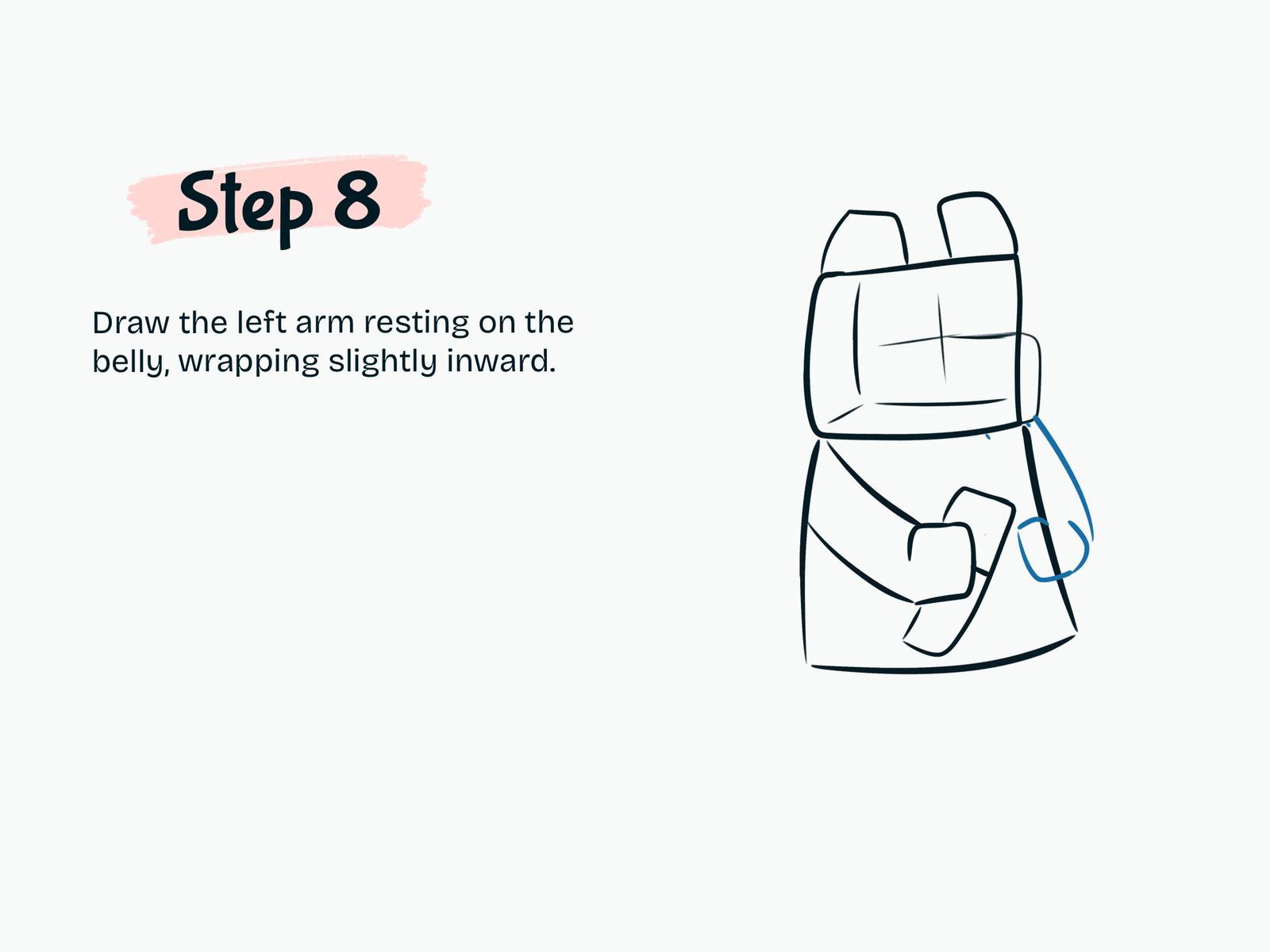
Step 8

Draw the Other Arm

Add the second arm on the opposite side.

Curve it downward and slightly inward so the paw rests naturally beside the bamboo.

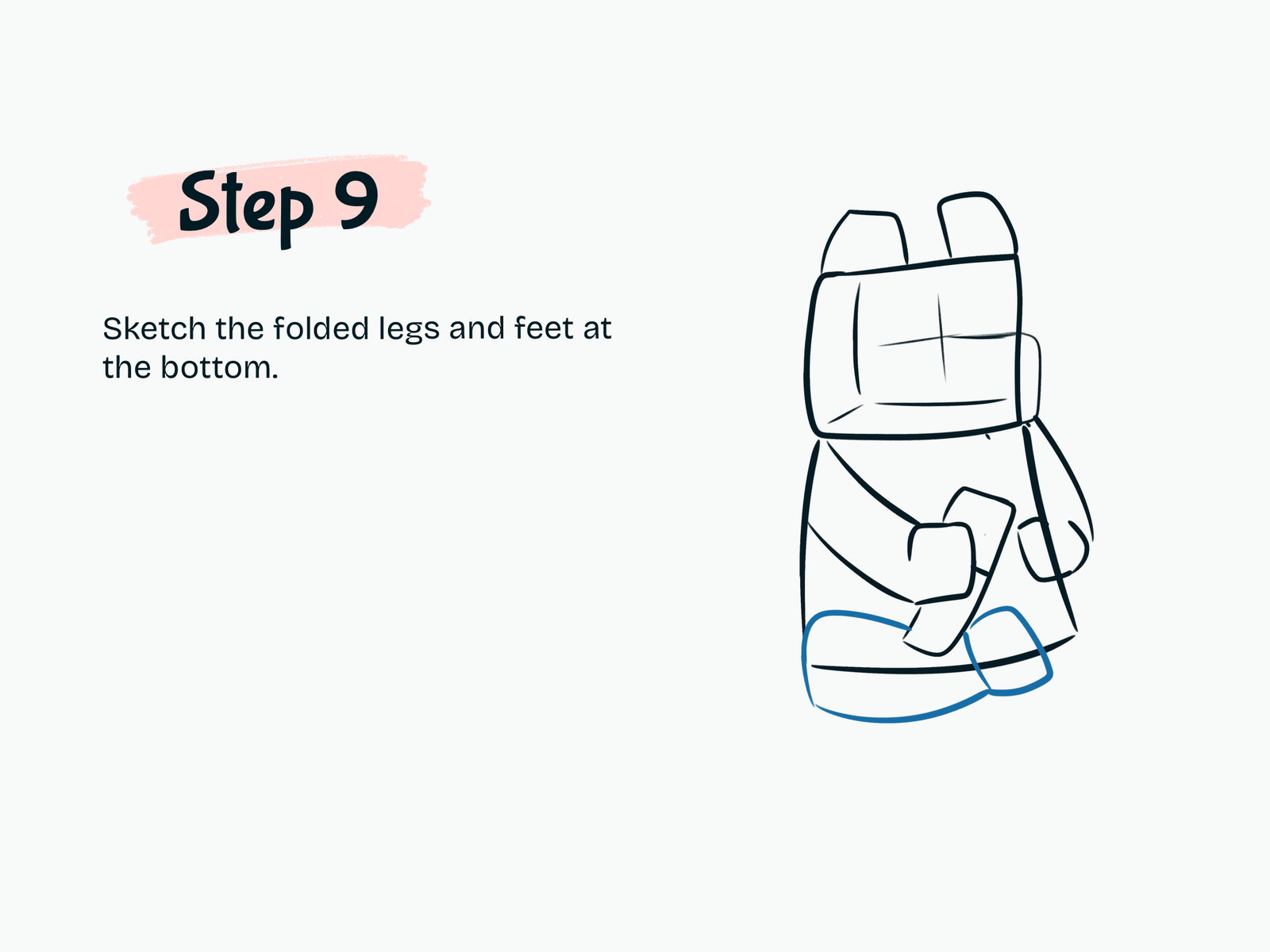
Step 9

Sketch the Folded Legs

Draw the sitting legs at the bottom of the panda.

Use wide curved shapes to create the folded pose and add simple paw forms at the ends.

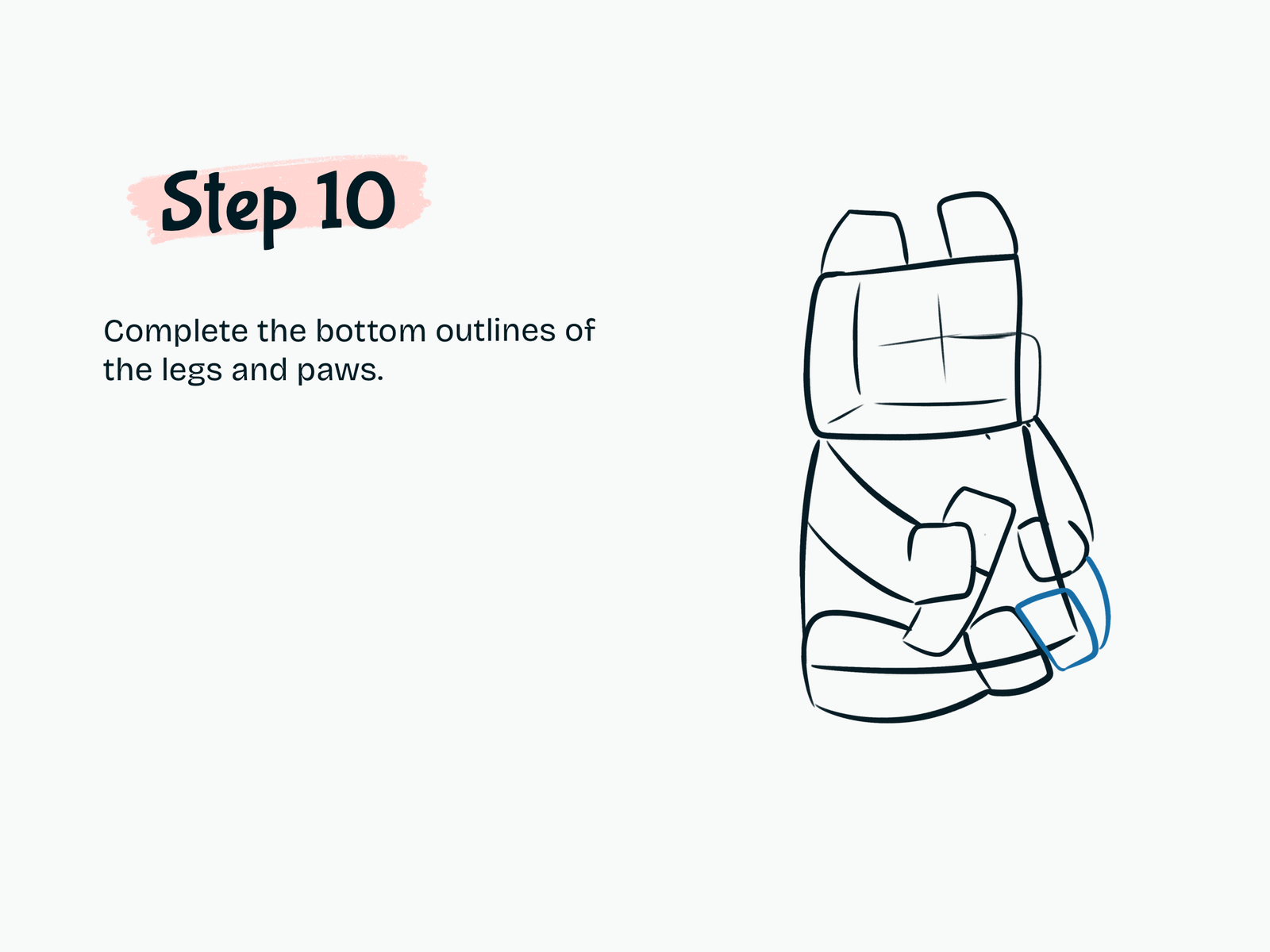
Step 10

Complete the Legs and Paws

Refine the lower outlines of both legs.

Separate the paws clearly and make the sitting pose feel balanced.

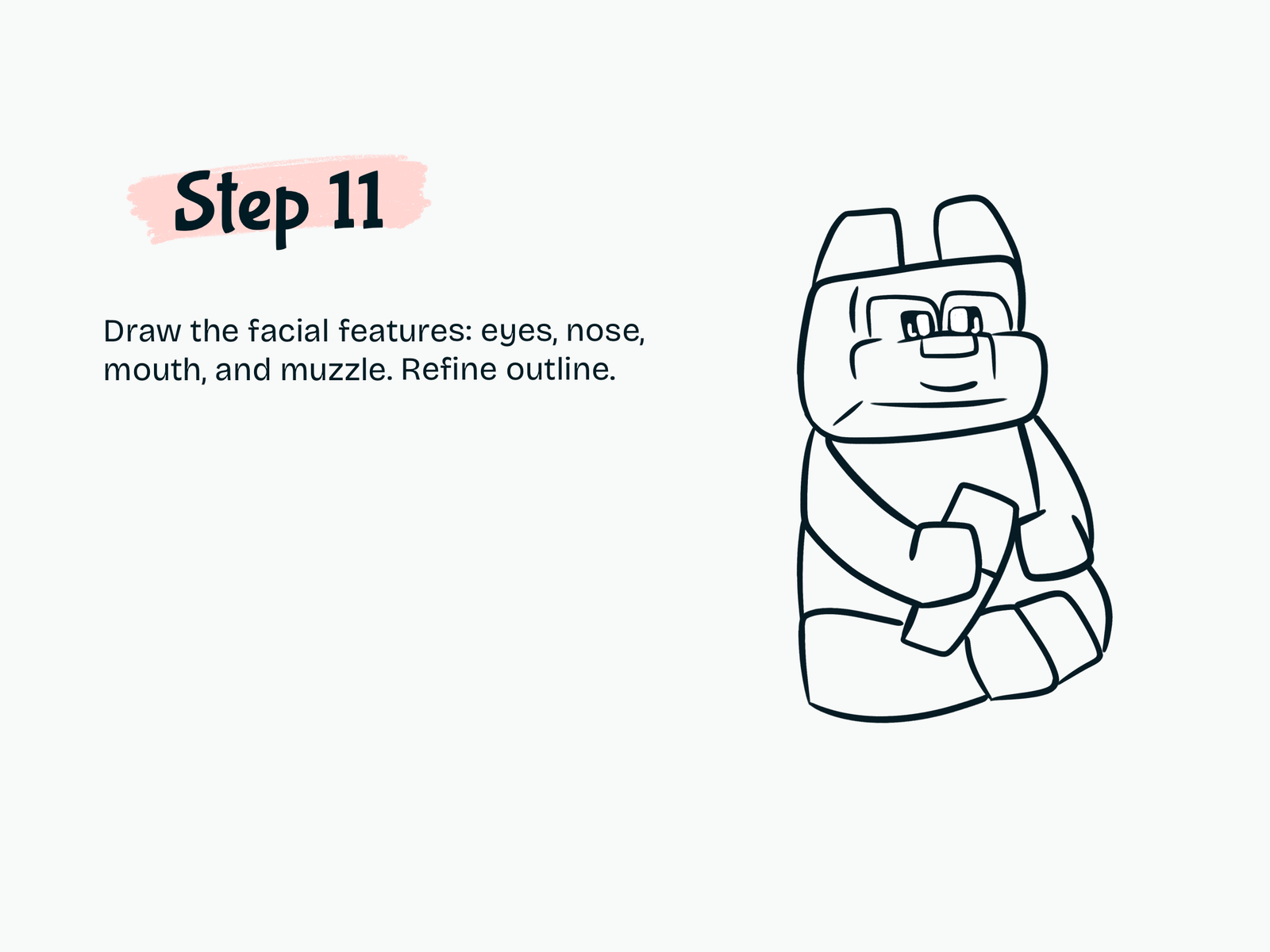
Step 11

Add the Facial Features

Now draw the panda’s face.

Add large cute eyes, a small nose, a simple curved mouth, and the muzzle area. Refine the outlines around the cheeks, ears, body, paws, and bamboo.

Erase any unnecessary sketch guidelines.

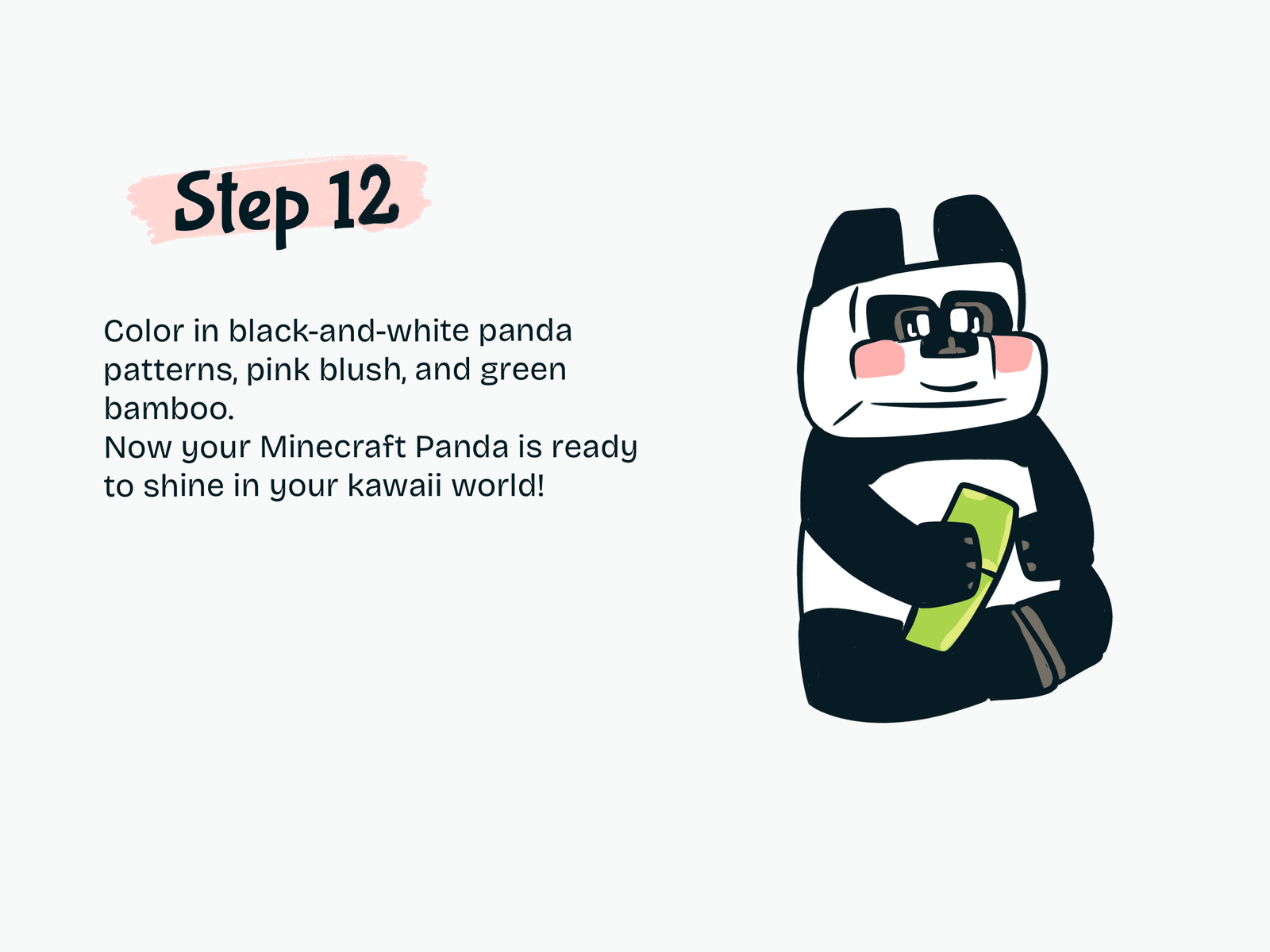
Step 12

Color Your Cute Panda

Color the ears, eye patches, arms, and legs black.

Keep the face and belly white. Add soft pink blush to the cheeks and color the bamboo green. You can also use dark gray or brown details on the paws.

Your cute Panda Minecraft drawing is complete!

Drawing Resources

A few tools and books that can make drawing easier and more fun.

Kawaii Drawing Book

Kawaii Drawing Book

A simple guide for cute characters and beginner-friendly sketching.

View on Amazon
iPad for Digital Drawing

iPad for Digital Drawing

A great digital drawing tool for sketching cute tutorials anywhere.

View on Amazon
Apple Pencil

Apple Pencil

Perfect for line art, note-taking, and digital doodling.

View on Amazon
Colors Alcohol Markers

Colors Alcohol Markers

Smooth, vibrant markers for coloring cute drawings.

View on Amazon
Sketchbook

Sketchbook

A nice everyday sketchbook for practice and doodles.

View on Amazon
Fine Line Pens

Fine Line Pens

Helpful for clean outlines and cute little details.

View on Amazon

Some links may be affiliate links, which means Cute Thing Corner may earn a small commission at no extra cost to you.

Final Tips

Now you know how to draw cute Panda Minecraft step by step.

The key is to start with simple rounded shapes first, then slowly add the sitting pose, bamboo, facial details, and black-and-white panda pattern.

You can also customize your panda by changing the facial expression, bamboo position, or adding a simple Minecraft-style background.

Easy Drawing Tips

  • Sketch lightly before adding clean outlines.
  • Keep the head large to make the panda look cuter.
  • Use rounded corners instead of very sharp blocks.
  • Make the eyes large and simple.
  • Add pink blush for a kawaii finish.

Leave a Comment