
Cute Thing Corner
Buy me a coffee

Minecraft

How to Draw a Cute Minecraft Bee – Easy Step-by-Step Tutorial

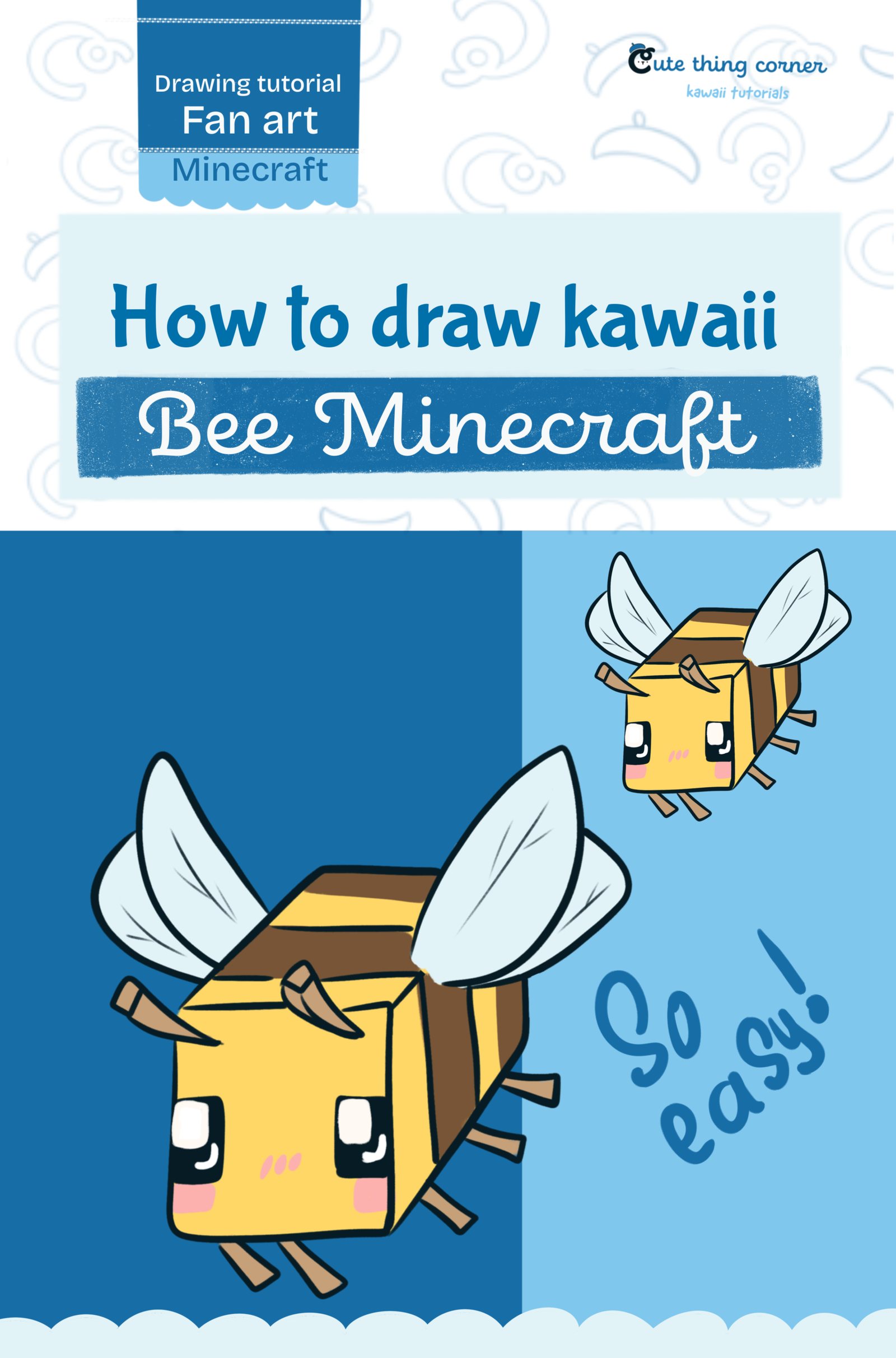
Want to learn how to draw a cute Minecraft Bee? This easy drawing tutorial breaks the character into simple shapes, making it beginner-friendly and fun to follow. The Minecraft Bee has a blocky cube body, tiny…
  • Quick
  • 15 minutes
  • 8 steps
How to Draw a Cute Minecraft Bee – Easy Step-by-Step Tutorial

Before You Start

Want to learn how to draw a cute Minecraft Bee? This easy drawing tutorial breaks the character into simple shapes, making it beginner-friendly and fun to follow.

The Minecraft Bee has a blocky cube body, tiny legs, large wings, cute eyes, and classic yellow-and-brown stripes. In this tutorial, we’ll build the bee step by step and then finish it with bright colors.

Grab your pencil and let’s start drawing.

What You’ll Need

  • Pencil
  • Eraser
  • Black drawing pen
  • Paper or digital drawing app
  • Yellow
  • Brown
  • Black
  • Pink
  • Light blue

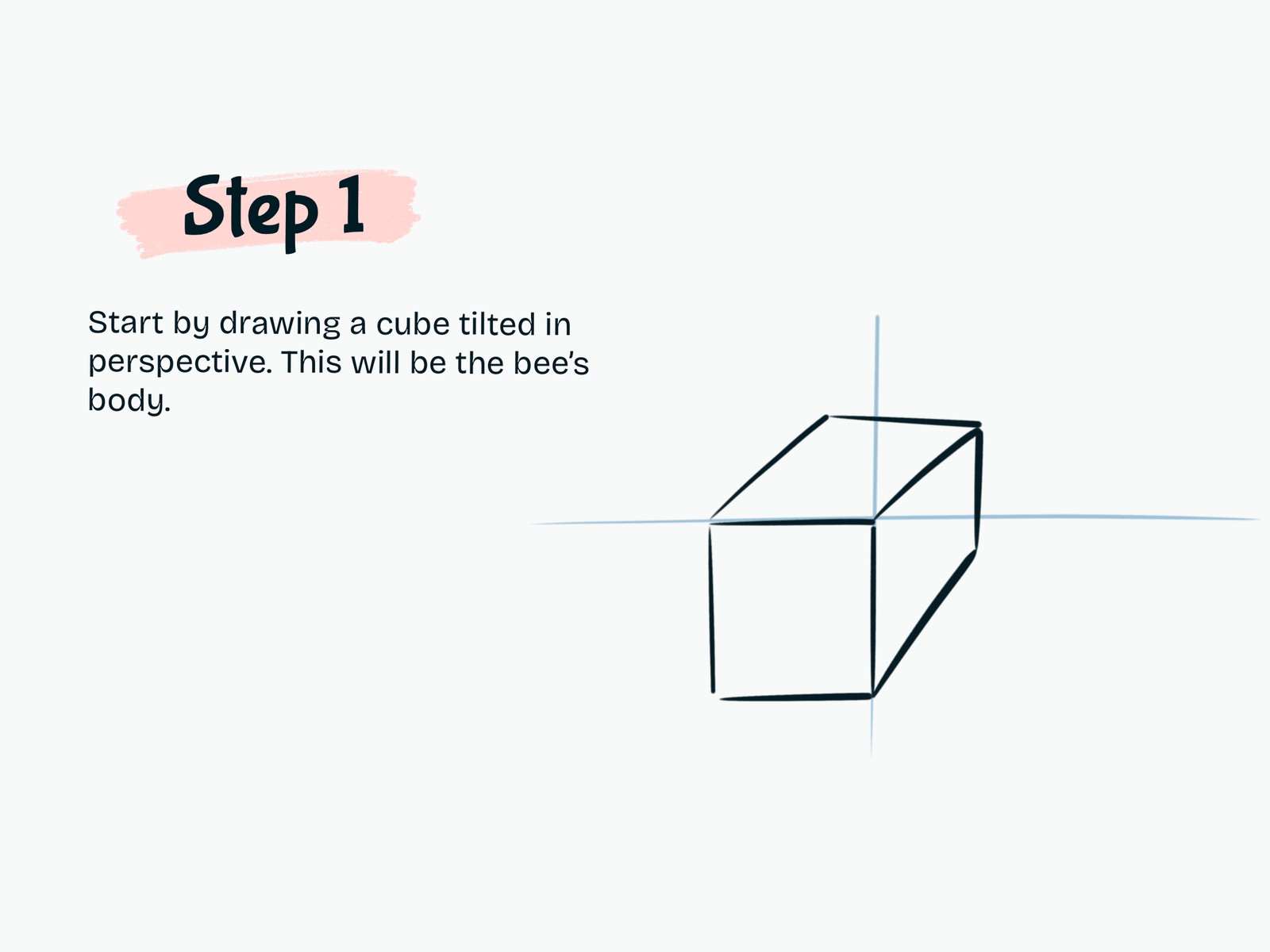
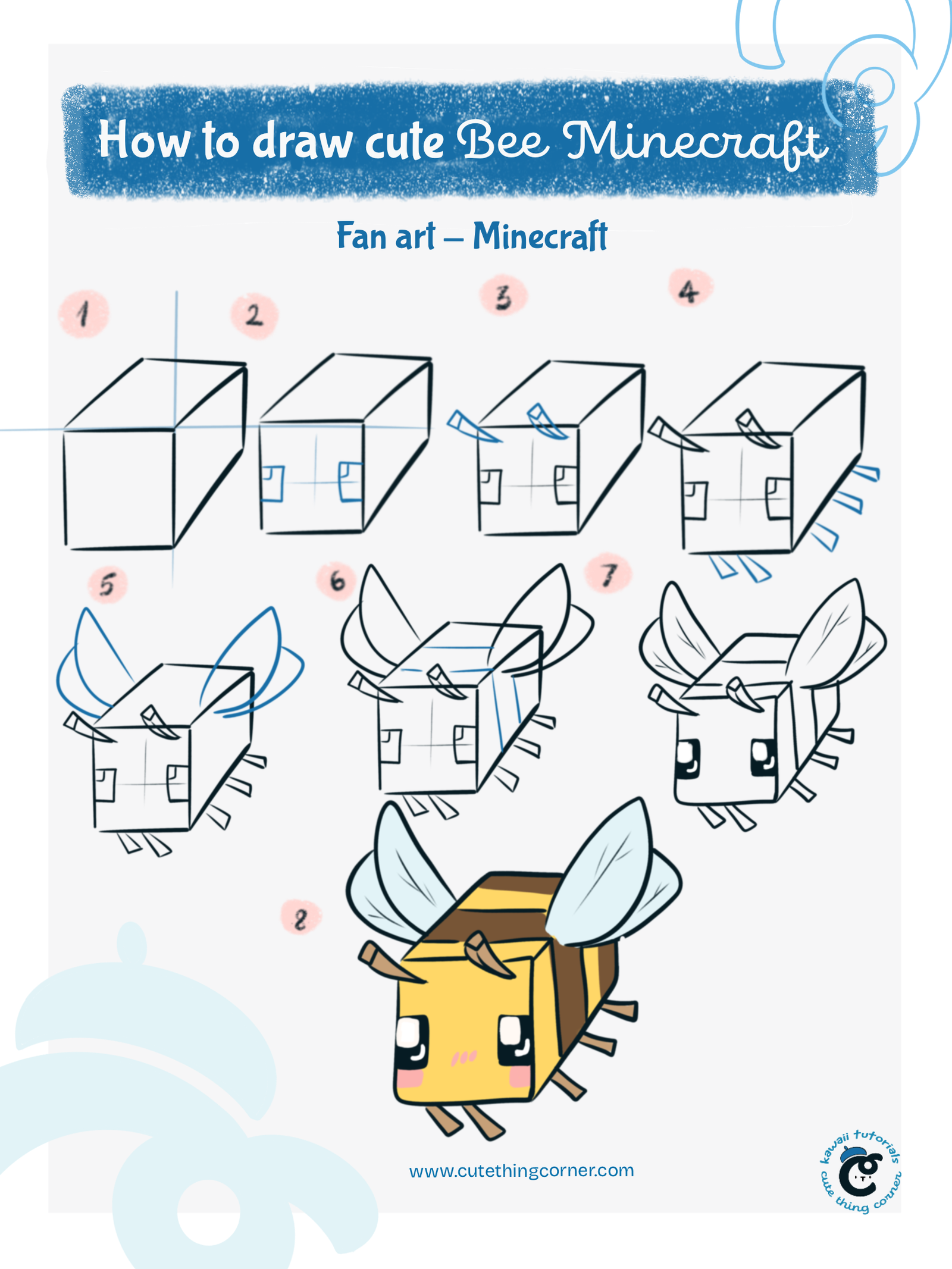
Step 1

Draw the Cube Body

Start by drawing a cube tilted slightly in perspective.

This cube will become the Minecraft Bee’s main body.

Use light guide lines to help keep the front, top, and side faces aligned.

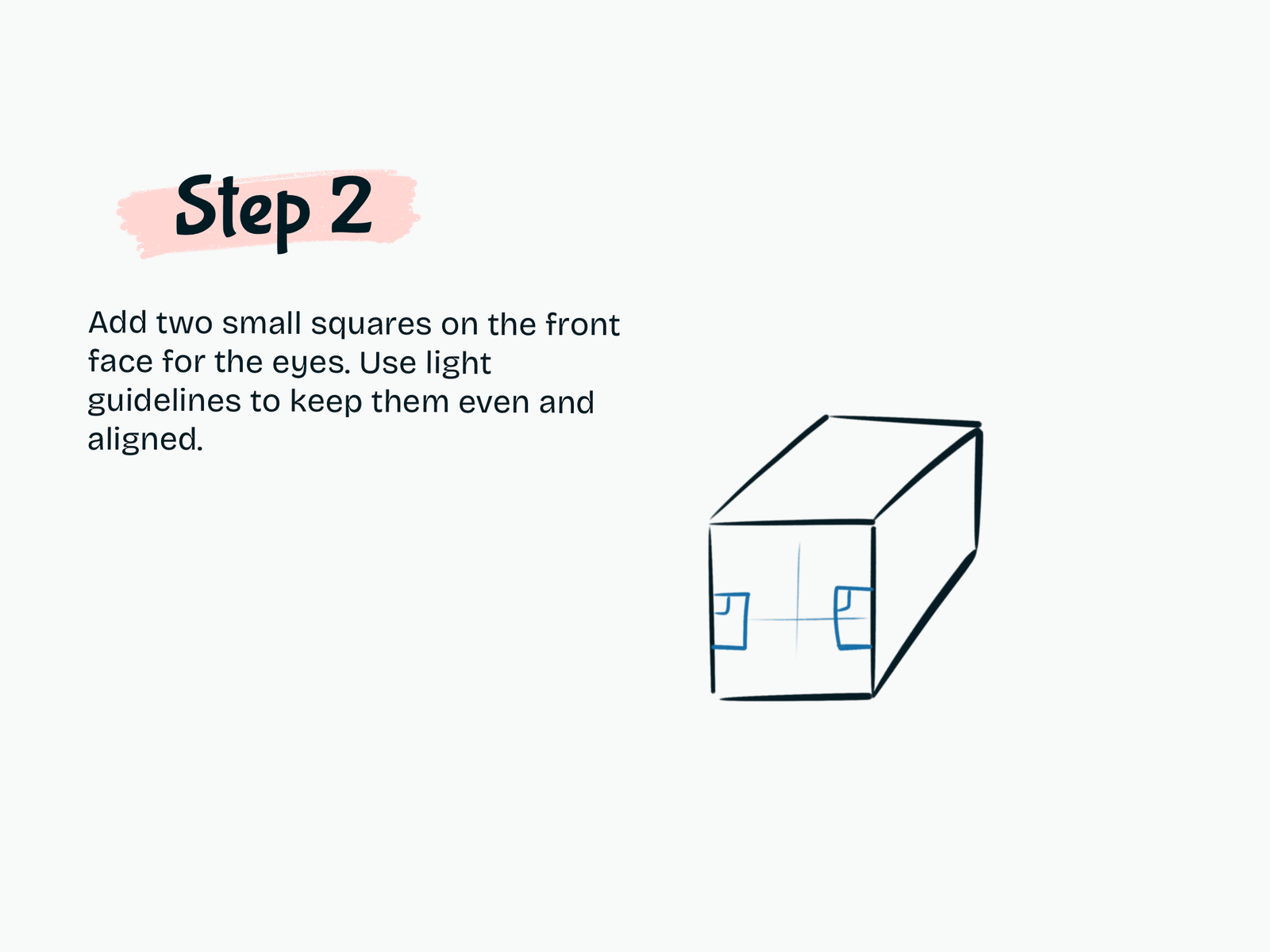
Step 2

Add the Eyes

Draw two small square eyes on the front face of the cube.

Place them evenly on both sides of the center guideline.

Keep the shapes simple for now because we will add the cute eye details later.

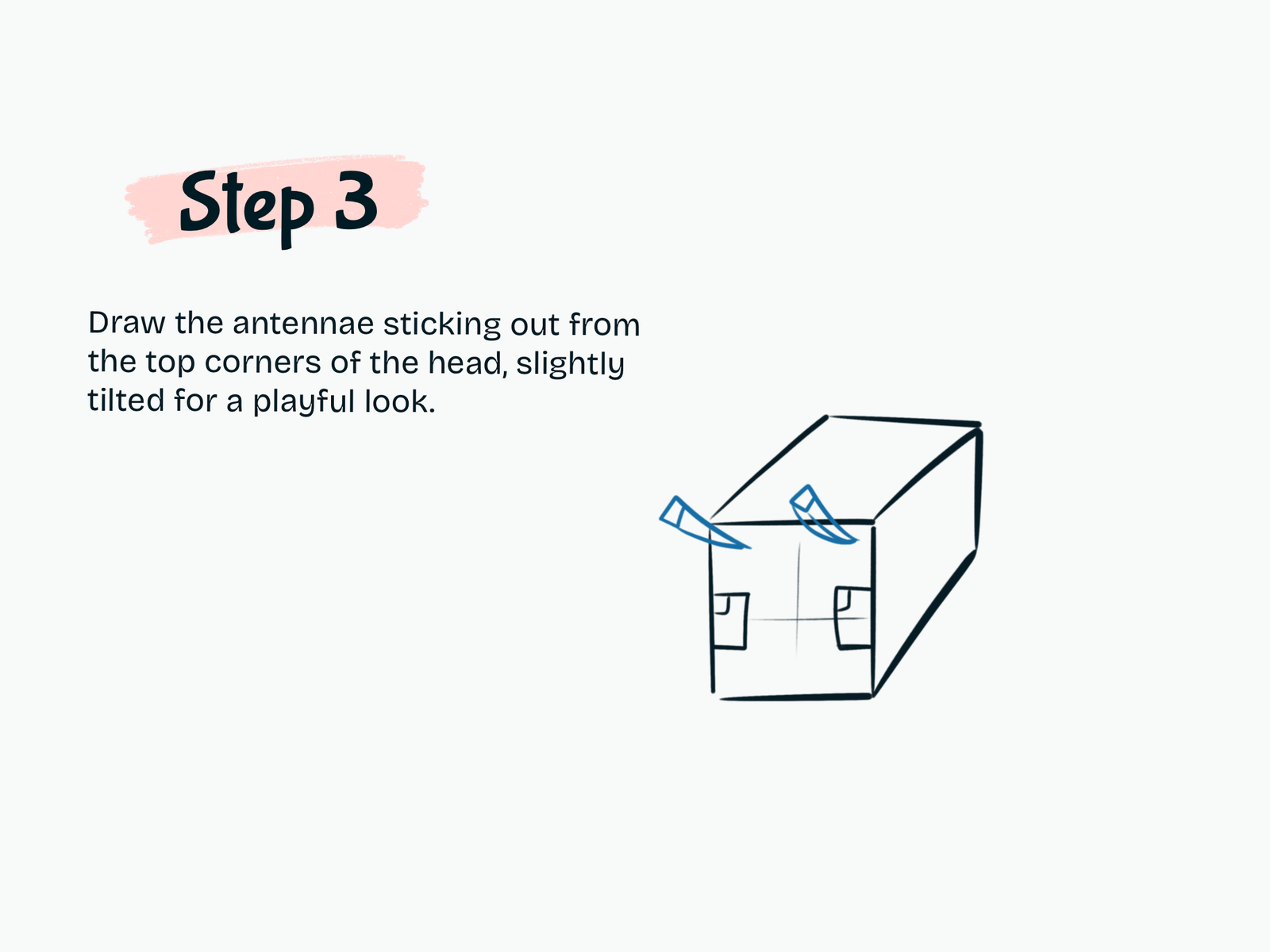
Step 3

Draw the Antennae

Add two short antennae coming from the upper corners of the bee’s head.

Angle them slightly outward to give the character a playful look.

Keep the shapes blocky so they match the Minecraft style.

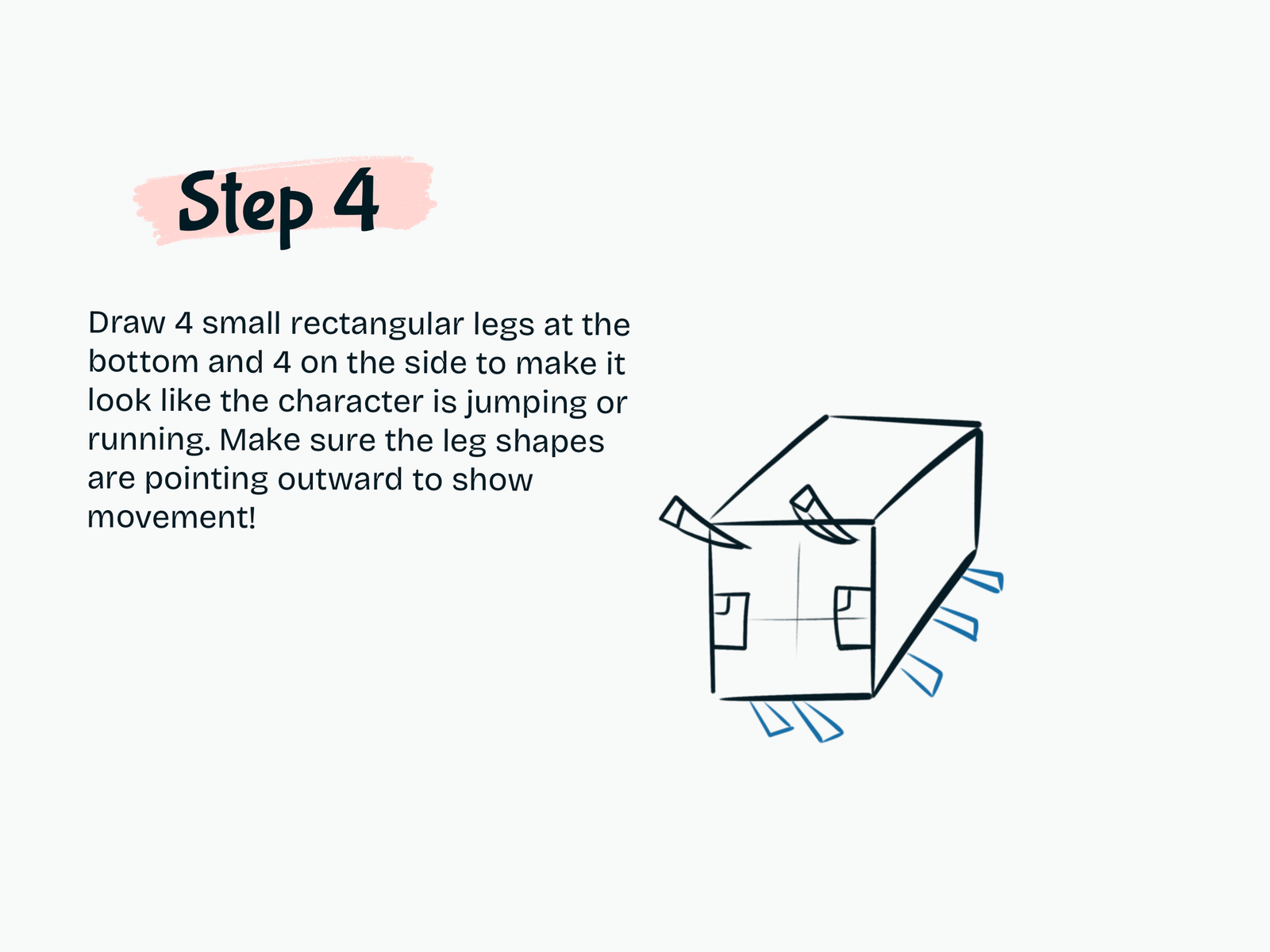
Step 4

Draw the Legs

Now add the bee’s small rectangular legs.

Draw several short blocky legs pointing away from the body.

Angle them in slightly different directions to make the bee look like it is flying, jumping, or moving.

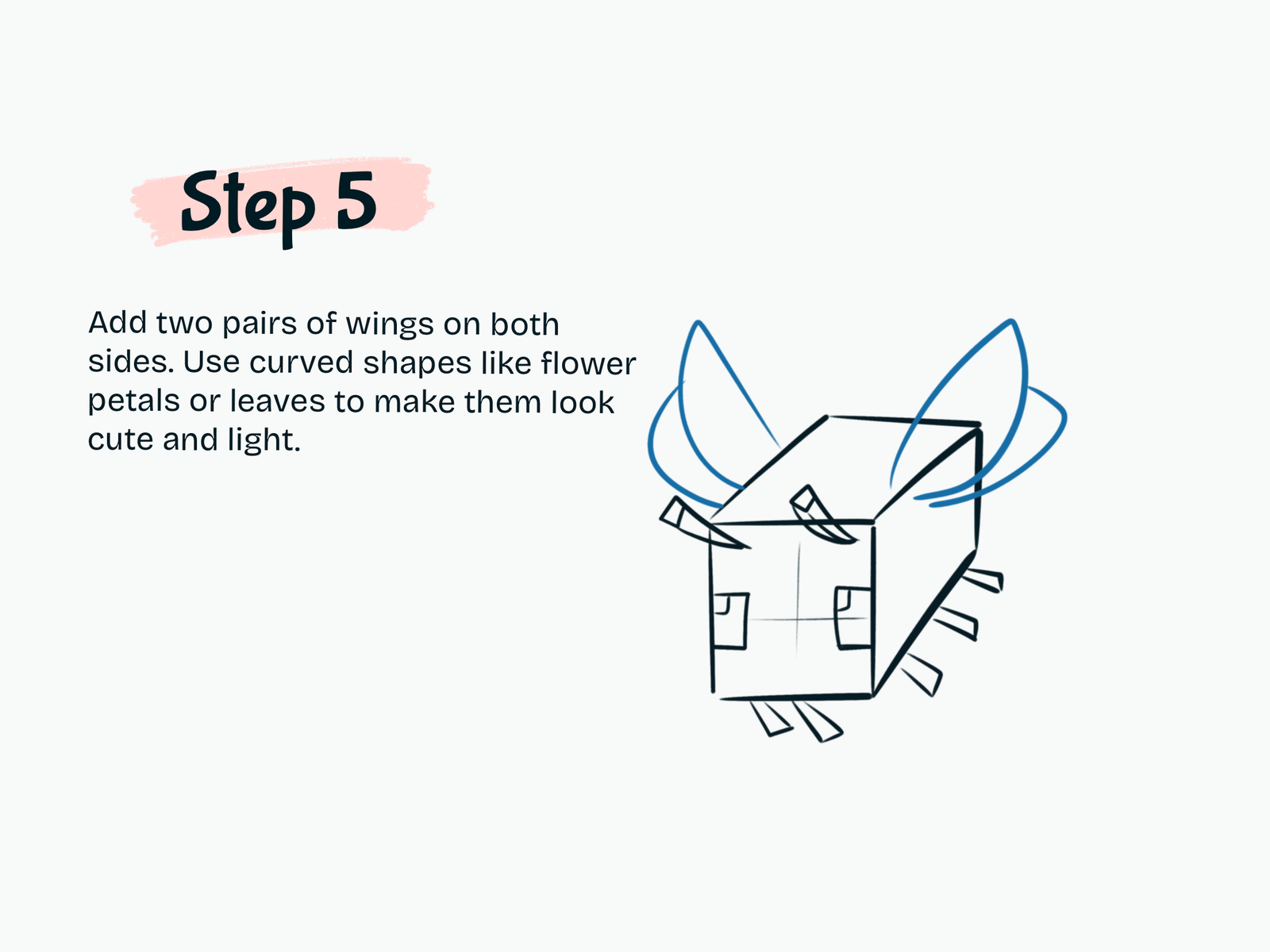
Step 5

Add the Wings

Draw two pairs of wings on the sides of the body.

Use soft curved shapes similar to leaves or flower petals.

Make the wings much rounder than the cube body to create a nice contrast between the blocky Minecraft shape and the light, cute wings.

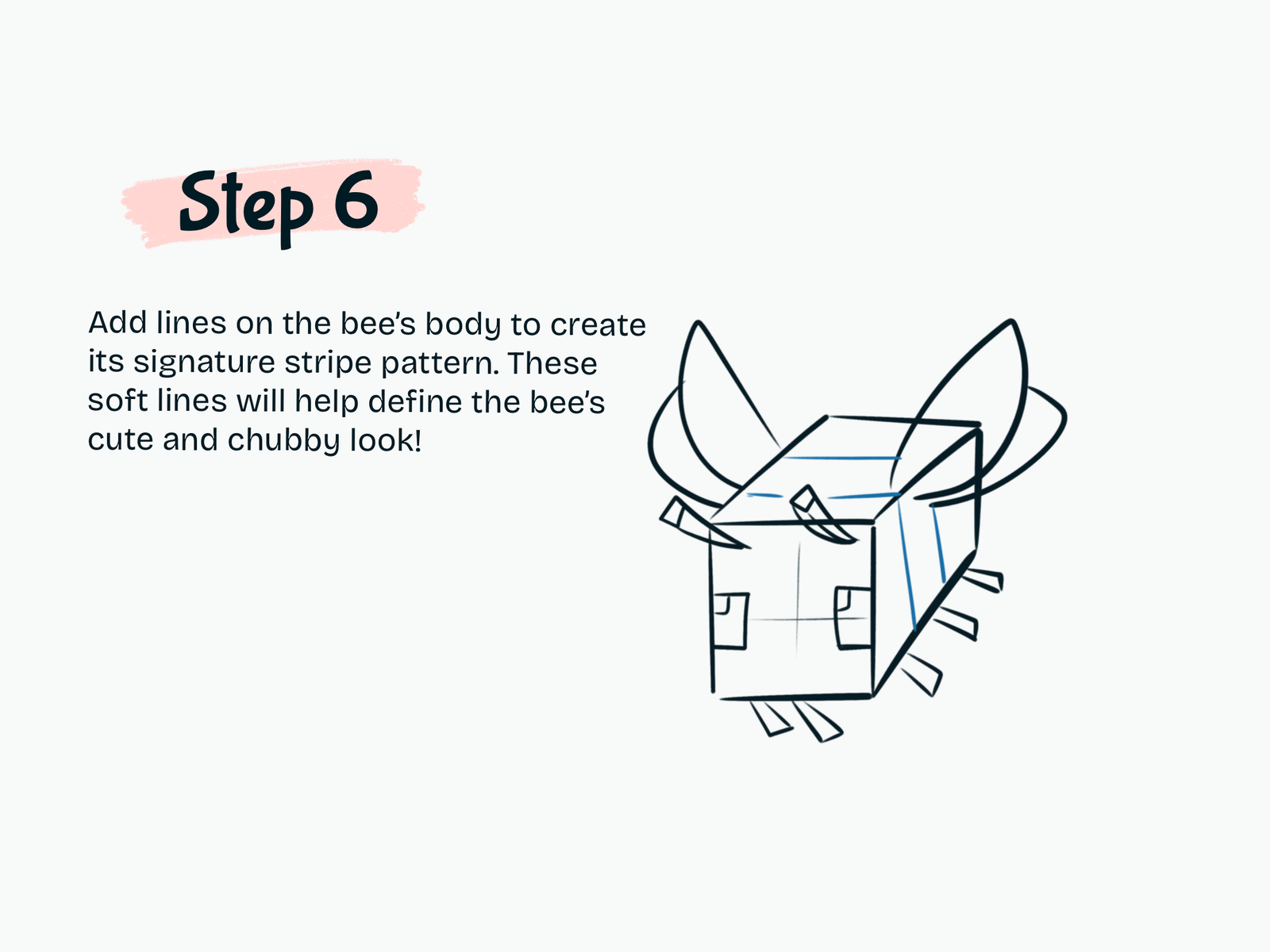
Step 6

Add the Bee Stripes

Draw several lines across the top and side of the cube.

These lines divide the bee’s body into its recognizable stripe pattern.

Keep the stripes following the direction of the cube so the perspective still looks correct.

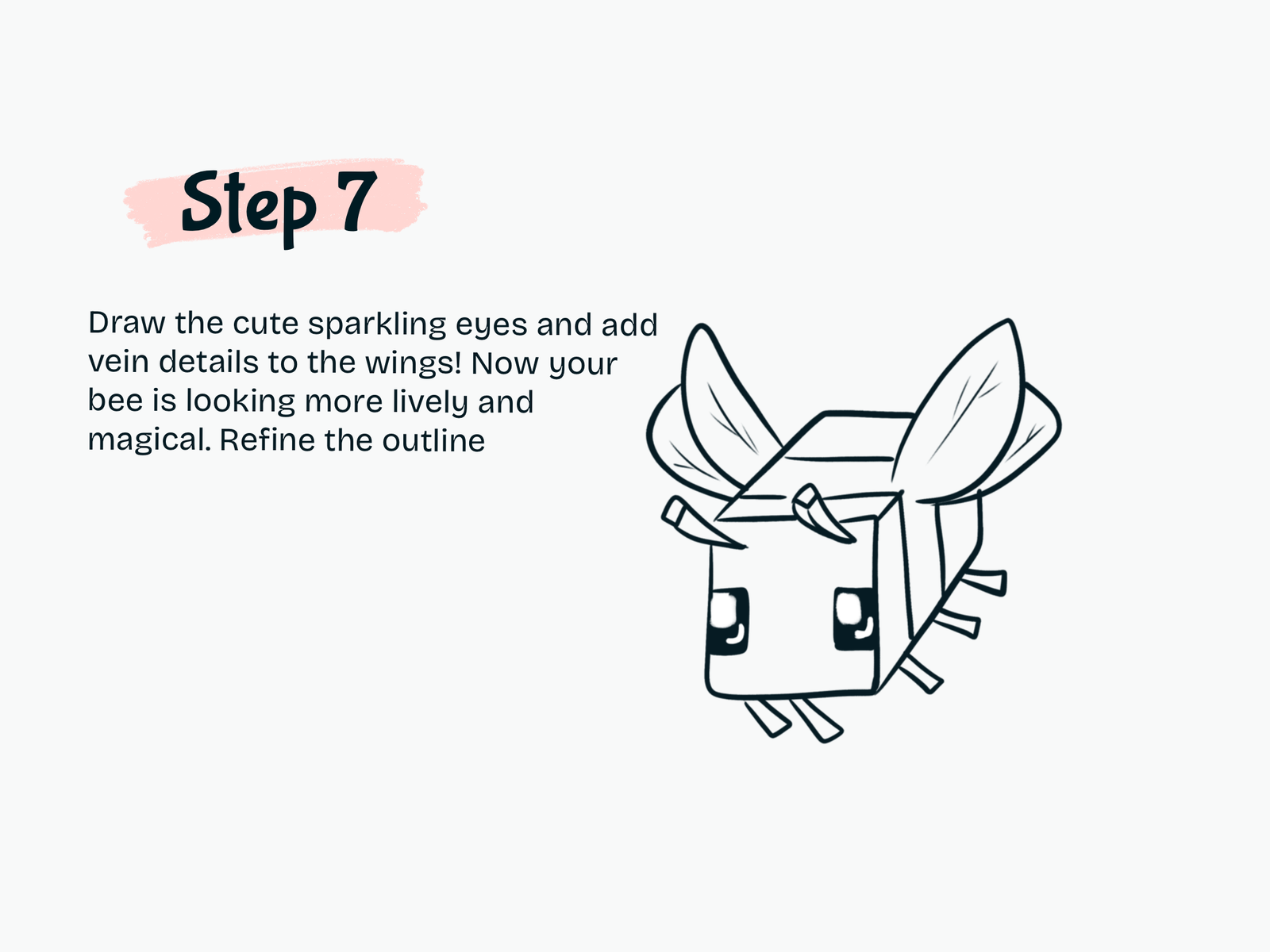
Step 7

Finish the Eyes and Wing Details

Refine the outline and clean up unnecessary guide lines.

Fill in the square eyes with black and leave small white highlights inside them to create a cute sparkling expression.

Add a few thin vein lines inside the wings.

Your Minecraft Bee should now look much more lively.

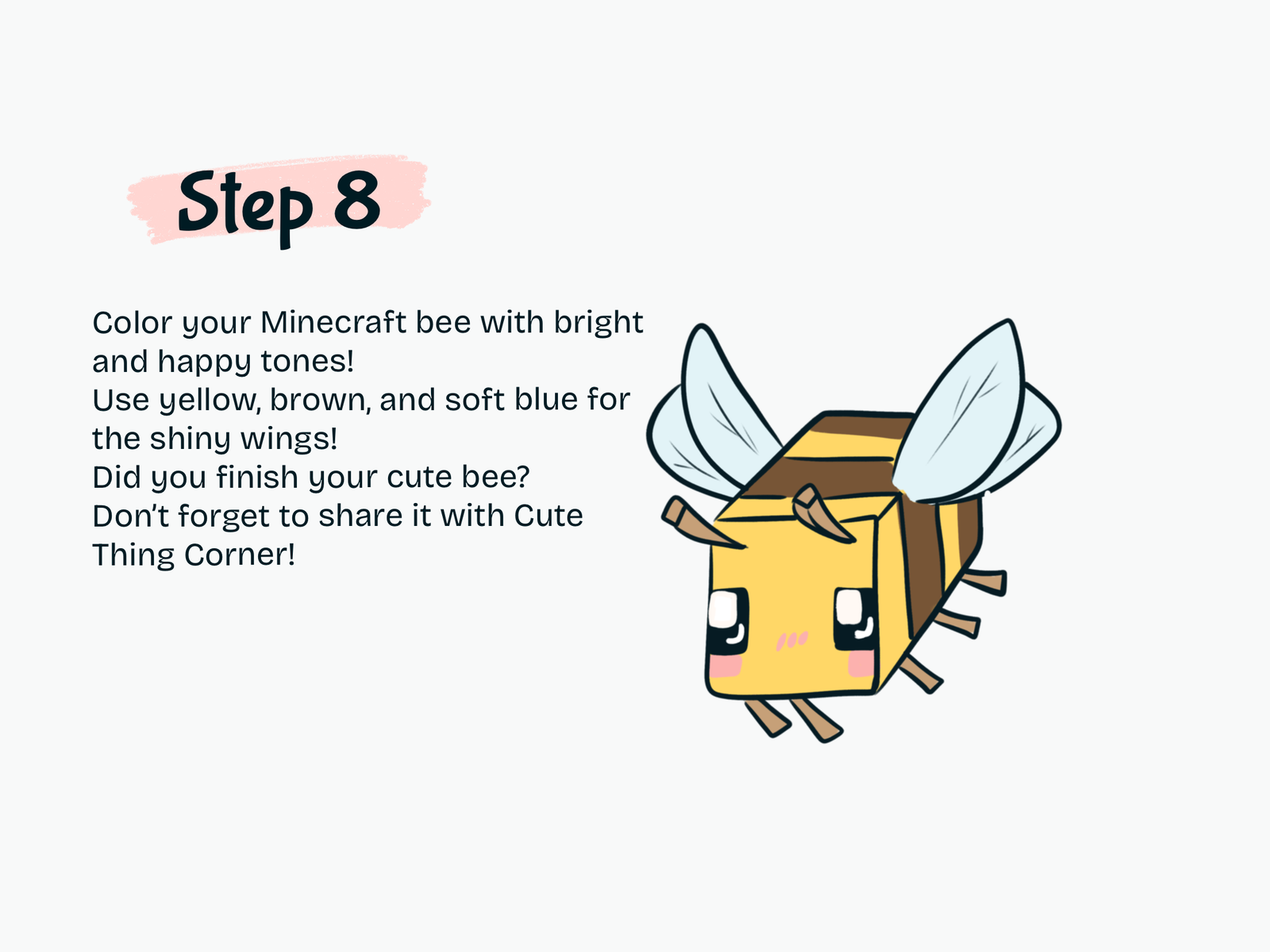
Step 8

Color the Minecraft Bee

Finish your drawing with bright colors.

Use:

  • Yellow for the main body
  • Brown for the darker stripes
  • Black for the eyes
  • Pink for the cheeks
  • Light blue for the wings
  • Brown for the legs and antennae

Keep the colors clean and bright to preserve the cute Minecraft look.

Drawing Resources

A few tools and books that can make drawing easier and more fun.

Kawaii Drawing Book

Kawaii Drawing Book

A simple guide for cute characters and beginner-friendly sketching.

View on Amazon
iPad for Digital Drawing

iPad for Digital Drawing

A great digital drawing tool for sketching cute tutorials anywhere.

View on Amazon
Apple Pencil

Apple Pencil

Perfect for line art, note-taking, and digital doodling.

View on Amazon
Colors Alcohol Markers

Colors Alcohol Markers

Smooth, vibrant markers for coloring cute drawings.

View on Amazon
Sketchbook

Sketchbook

A nice everyday sketchbook for practice and doodles.

View on Amazon
Fine Line Pens

Fine Line Pens

Helpful for clean outlines and cute little details.

View on Amazon

Some links may be affiliate links, which means Cute Thing Corner may earn a small commission at no extra cost to you.

Final Tips

You’ve finished this how to draw cute Minecraft Bee tutorial.

Although the character looks detailed, it is built from very simple shapes: one cube, small rectangles, curved wings, and square eyes.

Once you understand the basic structure, you can also try drawing your Minecraft Bee flying, sitting on a flower, holding an item, or together with other Minecraft characters.

Explore more easy kawaii drawing tutorials on Cute Thing Corner.

Leave a Comment