Cute Thing Corner
Buy me a coffee

Minecraft

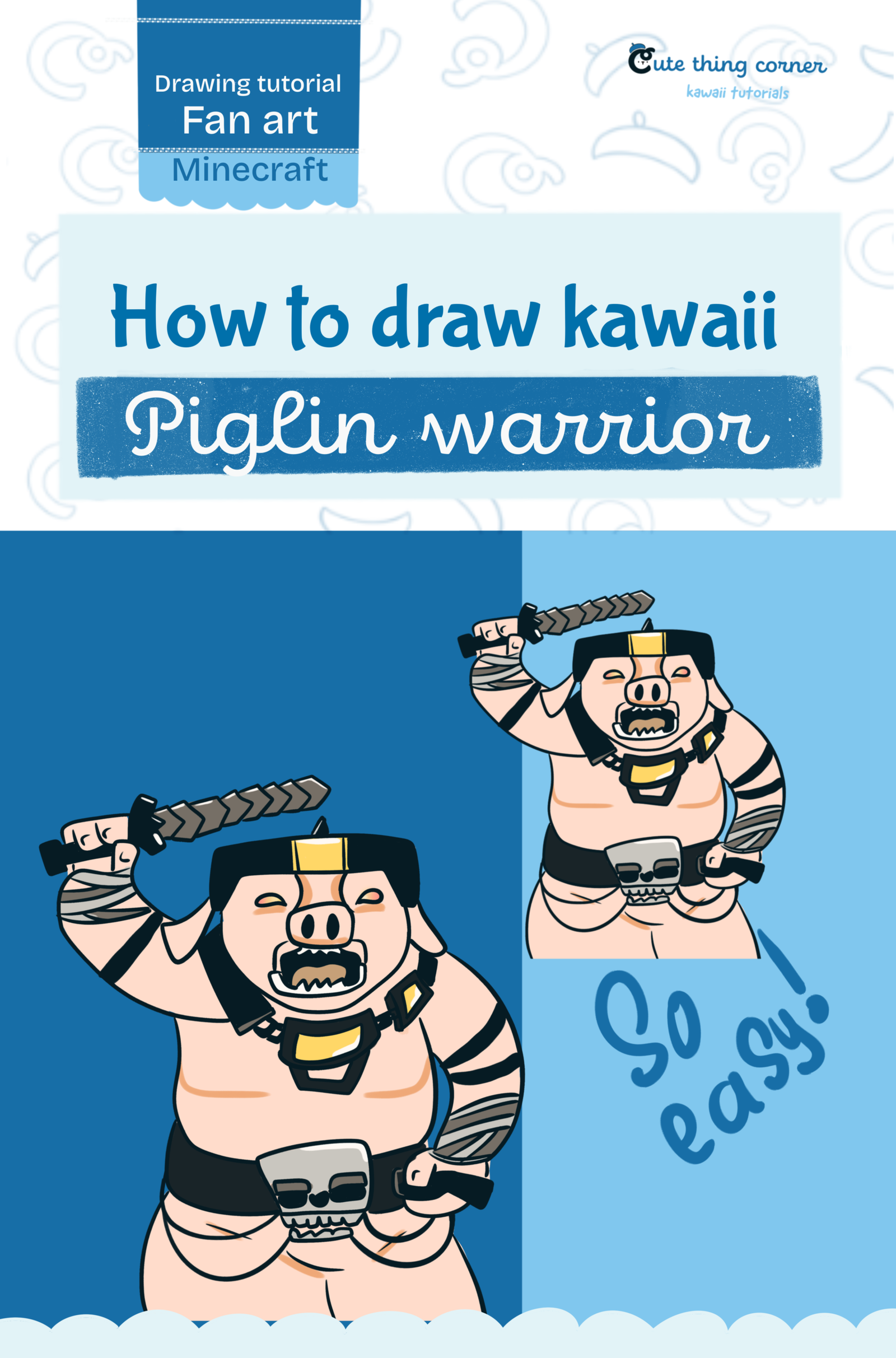
How to Draw Cute Piglin Warrior – Easy Step-by-Step Tutorial

Want to learn how to draw a cute Piglin Warrior in a simple cartoon style? This step-by-step tutorial breaks the character into easy shapes so you can build the face, armor, body, sword, and warrior details…

  • Advanced
  • 12 minutes
  • 12 steps
How to Draw Cute Piglin Warrior – Easy Step-by-Step Tutorial

Before You Start

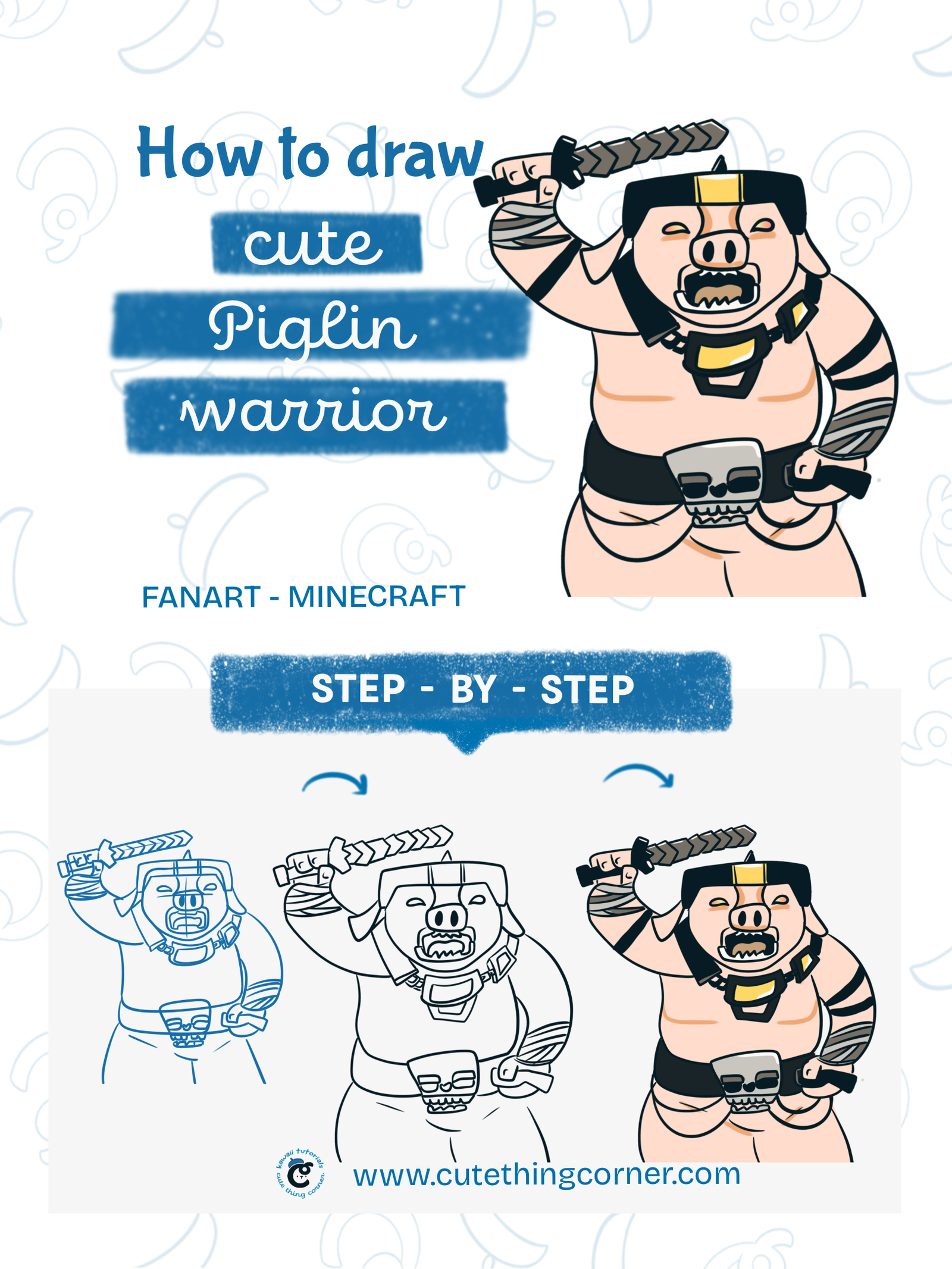
Want to learn how to draw a cute Piglin Warrior in a simple cartoon style? This step-by-step tutorial breaks the character into easy shapes so you can build the face, armor, body, sword, and warrior details one part at a time.

Even though this Piglin has lots of details, the drawing becomes much easier when you start with simple guidelines and work gradually. Follow all 12 steps below and create your own cute Minecraft-inspired Piglin Warrior.

What You’ll Need

  • Pencil
  • Eraser
  • Black fineliner or drawing pen
  • Drawing paper or digital drawing app
  • Peach or light pink
  • Dark gray and black
  • Gold or yellow
  • Gray and brown

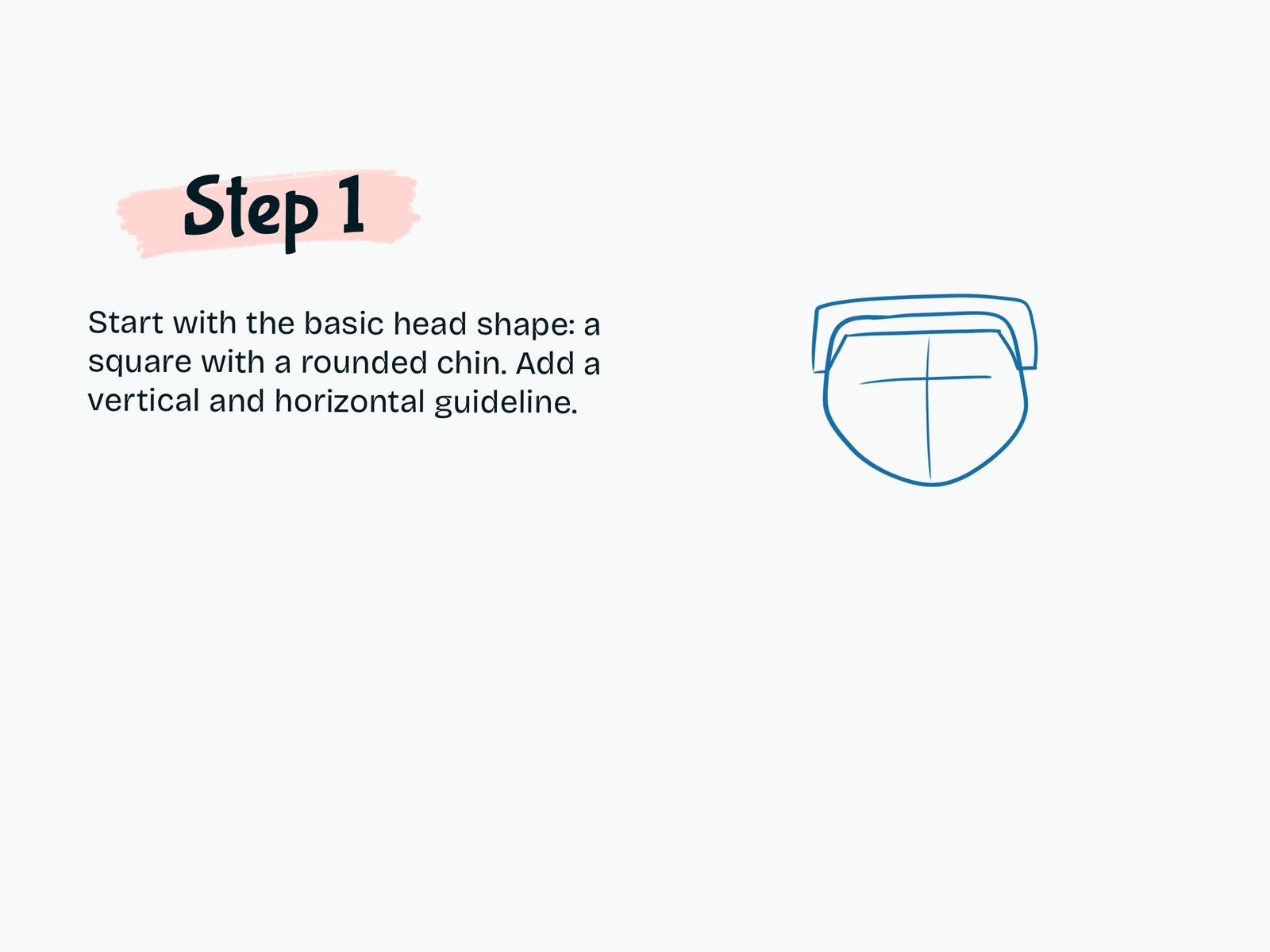
Step 1

Draw the Basic Head Shape

Start with a square-like head shape with a rounded chin.

Add one vertical guideline through the center and one horizontal guideline across the face.

These guides will help you place the eyes, snout, and other facial details evenly.

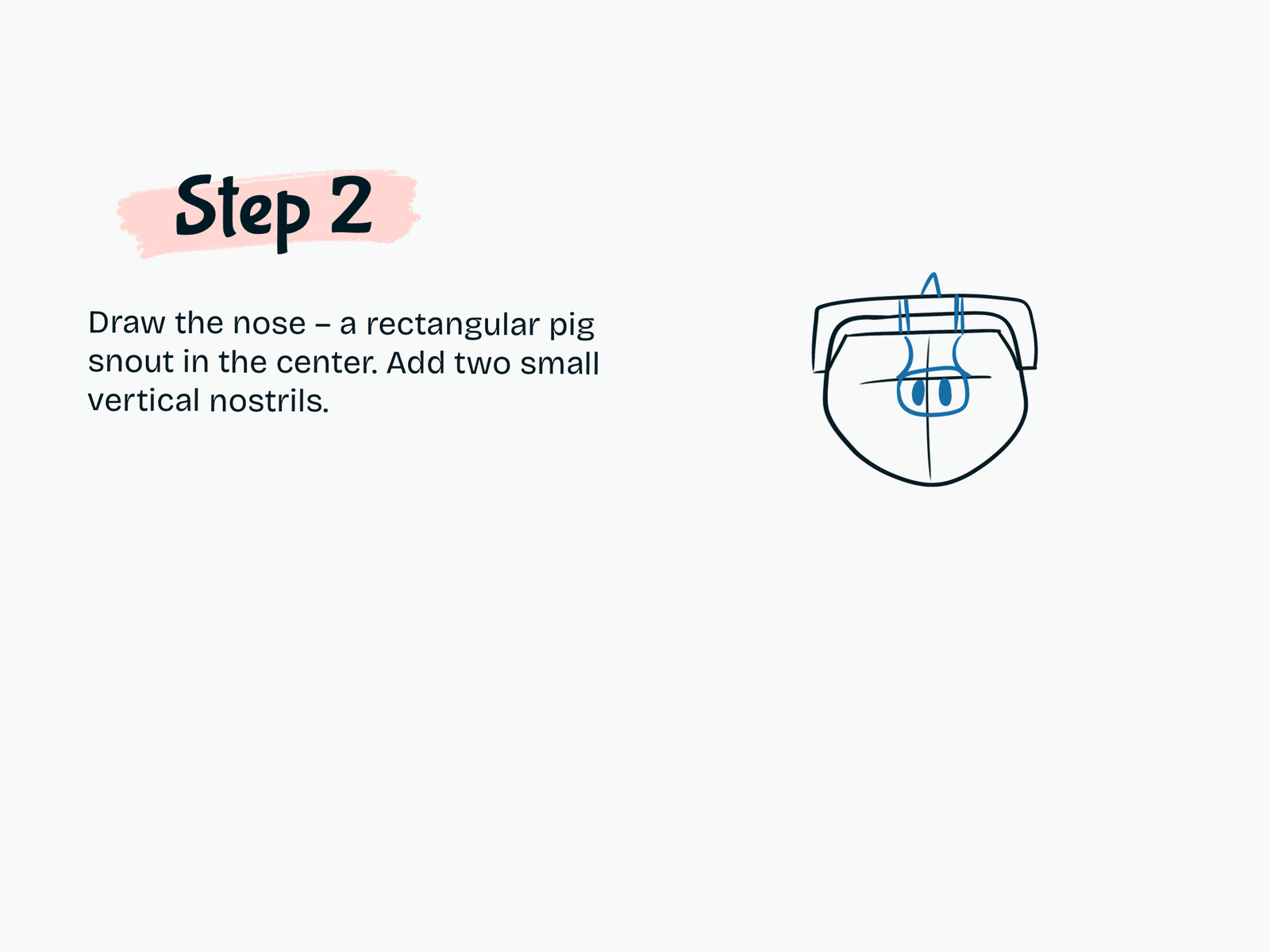
Step 2

Draw the Pig Snout

In the center of the face, draw a rectangular pig snout.

Add two short vertical nostrils inside the snout.

Keep the shape blocky to match the Minecraft-inspired look.

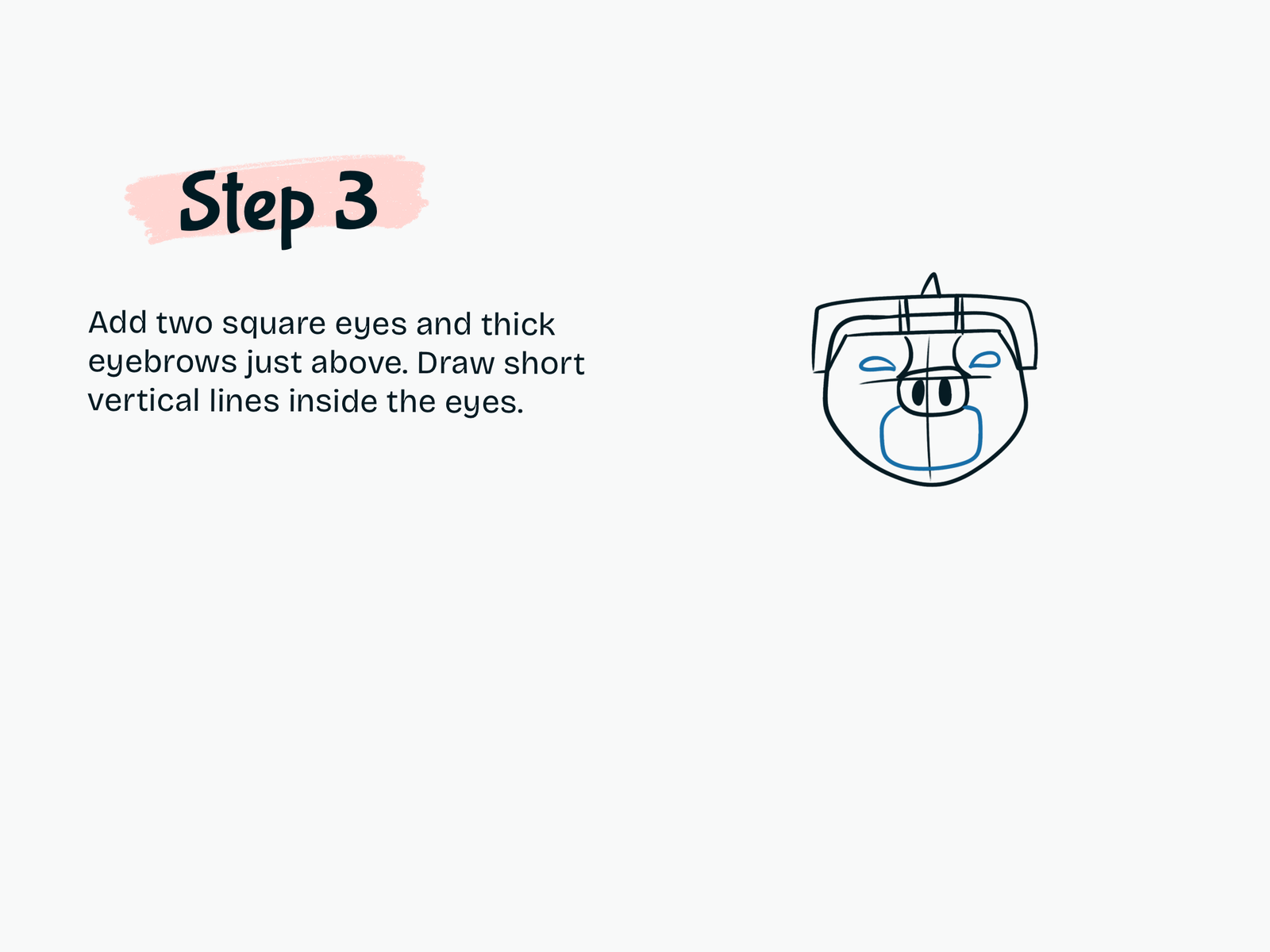
Step 3

Add the Eyes and Eyebrows

Draw two small square or rectangular eyes above the snout.

Add thick eyebrows just above them.

Inside each eye, draw short vertical pupil lines.

These shapes begin to give the Piglin his strong and serious expression.

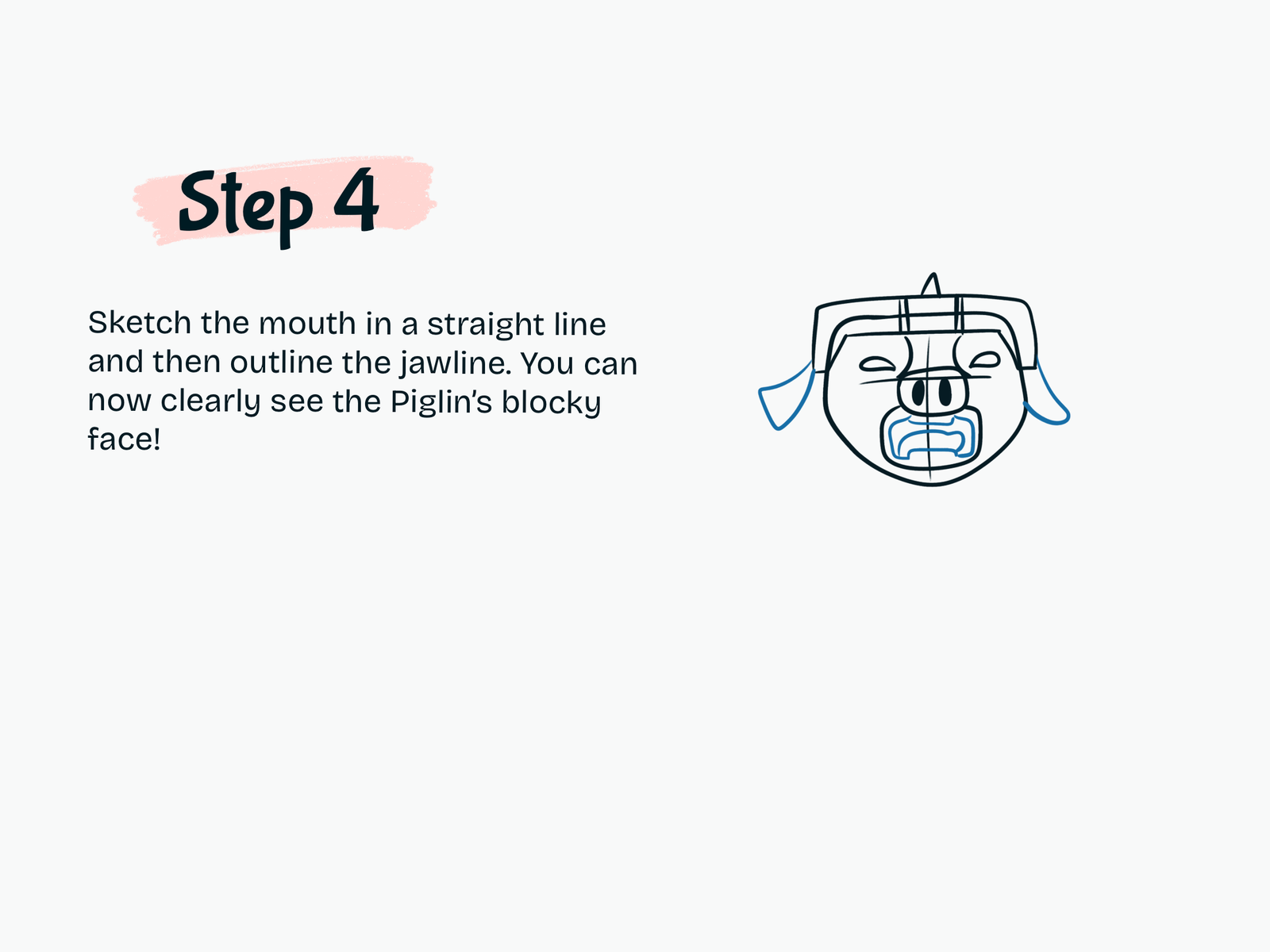
Step 4

Draw the Mouth and Jawline

Sketch the mouth below the snout.

Use straight and angular lines to create the blocky mouth shape.

Then refine the lower jawline and side shapes of the face.

At this point, the Piglin’s face should already look much more recognizable.

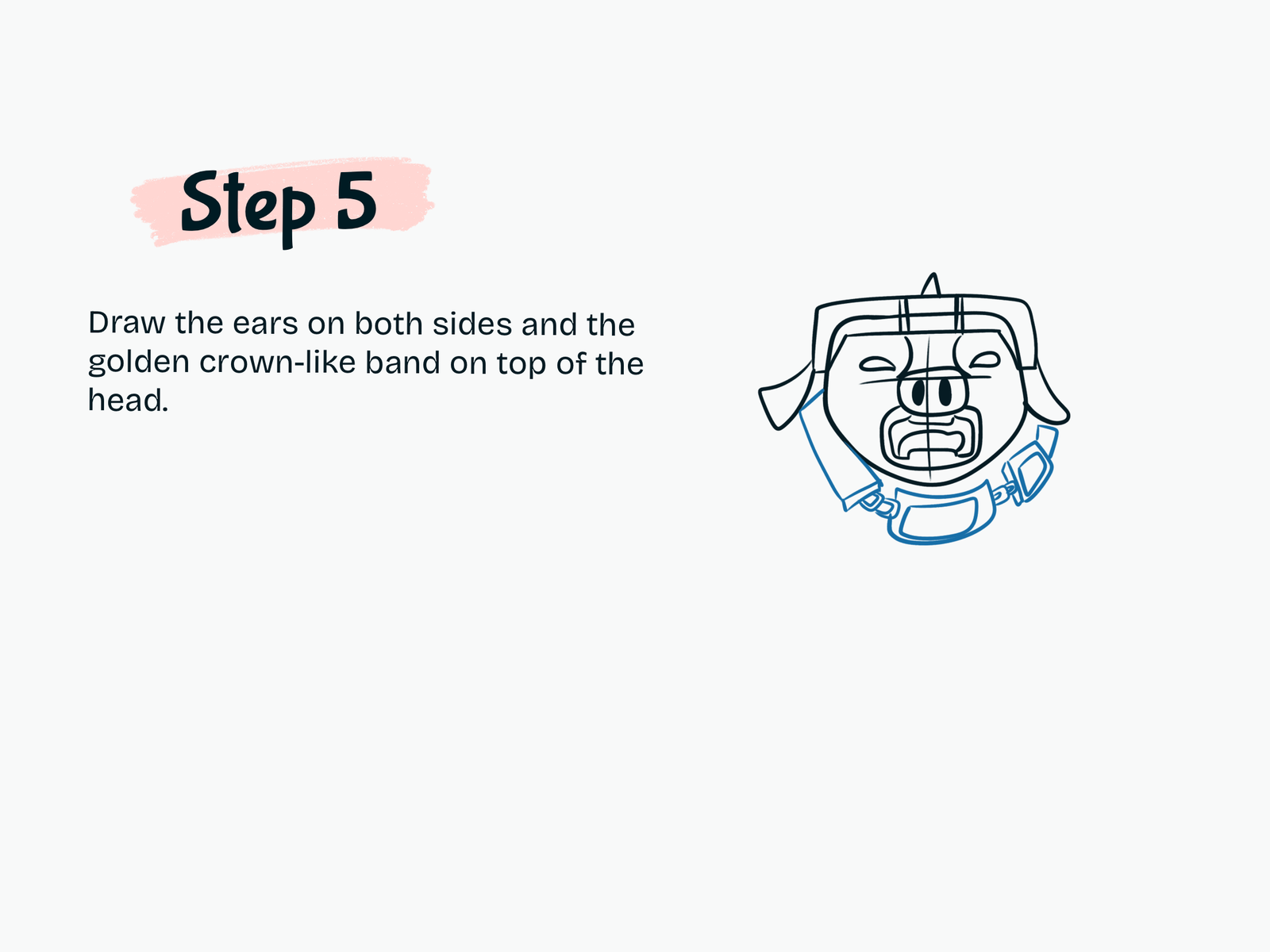
Step 5

Add the Ears and Head Armor

Draw one ear on each side of the head.

Next, add the top headband or armor detail across the forehead.

Keep these shapes geometric and slightly chunky so they fit the Minecraft style.

You can also begin adding the neck and small armor details below the face.

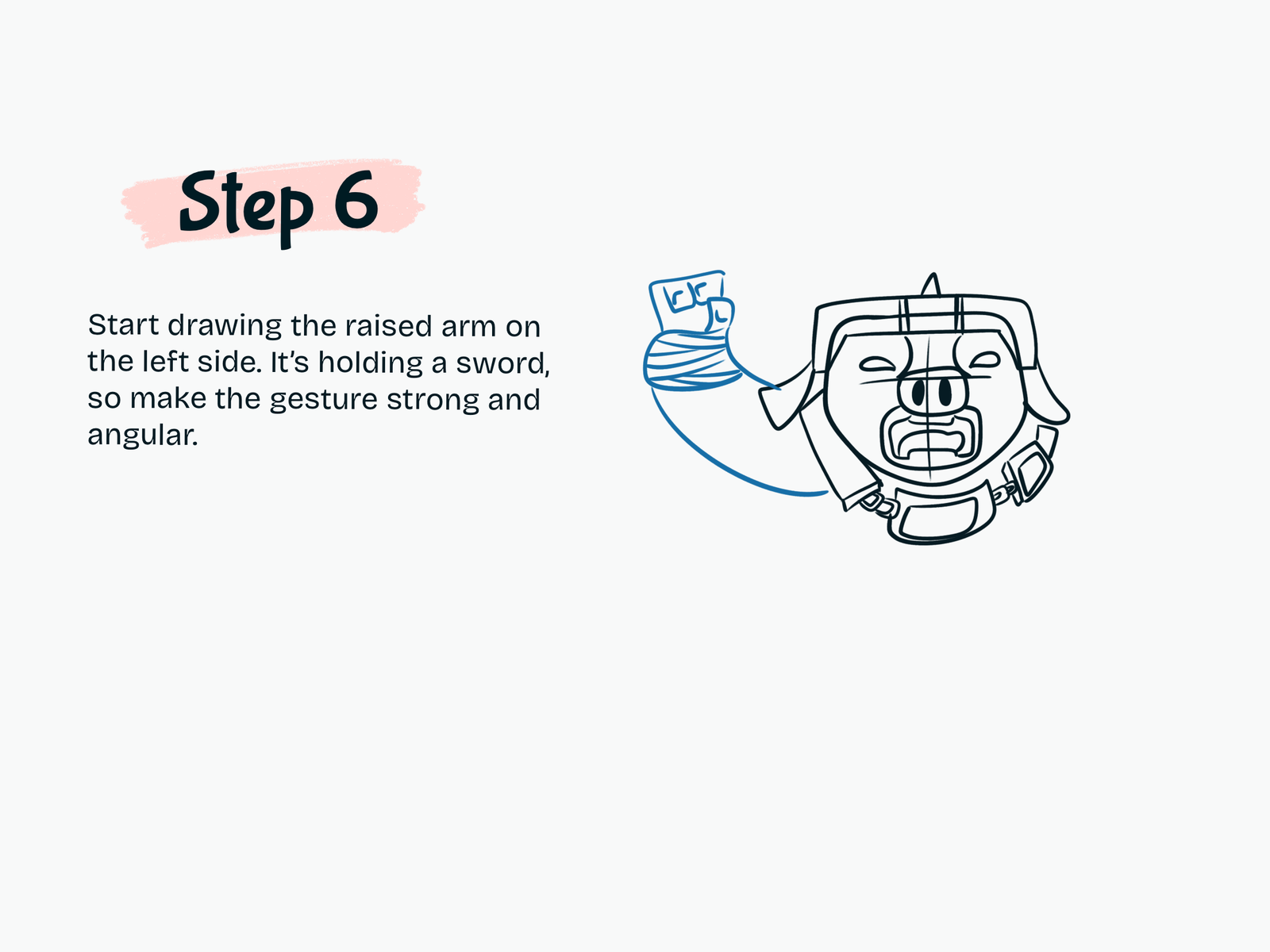
Step 6

Draw the Raised Arm

Now draw the arm on the left side of the character.

Curve the arm upward into a strong raised pose.

Add the hand at the top and sketch the wrist wraps or bandage lines around the forearm.

This arm will hold the sword.

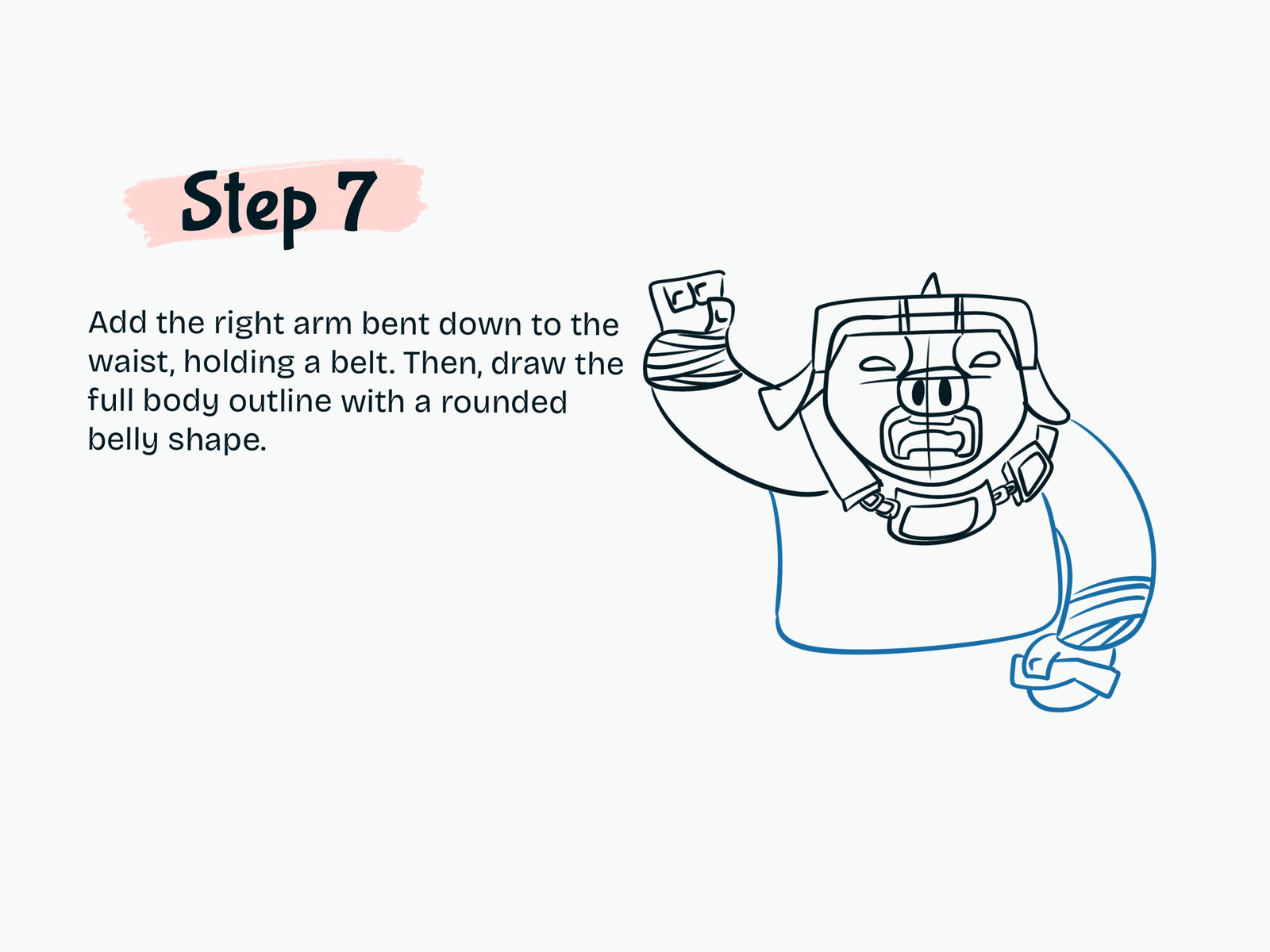
Step 7

Draw the Other Arm and Body

Draw the second arm on the opposite side.

Angle it downward near the waist.

Then sketch the large rounded torso underneath the head.

Keep the belly wide and soft to balance the blocky face and armor.

Add a few belt or side armor details around the waist area.

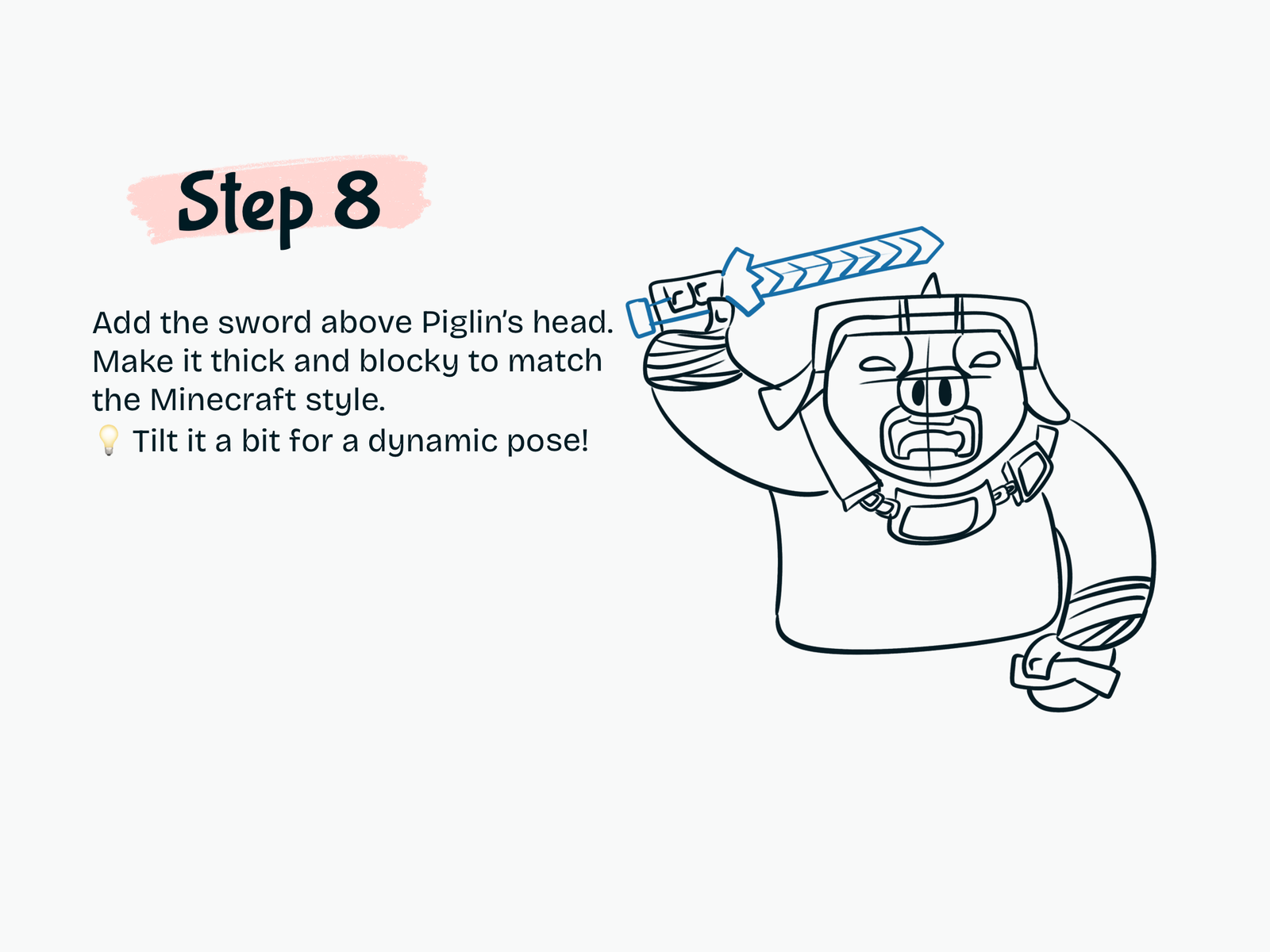
Step 8

Draw the Sword

Add a large sword above the Piglin’s head.

Draw the handle inside the raised hand, then extend the blade outward.

Keep the sword thick, angular, and blocky.

Add simple repeating shapes along the blade if you want to create extra Minecraft-style texture.

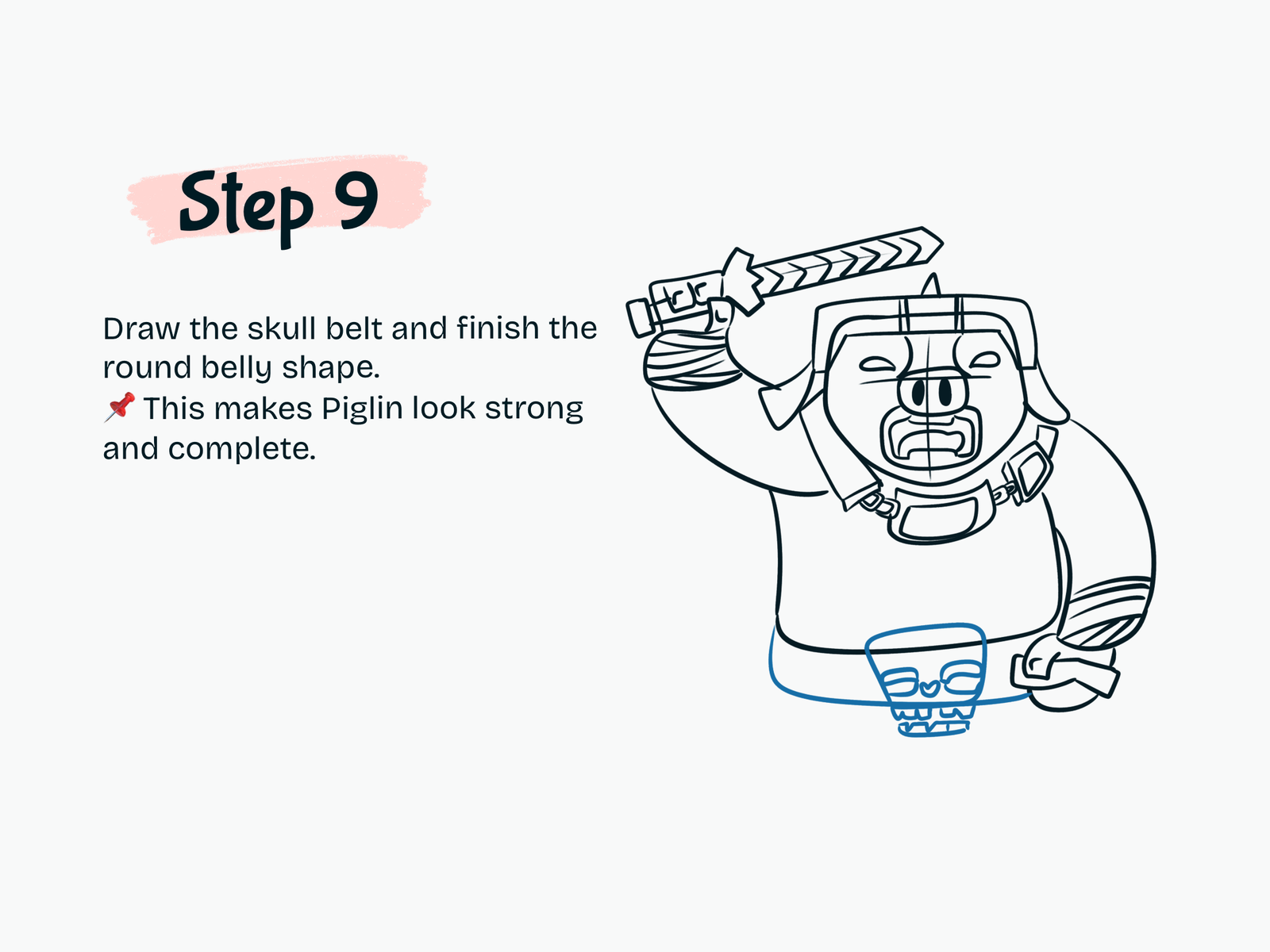
Step 9

Add the Skull Belt

Draw a wide belt around the lower body.

At the center of the belt, add a large skull-shaped buckle.

Use simple eye sockets, a nose opening, and small teeth details.

This skull belt makes the Piglin Warrior look stronger and gives the outfit more personality.

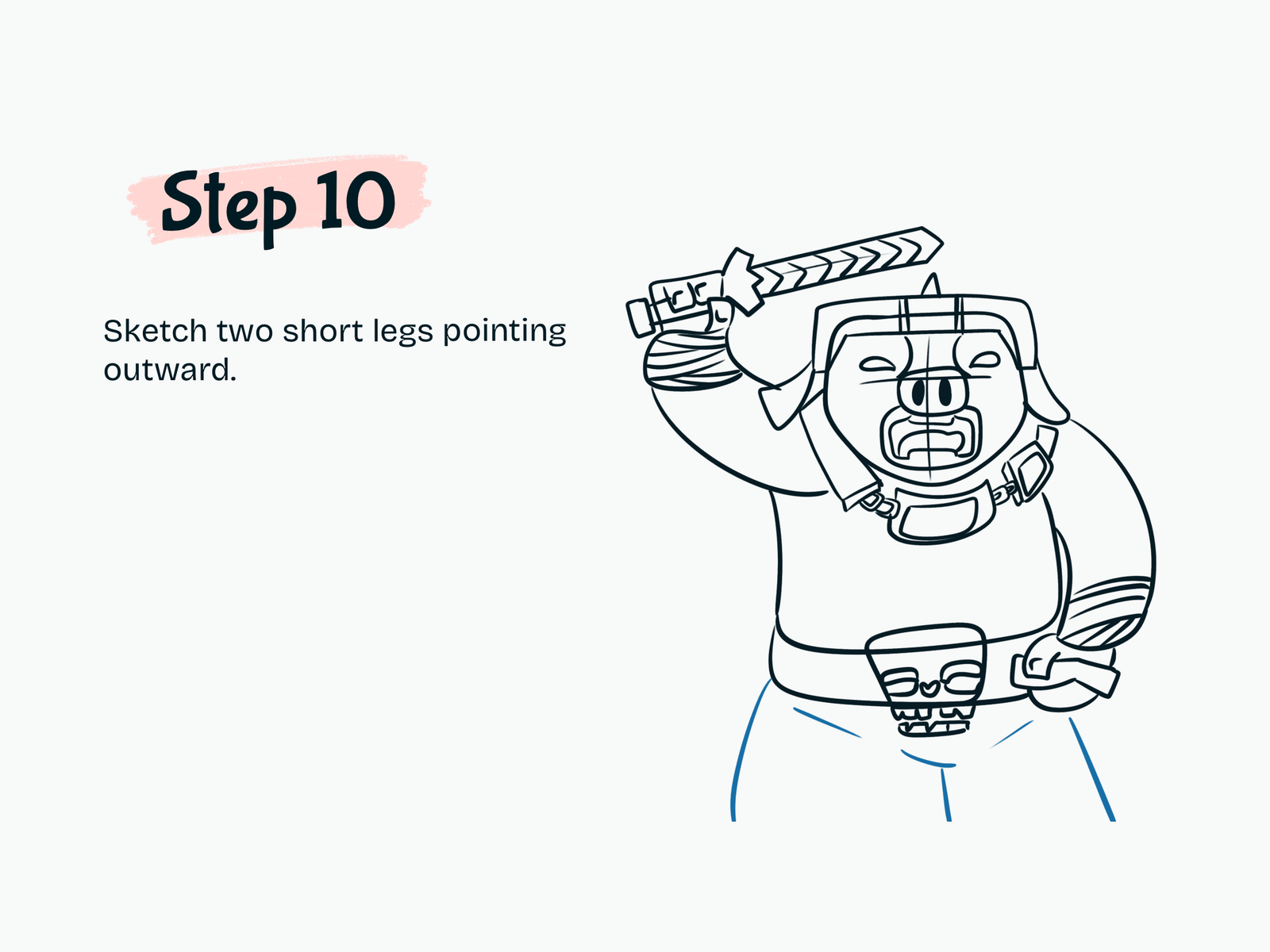
Step 10

Draw the Legs

Sketch two short legs underneath the body.

Angle them slightly outward.

Keep the leg shapes simple so the focus stays on the upper body, sword, and armor.

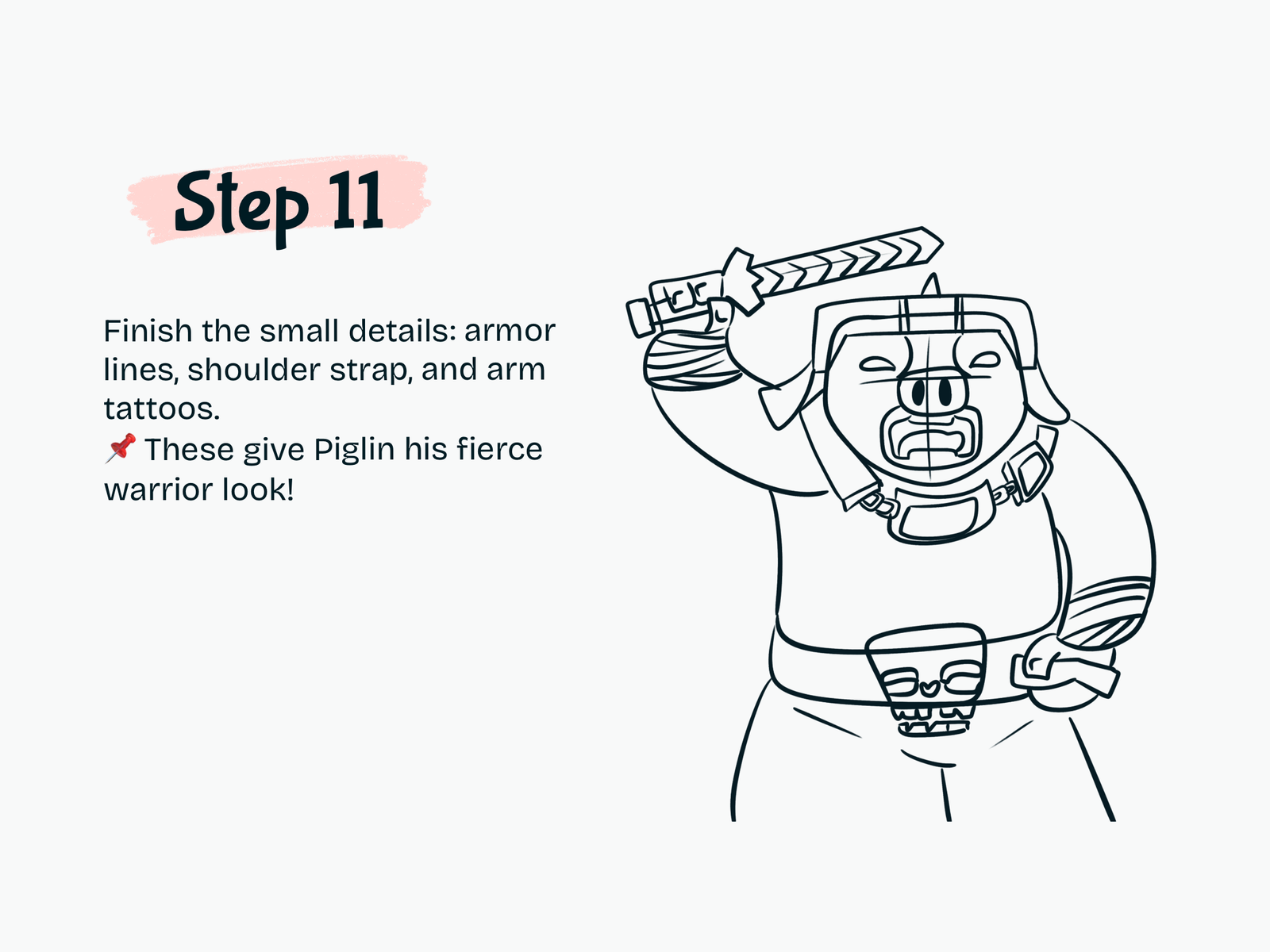
Step 11

Add the Final Warrior Details

Now refine the remaining details.

Add:

  • Armor lines
  • Shoulder straps
  • Forearm bands
  • Arm markings or tattoos
  • Belt details
  • Small folds and contour lines

Clean up the rough guidelines and strengthen the final outline.

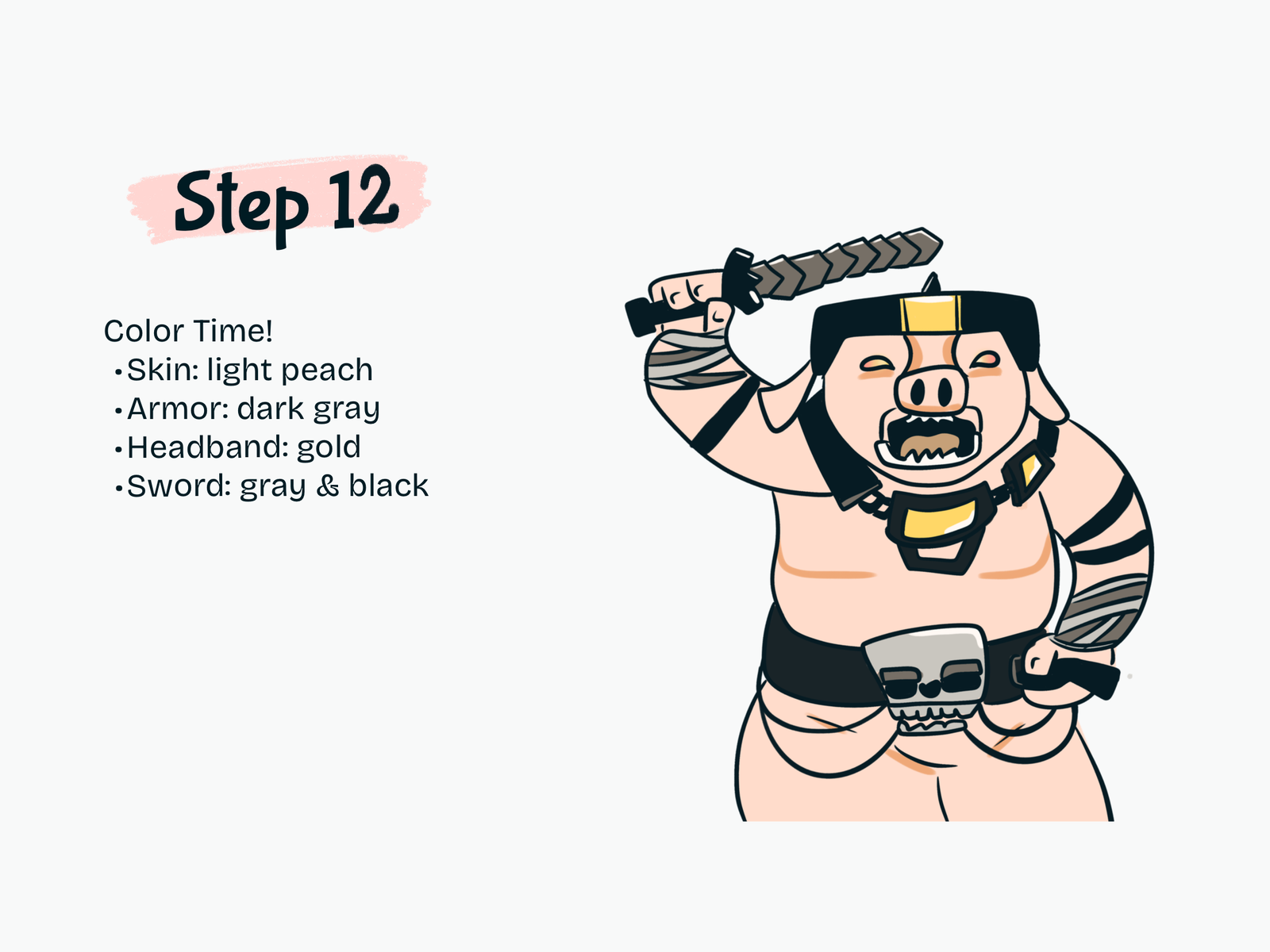
Step 12

Color Your Piglin Warrior

Finish your Piglin Warrior drawing with color.

Use:

  • Light peach for the skin
  • Dark gray or black for the armor
  • Gold or yellow for the headband and armor accents
  • Gray and black for the sword
  • Gray for the skull belt
  • Brown-gray tones for sword details and wraps

Keep the colors bold and clean so the character still feels inspired by the simple Minecraft color style.

Drawing Resources

A few tools and books that can make drawing easier and more fun.

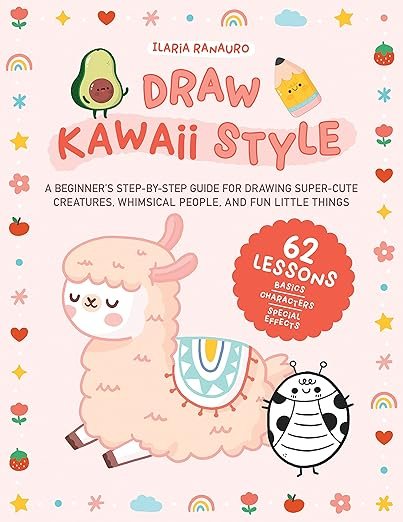
Kawaii Drawing Book

Kawaii Drawing Book

A simple guide for cute characters and beginner-friendly sketching.

View on Amazon
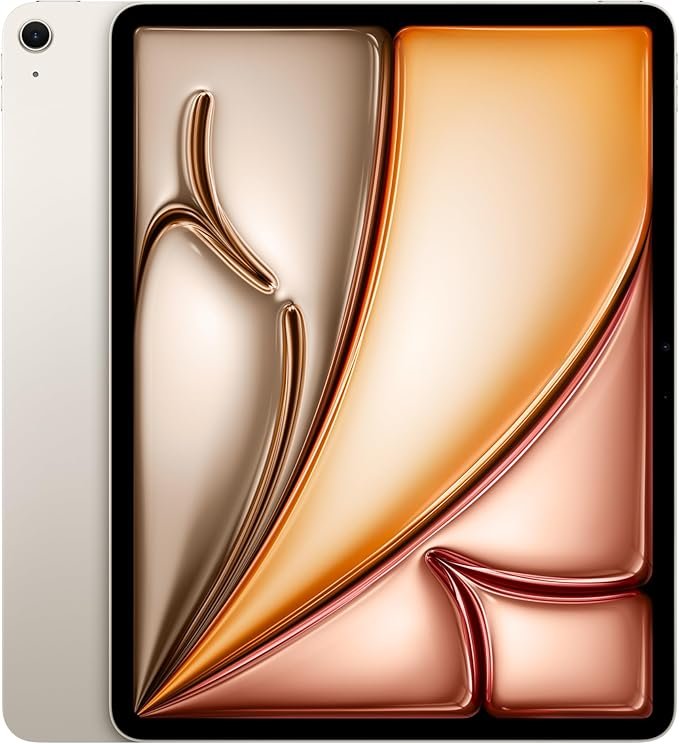
iPad for Digital Drawing

iPad for Digital Drawing

A great digital drawing tool for sketching cute tutorials anywhere.

View on Amazon
Apple Pencil

Apple Pencil

Perfect for line art, note-taking, and digital doodling.

View on Amazon
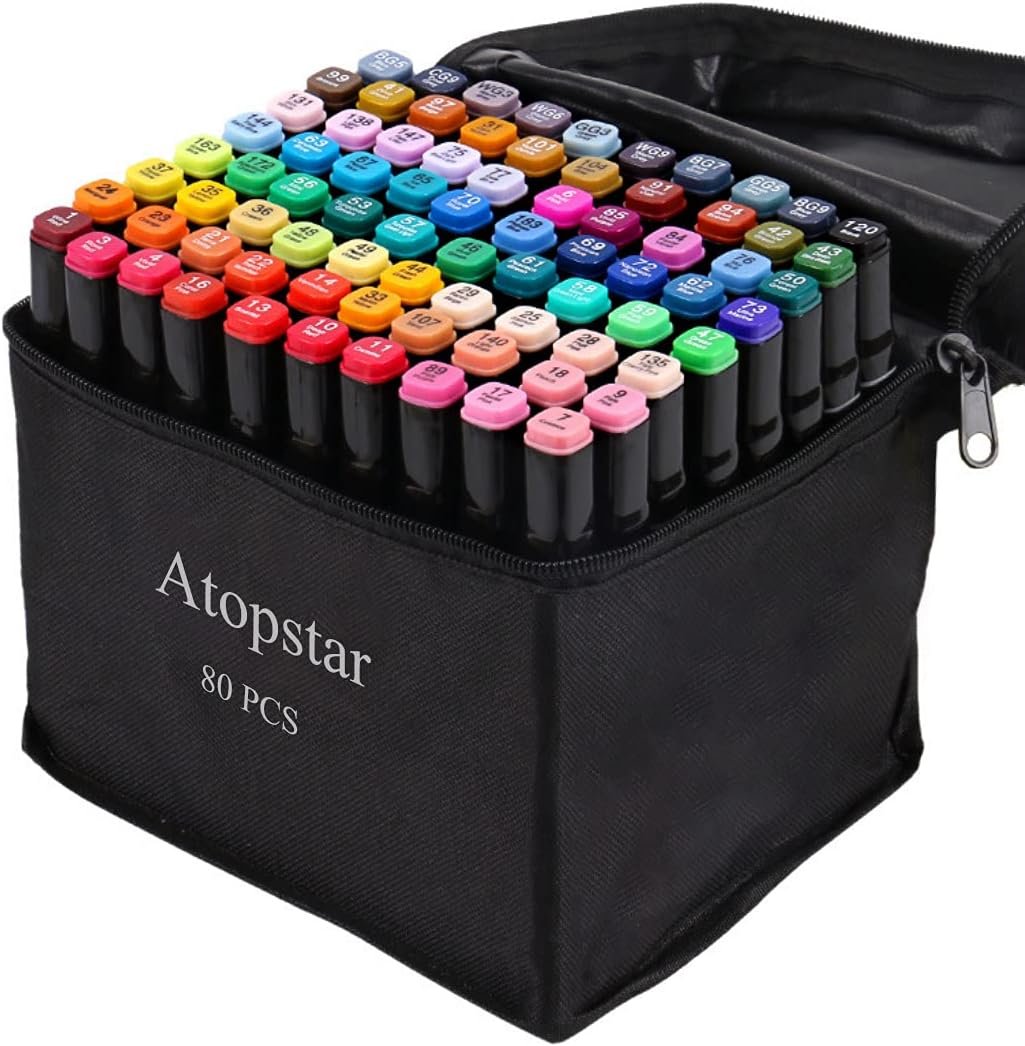
Colors Alcohol Markers

Colors Alcohol Markers

Smooth, vibrant markers for coloring cute drawings.

View on Amazon
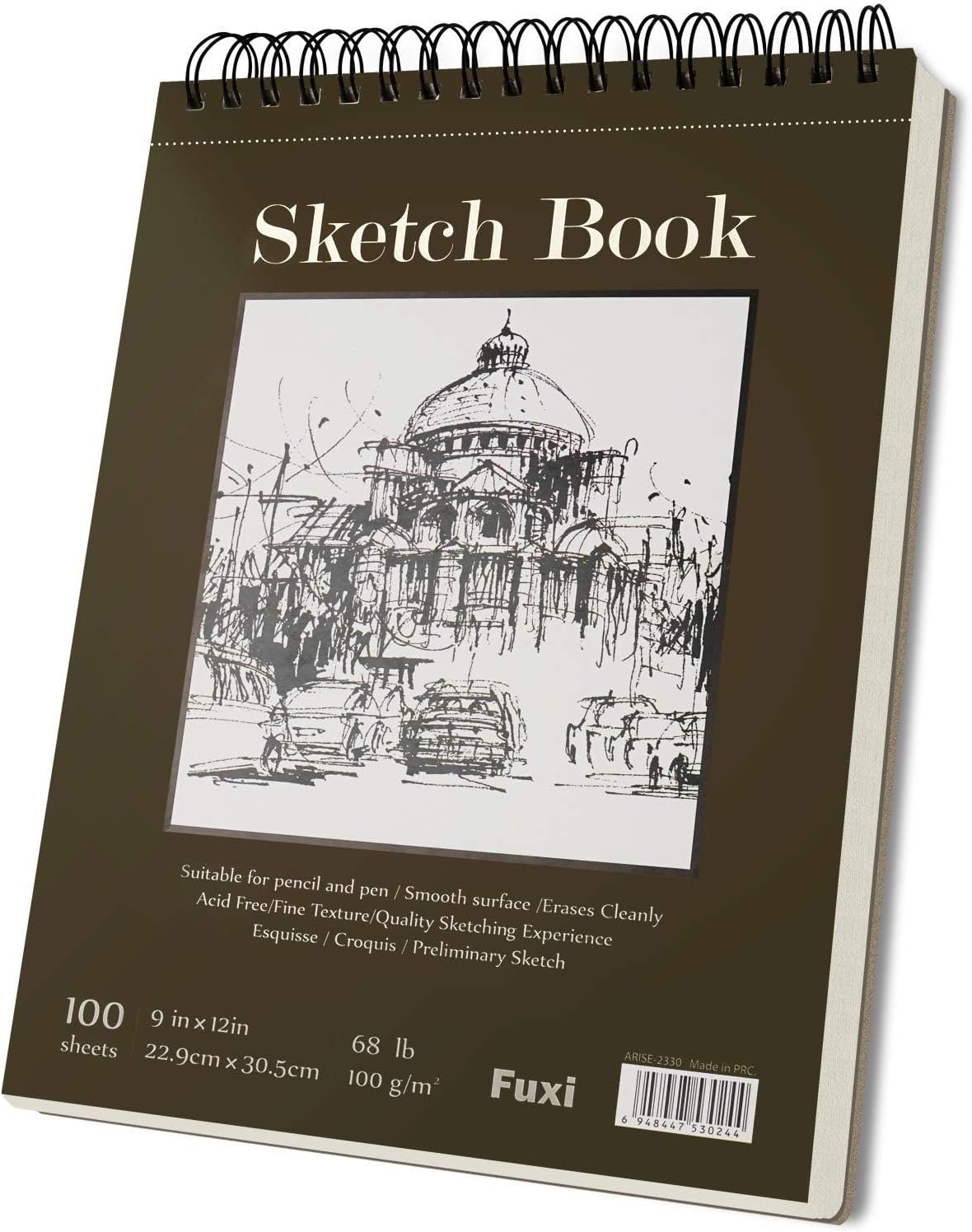
Sketchbook

Sketchbook

A nice everyday sketchbook for practice and doodles.

View on Amazon
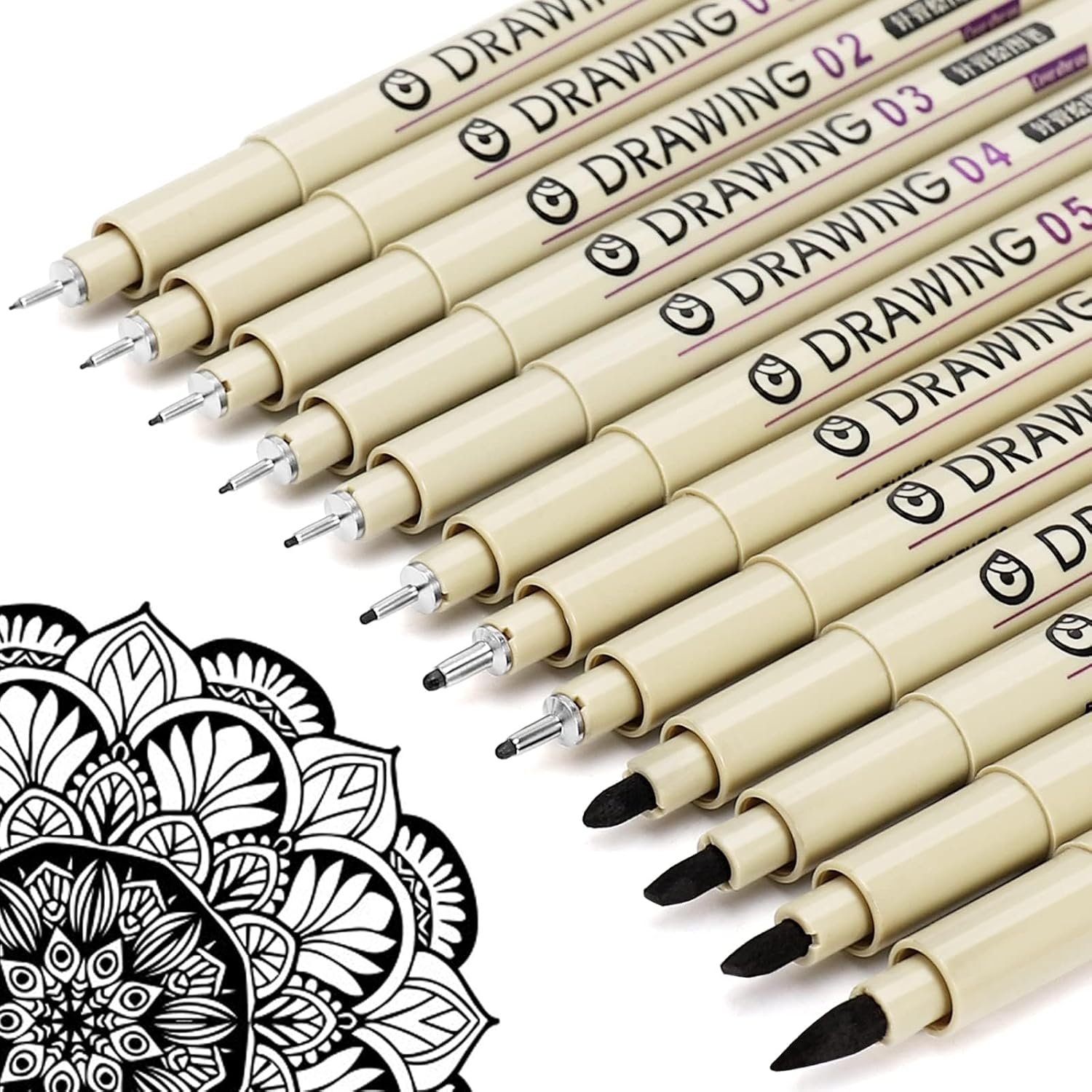
Fine Line Pens

Fine Line Pens

Helpful for clean outlines and cute little details.

View on Amazon

Some links may be affiliate links, which means Cute Thing Corner may earn a small commission at no extra cost to you.

Final Tips

You’ve finished this how to draw cute Piglin Warrior tutorial!

The key to making this character easier is to build it in layers: first the head and face, then the armor, arms, sword, belt, and body. Once the main shapes are complete, the small details make the drawing feel much more powerful and complete.

You can also customize your Piglin Warrior with different sword designs, armor colors, belts, scars, or Minecraft-inspired accessories.

For more easy Minecraft drawing tutorials, cute characters, and step-by-step drawing ideas, explore more lessons on Cute Thing Corner.

Leave a Comment