
Cute Thing Corner
Buy me a coffee

Minecraft

How to Draw Kawaii Chicken Minecraft – Easy Step-by-Step Tutorial

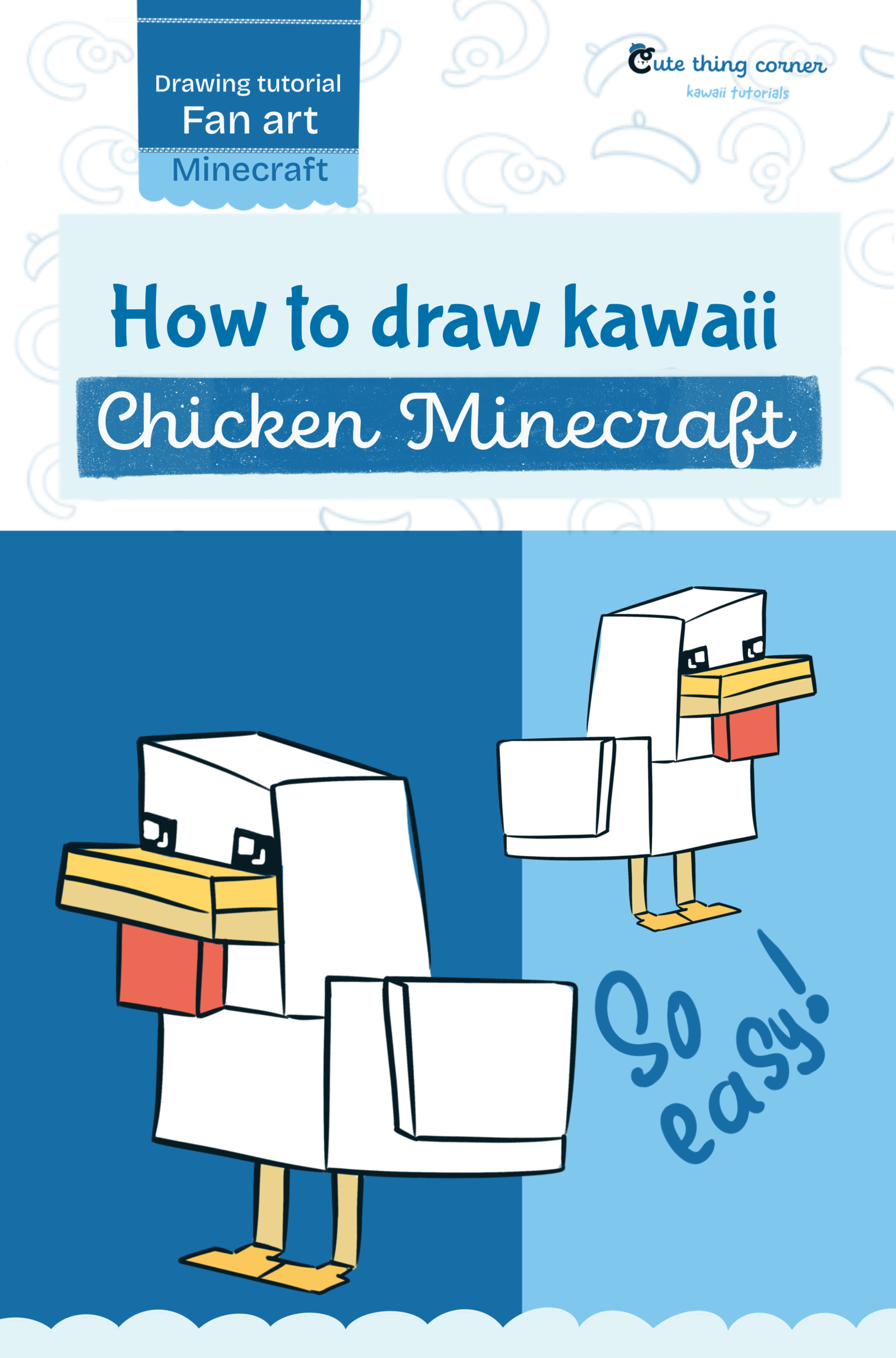
Want to learn how to draw kawaii Chicken Minecraft style? This easy drawing tutorial will show you how to create a cute Minecraft chicken using simple cubes and rectangular shapes. We’ll start with the blocky head,…
  • Quick
  • 15 minutes
  • 7 steps
How to Draw Kawaii Chicken Minecraft – Easy Step-by-Step Tutorial

Before You Start

Want to learn how to draw kawaii Chicken Minecraft style? This easy drawing tutorial will show you how to create a cute Minecraft chicken using simple cubes and rectangular shapes.

We’ll start with the blocky head, then add the beak, body, wings, legs, eyes, and final colors.

This tutorial is great for beginners and anyone who loves cute Minecraft drawings.

What You’ll Need

  • Pencil
  • Eraser
  • Black fineliner
  • Drawing paper or digital drawing app
  • Yellow
  • Red
  • Black
  • White

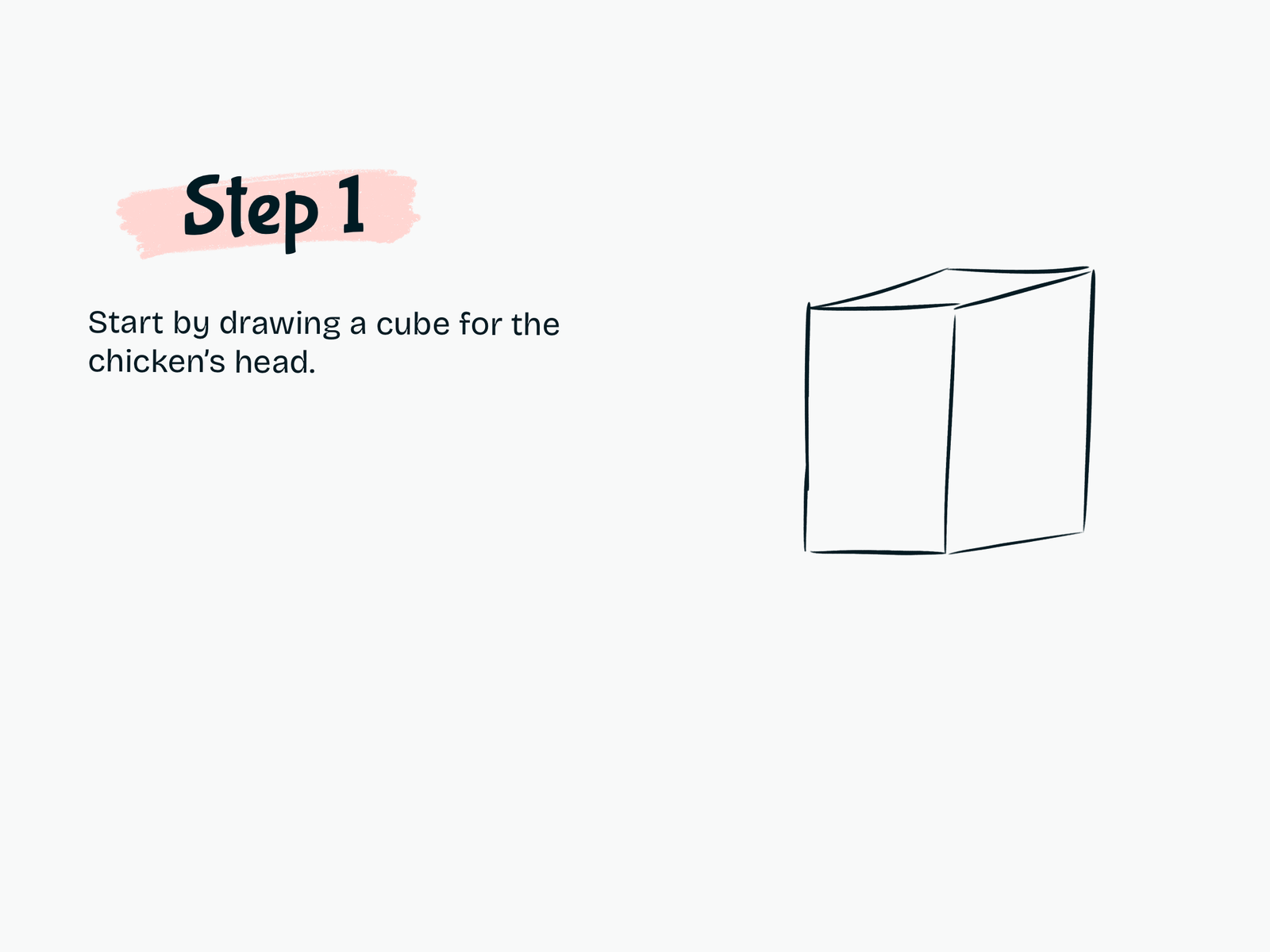
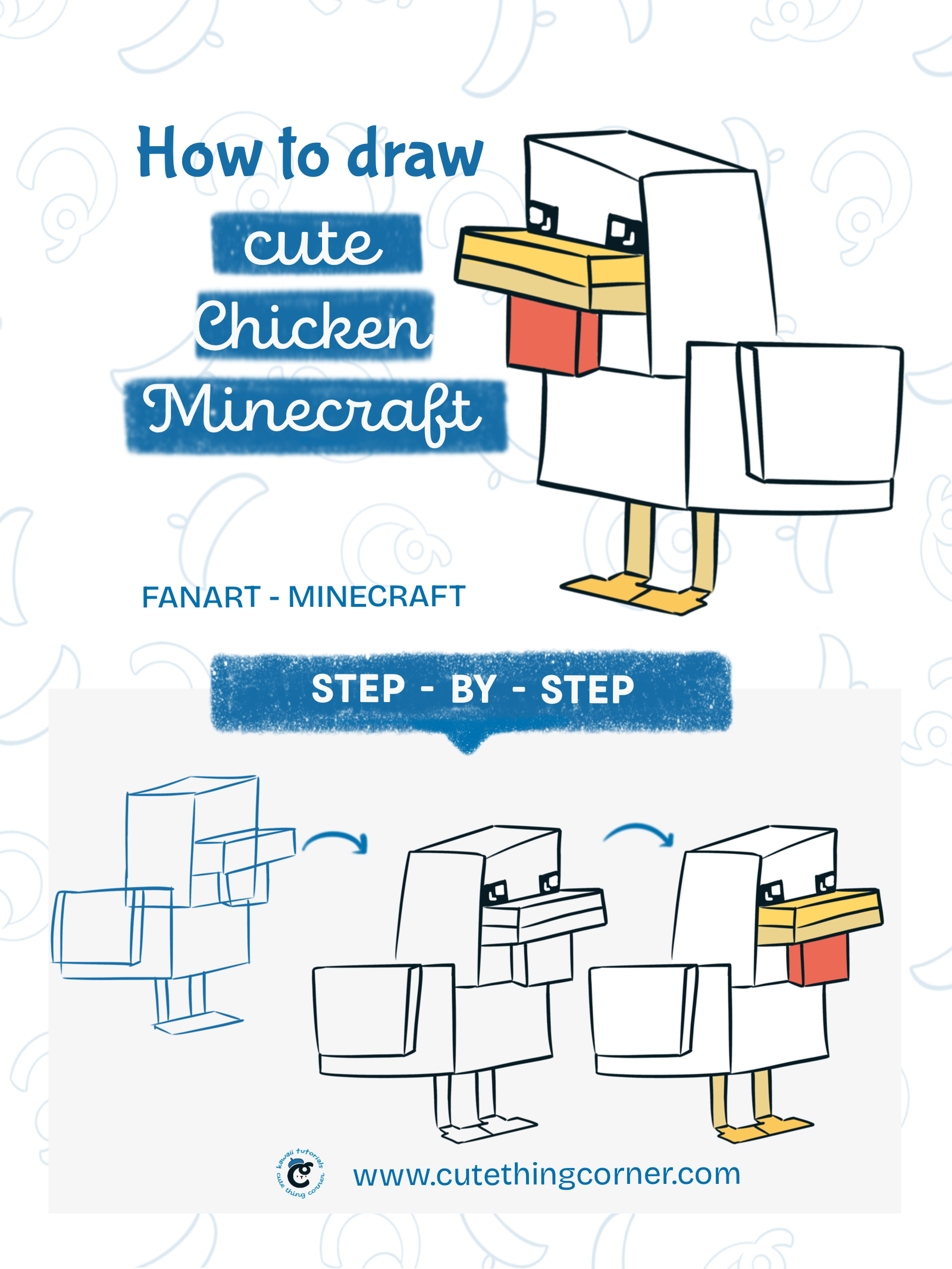
Step 1

Draw the Chicken’s Head

Start by drawing a large cube for the chicken’s head.

Keep the shape simple and blocky to match the Minecraft style.

Try to show the front, side, and top faces of the cube.

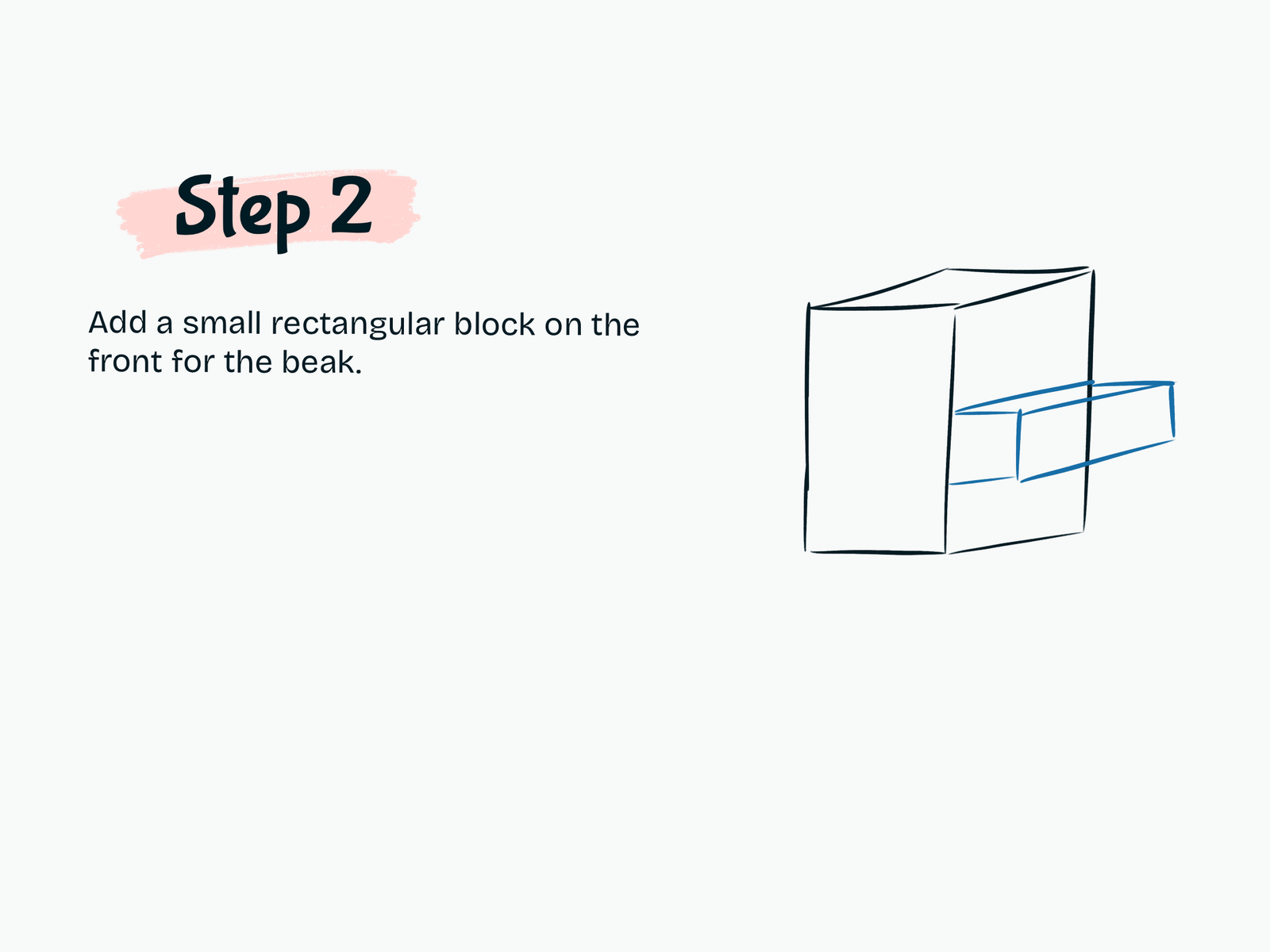
Step 2

Draw the Beak

Add a small rectangular block to the front of the head.

Extend the beak outward while keeping the same blocky perspective.

This will form the chicken’s upper beak.

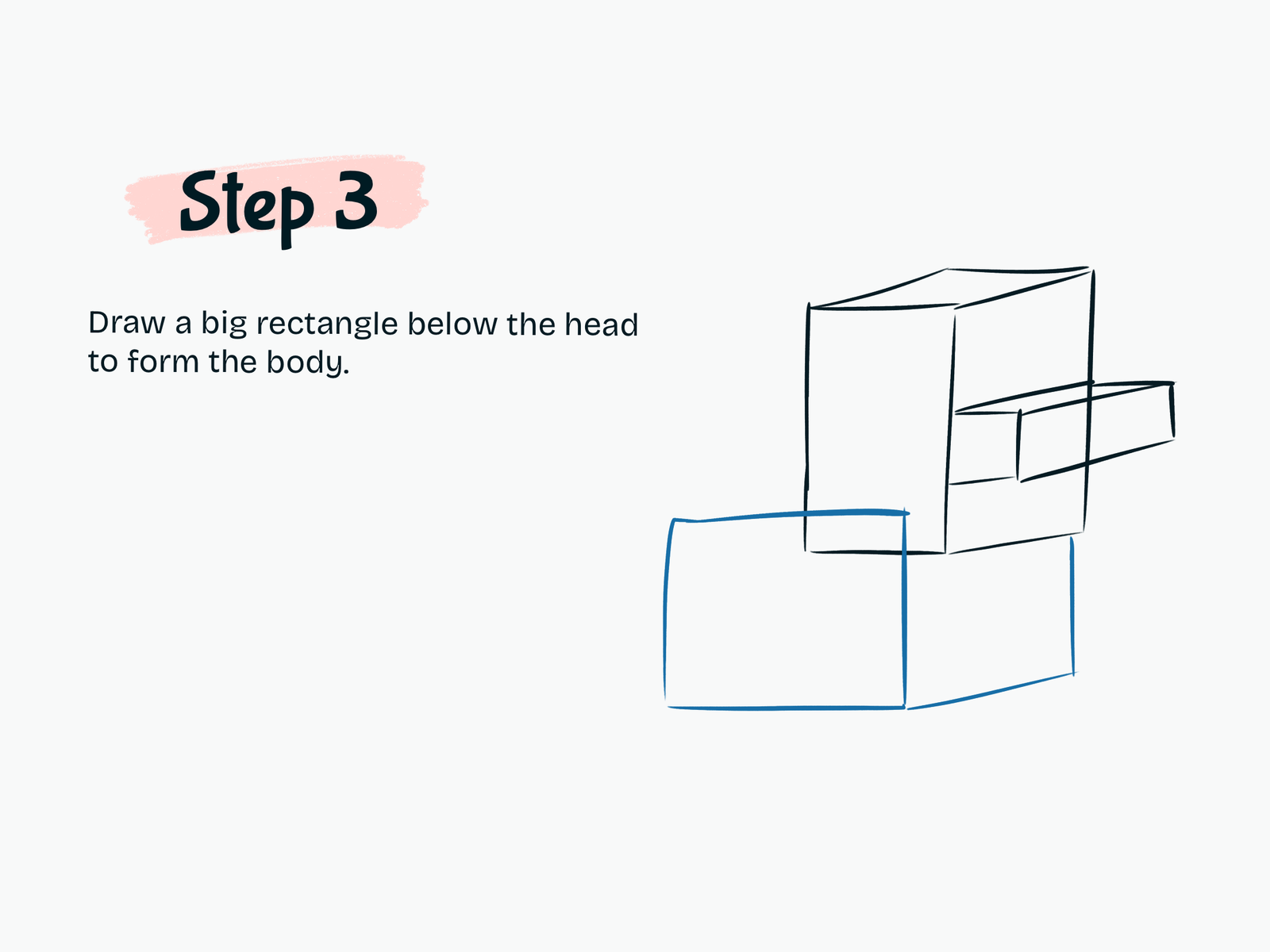
Step 3

Draw the Body

Draw a large rectangular block below the head.

Make the body wider and longer than the head.

Keep the edges aligned with the direction of the head so the whole character looks balanced.

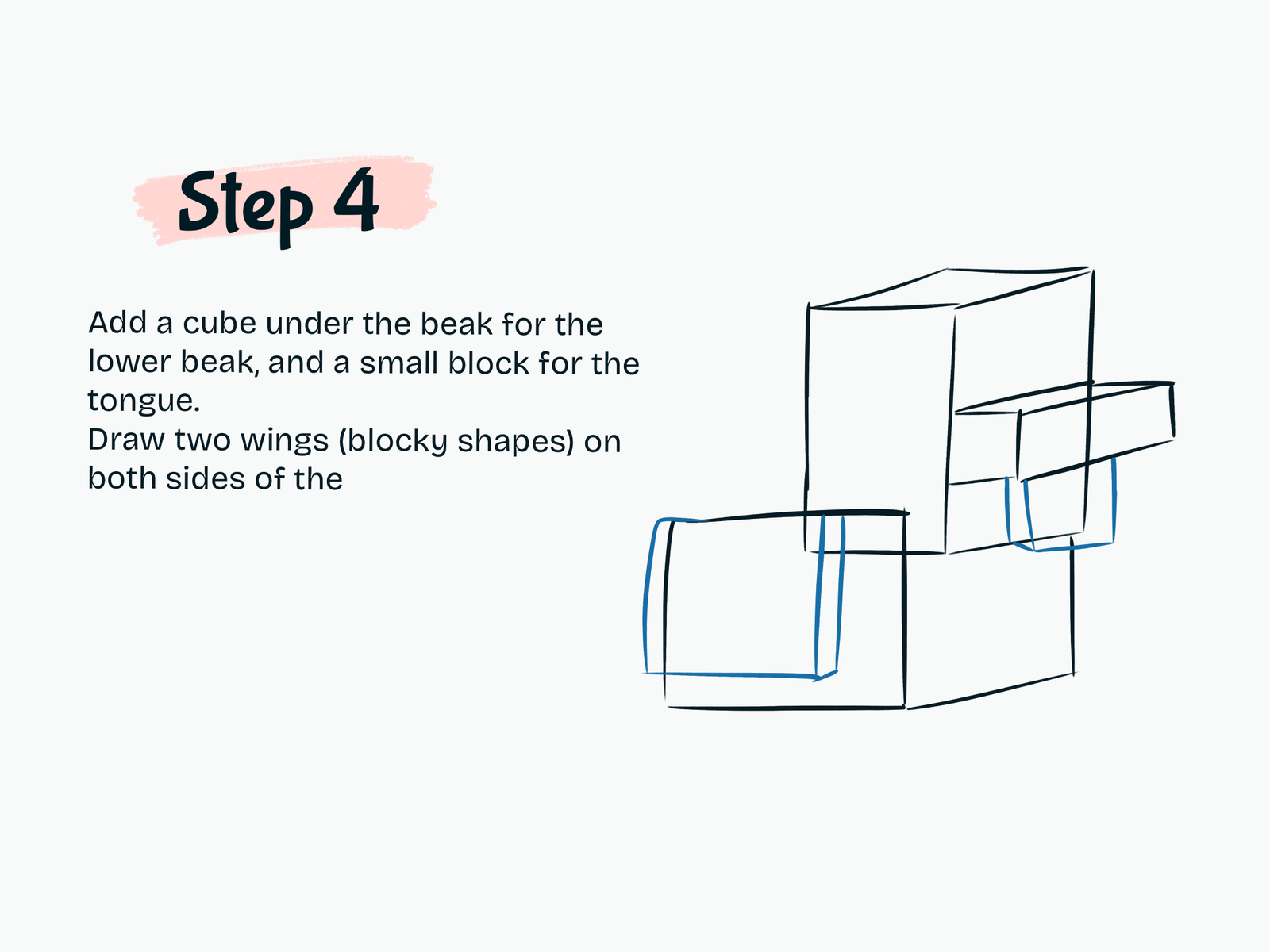
Step 4

Add the Wings and Lower Beak

Now add more details to your Minecraft chicken drawing.

Draw:

  • A small block below the beak for the lower beak
  • A rectangular section for the red tongue or wattle area
  • One blocky wing on each side of the body

Keep every shape simple and geometric.

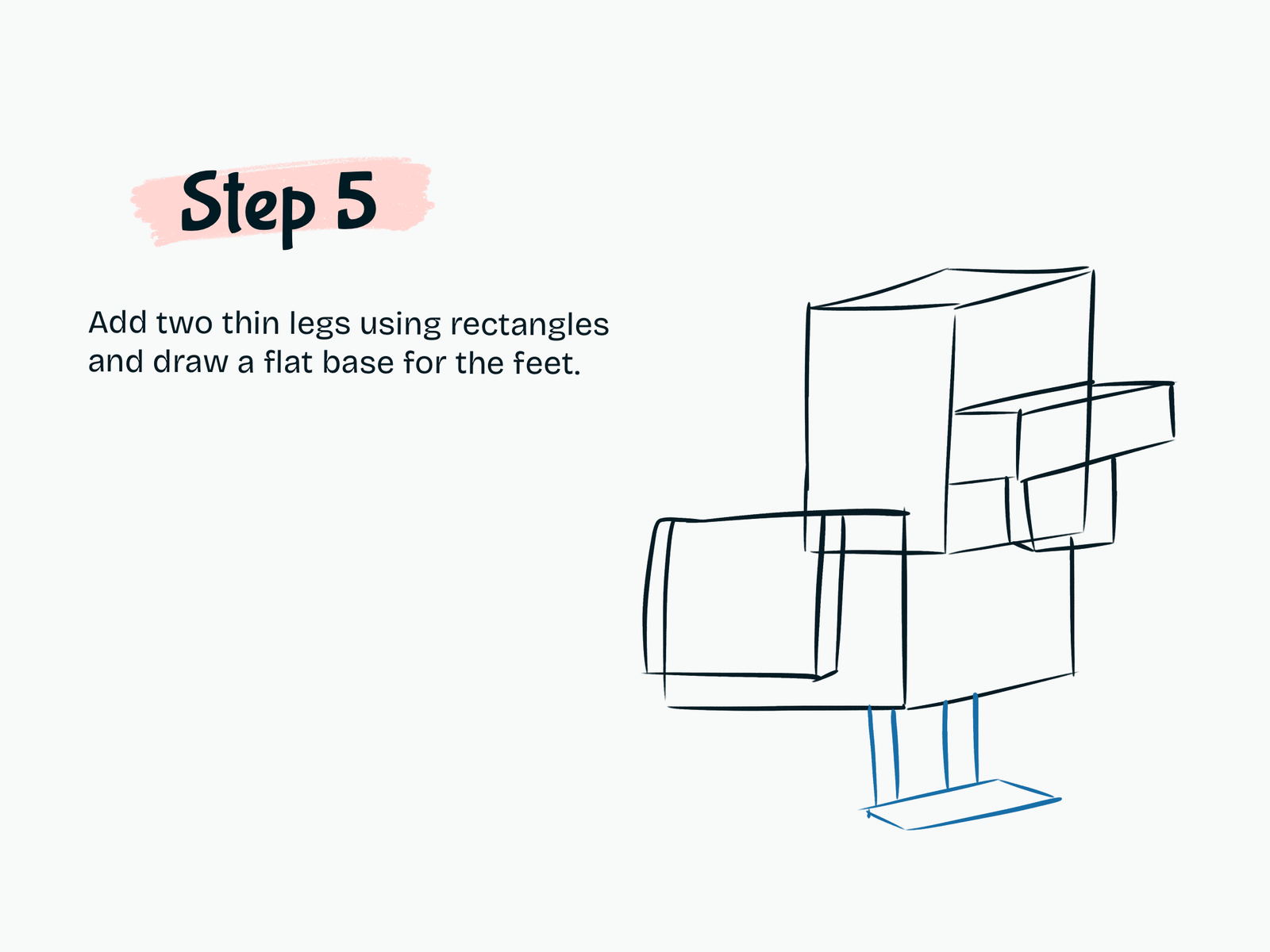
Step 5

Draw the Legs and Feet

Add two thin rectangular legs underneath the body.

At the bottom of each leg, draw a flat block shape for the feet.

Minecraft characters are made from simple geometric forms, so there’s no need to make the legs too detailed.

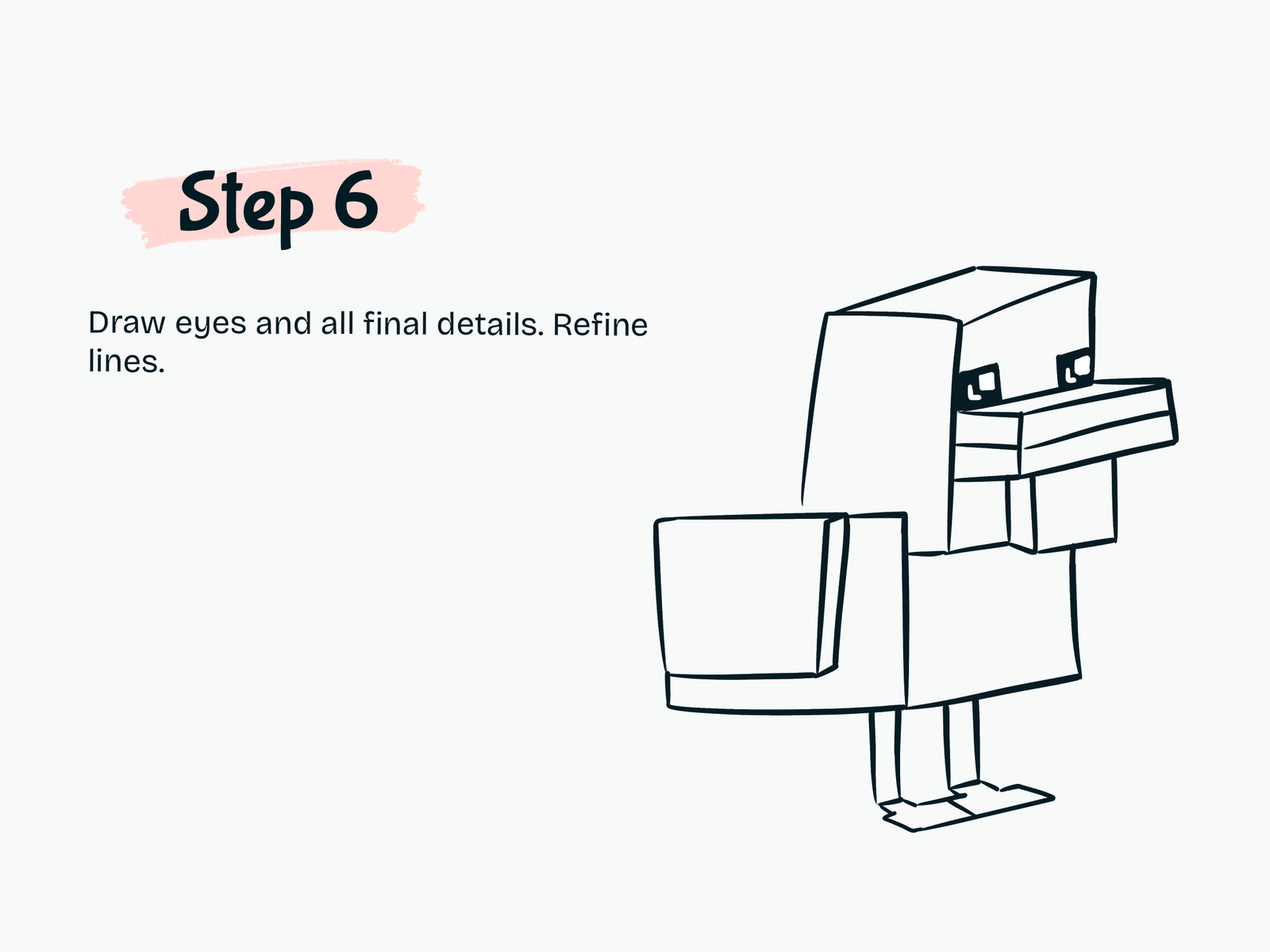
Step 6

Add the Eyes and Final Details

Draw two square eyes on the front of the head.

Fill them with black and leave small white highlights to create a cute kawaii expression.

Now refine the complete drawing.

Clean up the lines around:

  • Head
  • Beak
  • Body
  • Wings
  • Legs
  • Feet

Erase any unnecessary sketch lines.

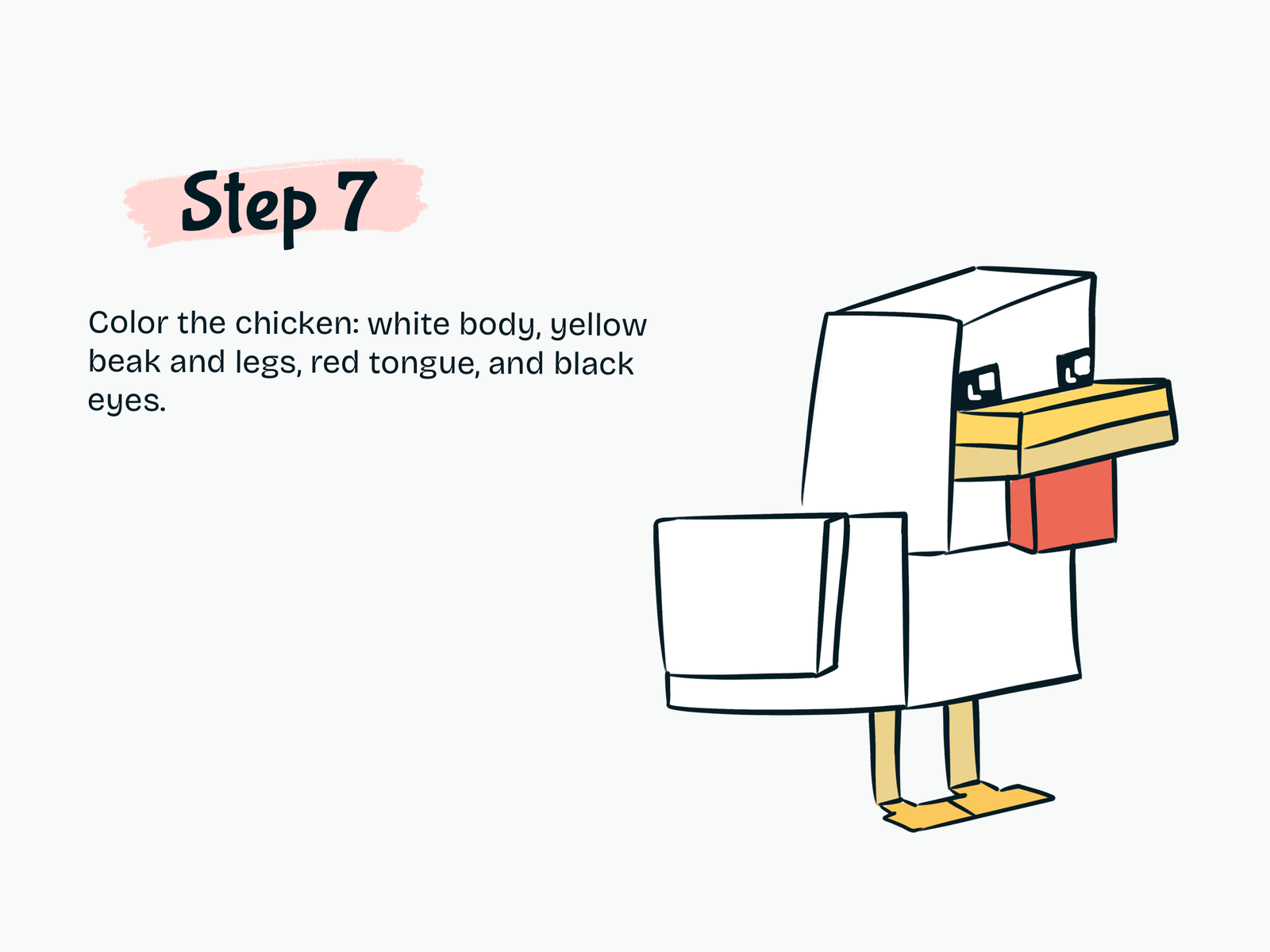
Step 7

Color Your Minecraft Chicken

Finish your kawaii Minecraft Chicken drawing with simple colors.

Use:

  • White for the head, body, and wings
  • Yellow for the beak
  • Yellow or light orange for the legs and feet
  • Red for the lower beak or wattle
  • Black for the eyes
  • White for the eye highlights

Your cute blocky chicken is now complete.

Drawing Resources

A few tools and books that can make drawing easier and more fun.

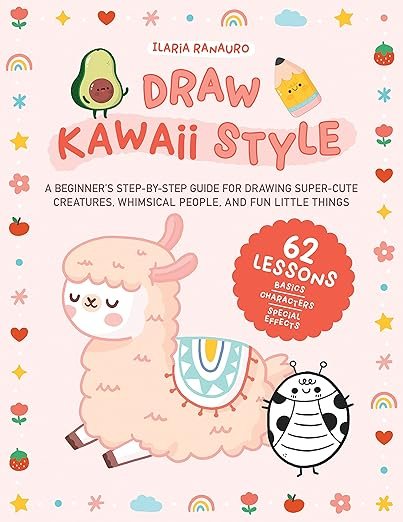
Kawaii Drawing Book

Kawaii Drawing Book

A simple guide for cute characters and beginner-friendly sketching.

View on Amazon
iPad for Digital Drawing

iPad for Digital Drawing

A great digital drawing tool for sketching cute tutorials anywhere.

View on Amazon
Apple Pencil

Apple Pencil

Perfect for line art, note-taking, and digital doodling.

View on Amazon
Colors Alcohol Markers

Colors Alcohol Markers

Smooth, vibrant markers for coloring cute drawings.

View on Amazon
Sketchbook

Sketchbook

A nice everyday sketchbook for practice and doodles.

View on Amazon
Fine Line Pens

Fine Line Pens

Helpful for clean outlines and cute little details.

View on Amazon

Some links may be affiliate links, which means Cute Thing Corner may earn a small commission at no extra cost to you.

Final Tips

Now you know how to draw a Minecraft Chicken step by step using simple cubes and rectangular shapes.

Minecraft characters are especially beginner-friendly because you can build them from easy geometric forms before adding the final details.

Try drawing more Minecraft characters in kawaii style with Cute Thing Corner.

Leave a Comment