
Cute Thing Corner
Buy me a coffee

Minecraft

How to Draw Kawaii Steve from A Minecraft Movie – Easy Step-by-Step Tutorial

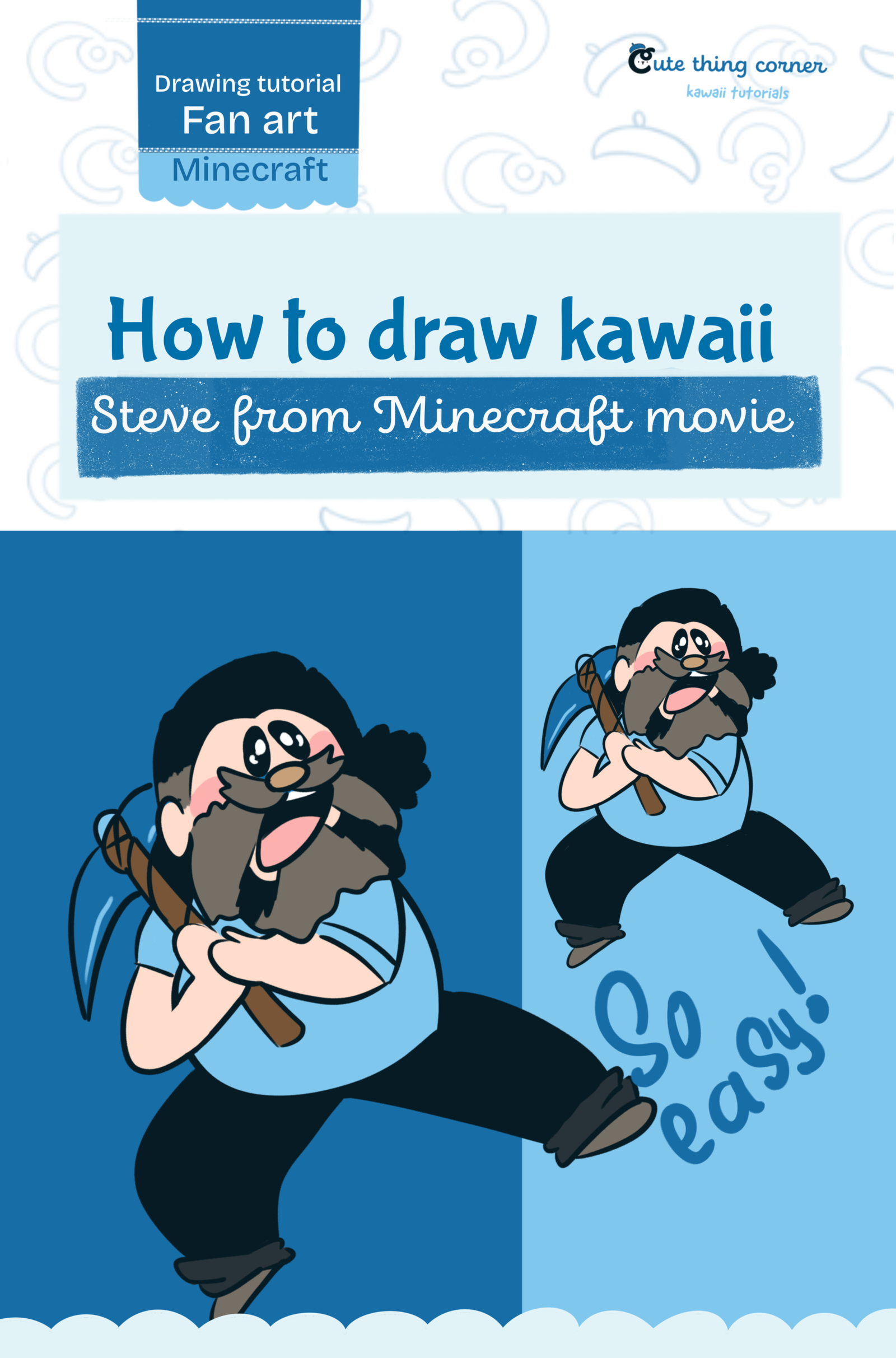
Want to learn how to draw kawaii Steve from A Minecraft Movie? This tutorial turns Steve into a cute cartoon-style character while keeping his beard, outfit, pickaxe, and energetic pose. Follow the 13 simple steps below…
  • Advanced
  • 15 minutes
  • 13 steps
How to Draw Kawaii Steve from A Minecraft Movie – Easy Step-by-Step Tutorial

Before You Start

Want to learn how to draw kawaii Steve from A Minecraft Movie? This tutorial turns Steve into a cute cartoon-style character while keeping his beard, outfit, pickaxe, and energetic pose.

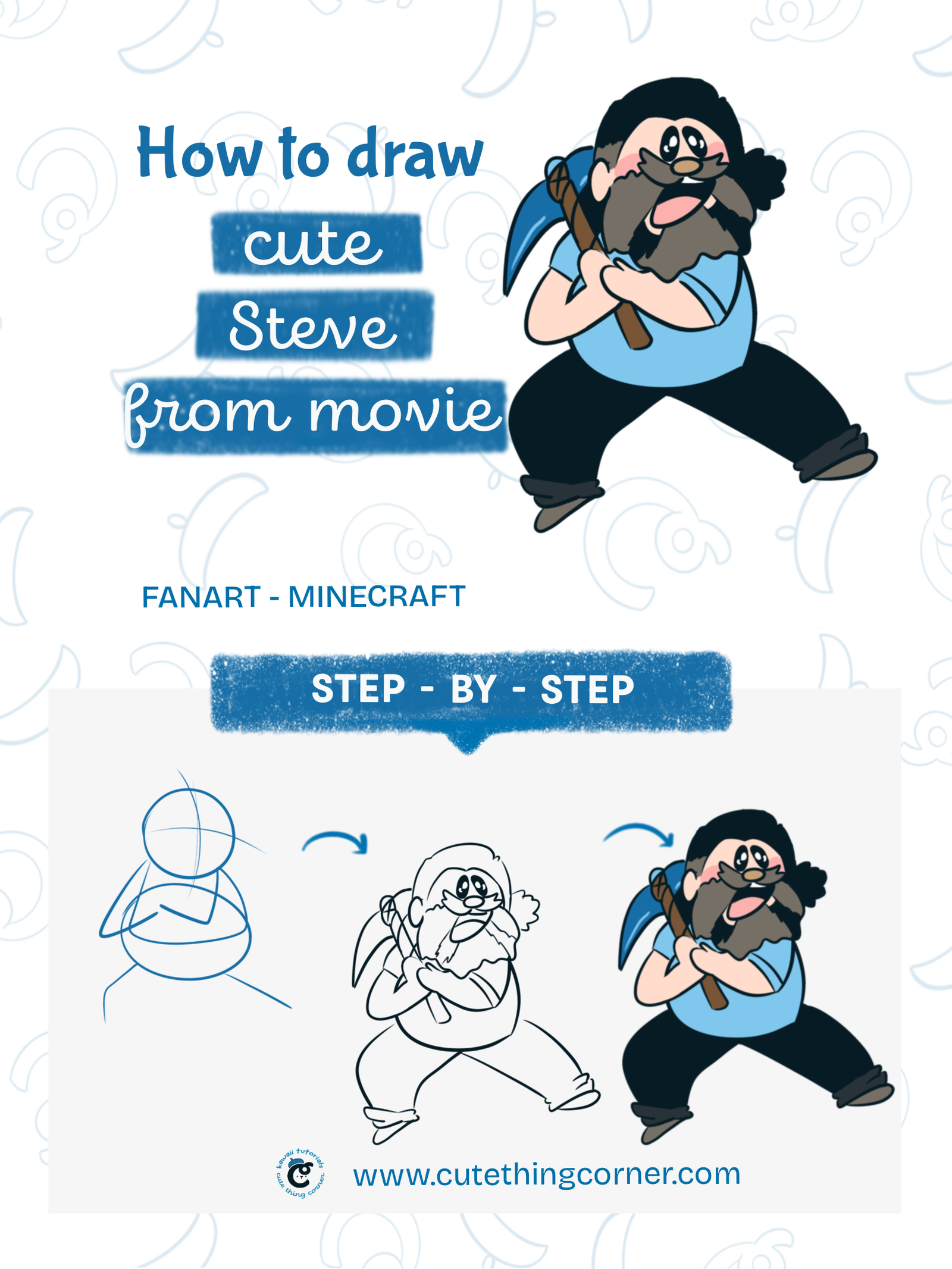
Follow the 13 simple steps below to build the drawing from basic shapes to the final colored character.

What You’ll Need

  • Pencil
  • Eraser
  • Black fineliner
  • Drawing paper or digital drawing app
  • Blue
  • Black
  • Brown
  • Skin-tone colors
  • Pink

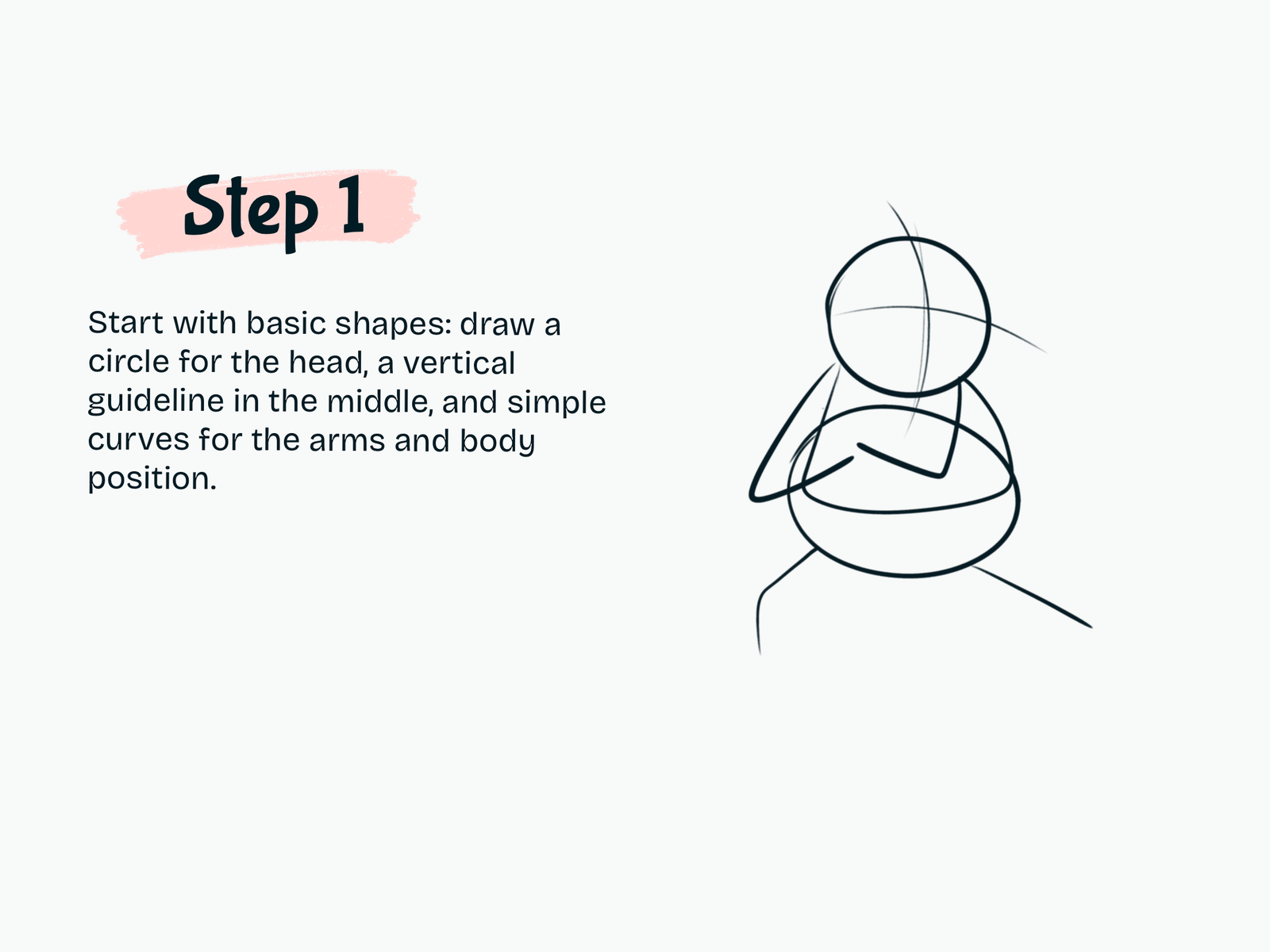
Step 1

Draw the Basic Shapes

Start with a circle for Steve’s head.

Add a vertical and horizontal guideline across the face.

Below the head, sketch simple curved shapes for the torso and arm positions.

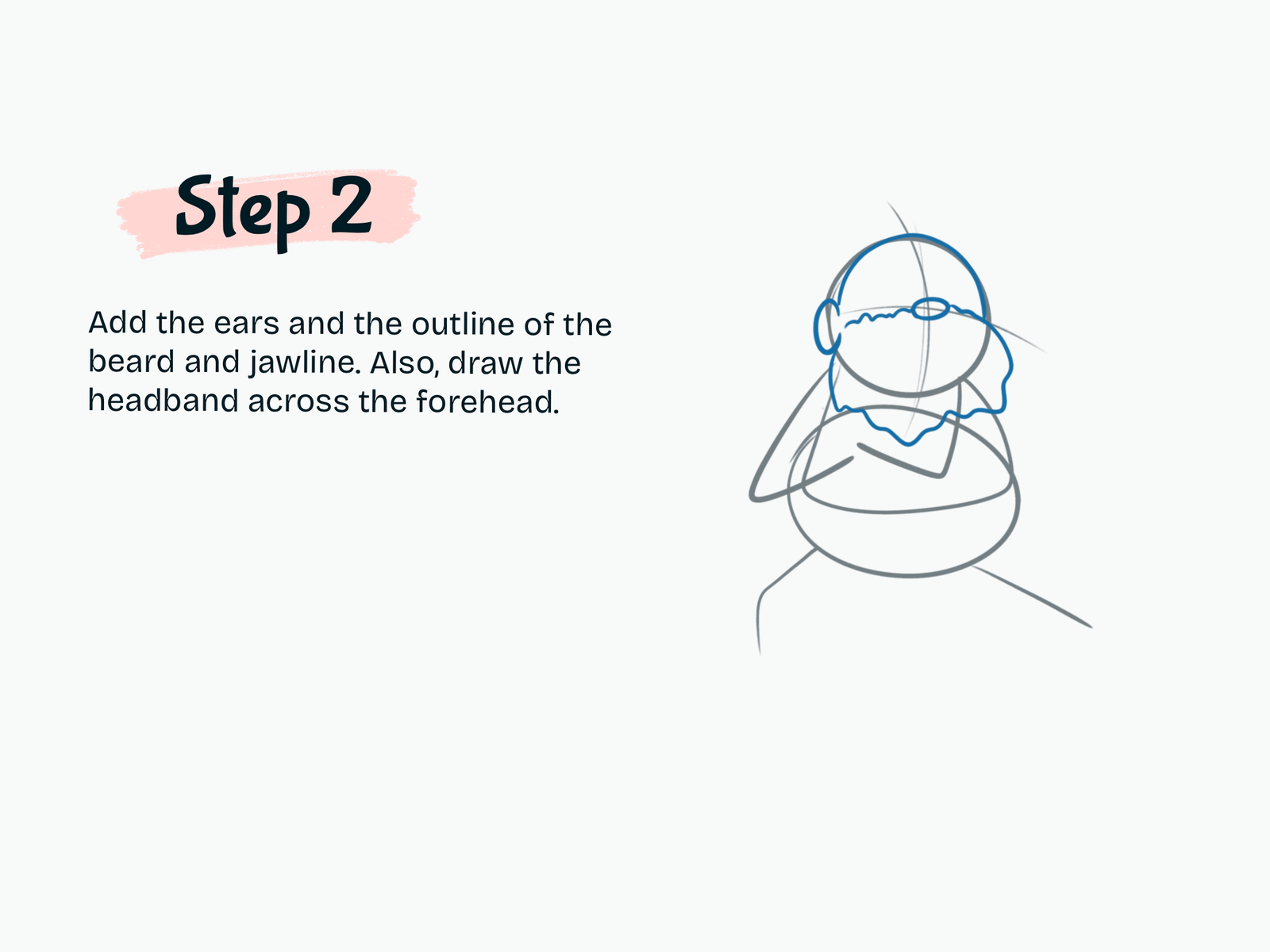
Step 2

Draw the Beard and Head Details

Add the ears on both sides of the head.

Sketch the outline of Steve’s large beard and jawline.

Draw a curved band across the forehead to help define the upper face area.

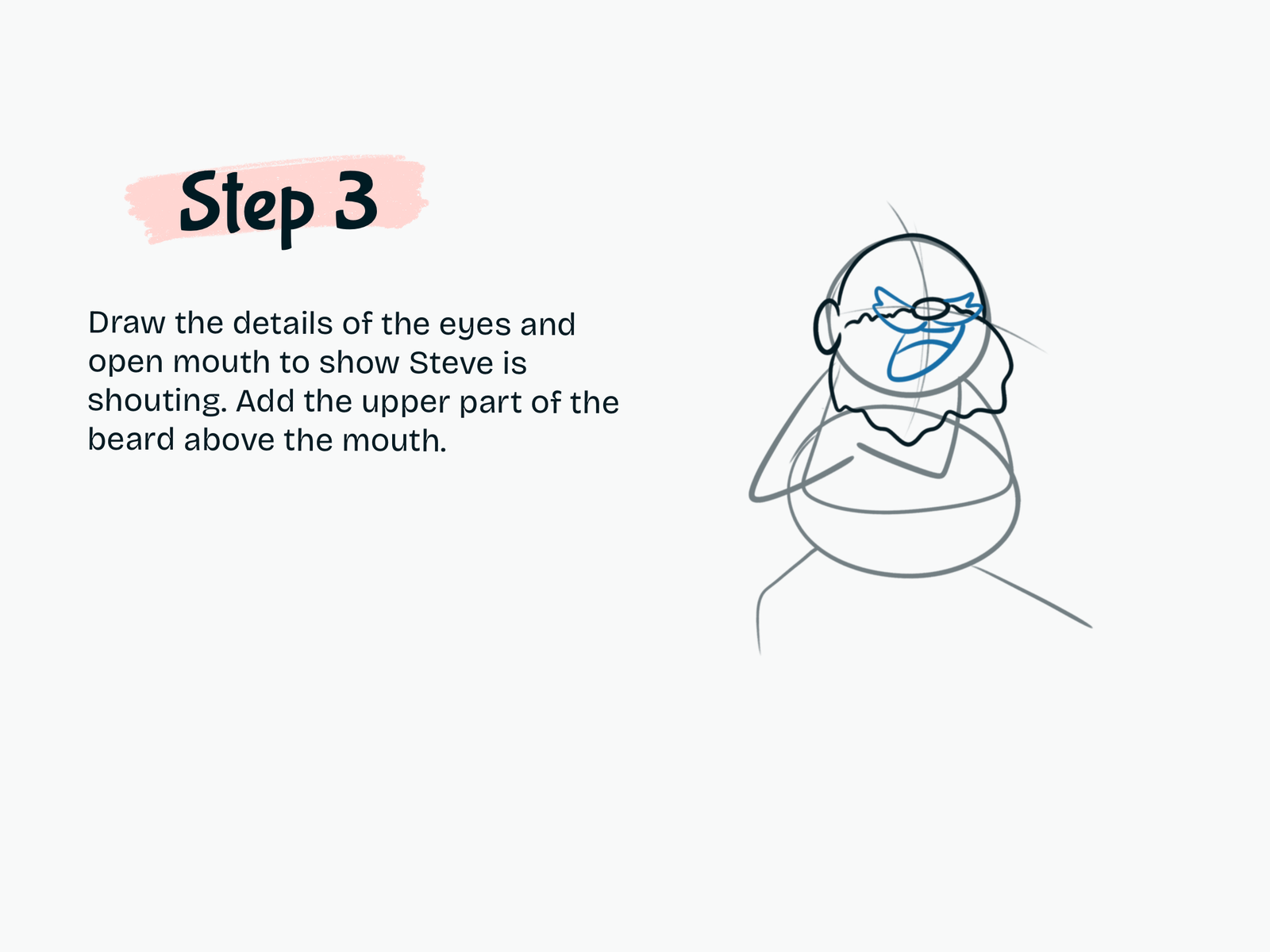
Step 3

Draw the Face

Add Steve’s eyes and eyebrows.

Draw the nose in the center, then sketch an open mouth to create an excited expression.

Add the upper sections of the beard around the mouth.

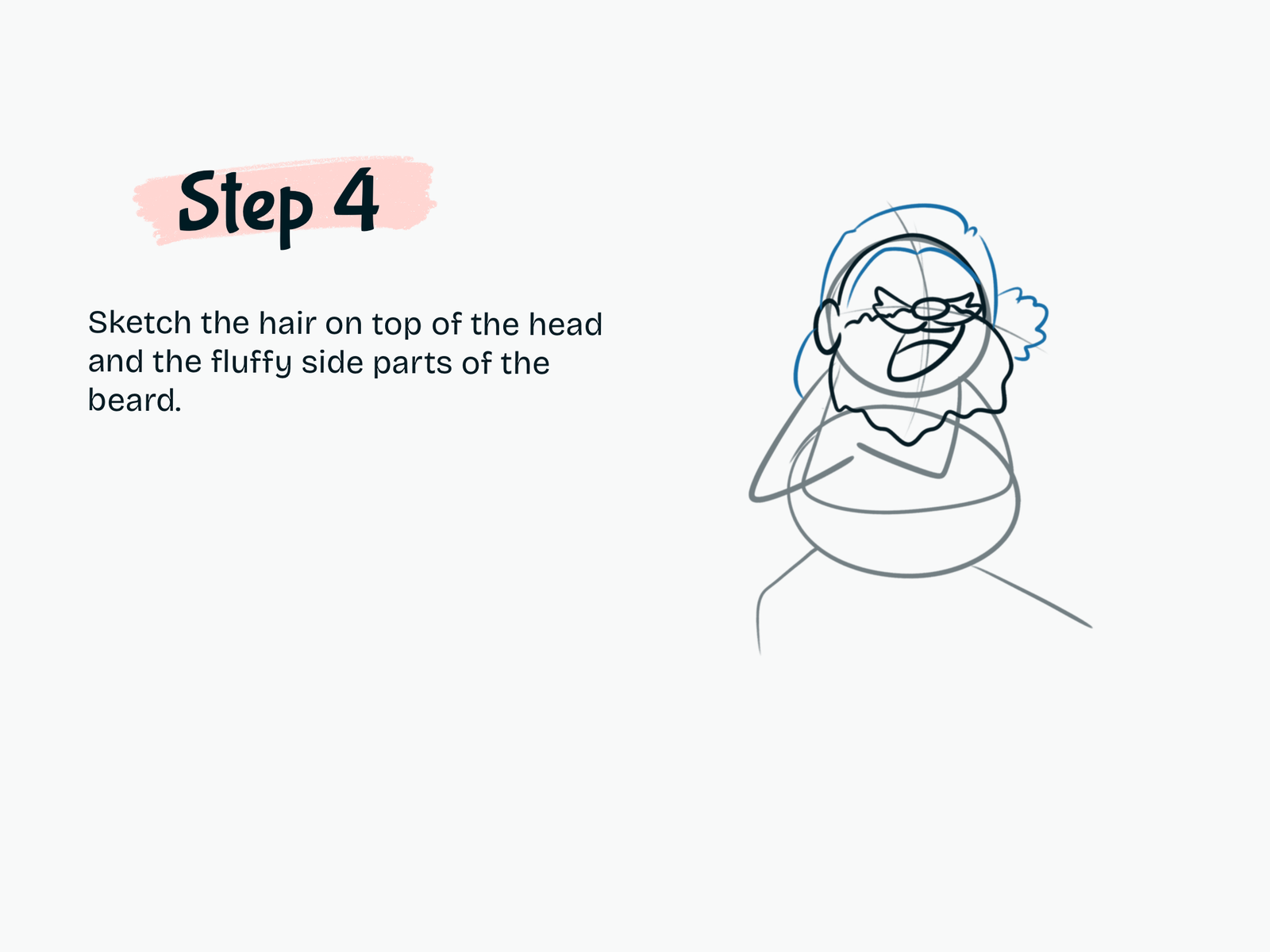
Step 4

Add the Hair

Sketch Steve’s hair around the top and sides of his head.

Use soft, uneven curves to give the hair and beard a slightly fluffy cartoon look.

Step 5

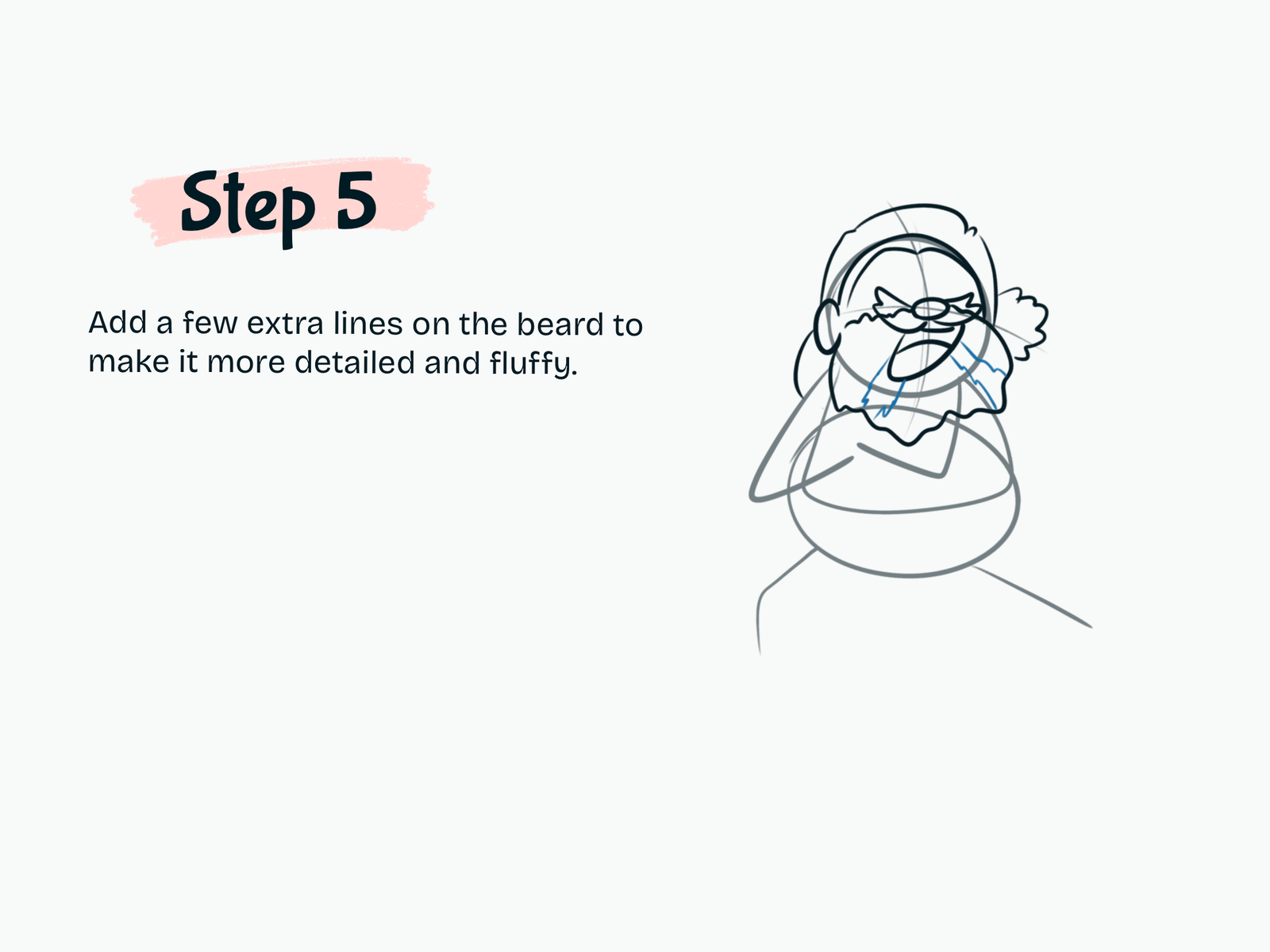
Add Beard Details

Draw a few extra lines inside the beard.

These small details help separate different sections of the facial hair and make the beard look fuller.

Step 6

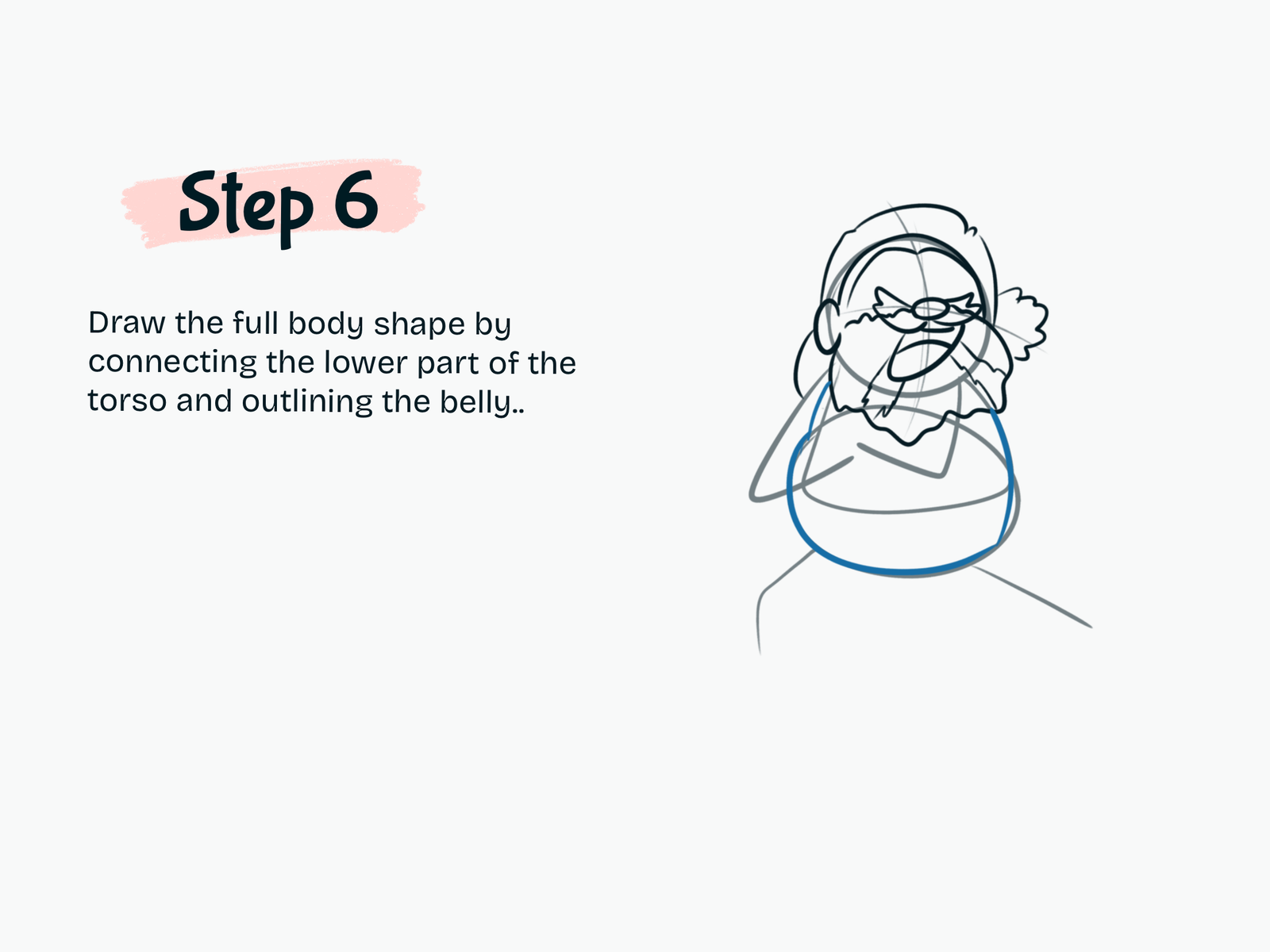
Draw the Body

Connect the torso shapes to create Steve’s full upper body.

Give him a rounded belly to keep the character looking cute and exaggerated.

Step 7

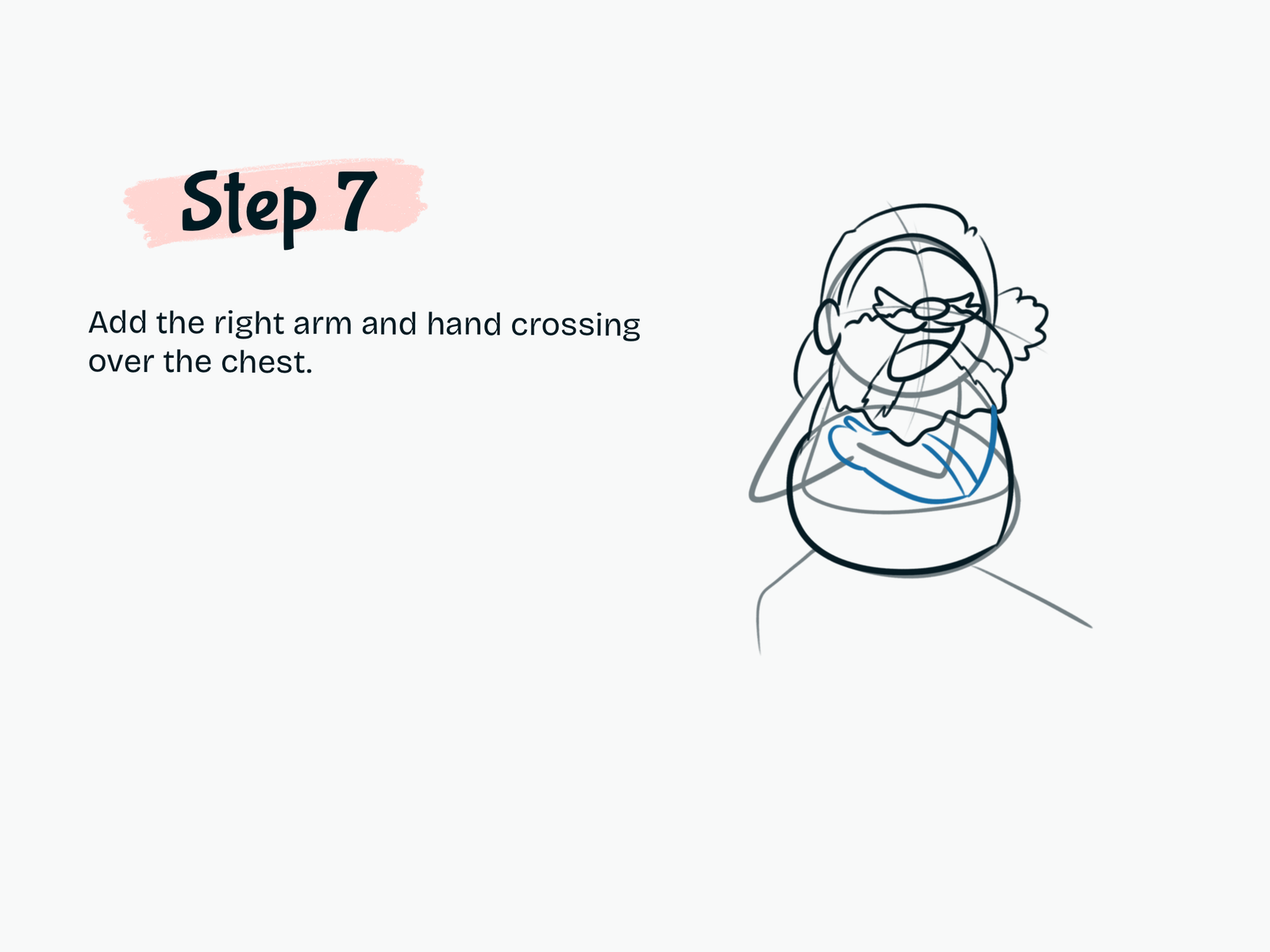
Draw the Right Arm

Sketch Steve’s right arm crossing over his chest.

Keep the shapes simple and rounded.

Step 8

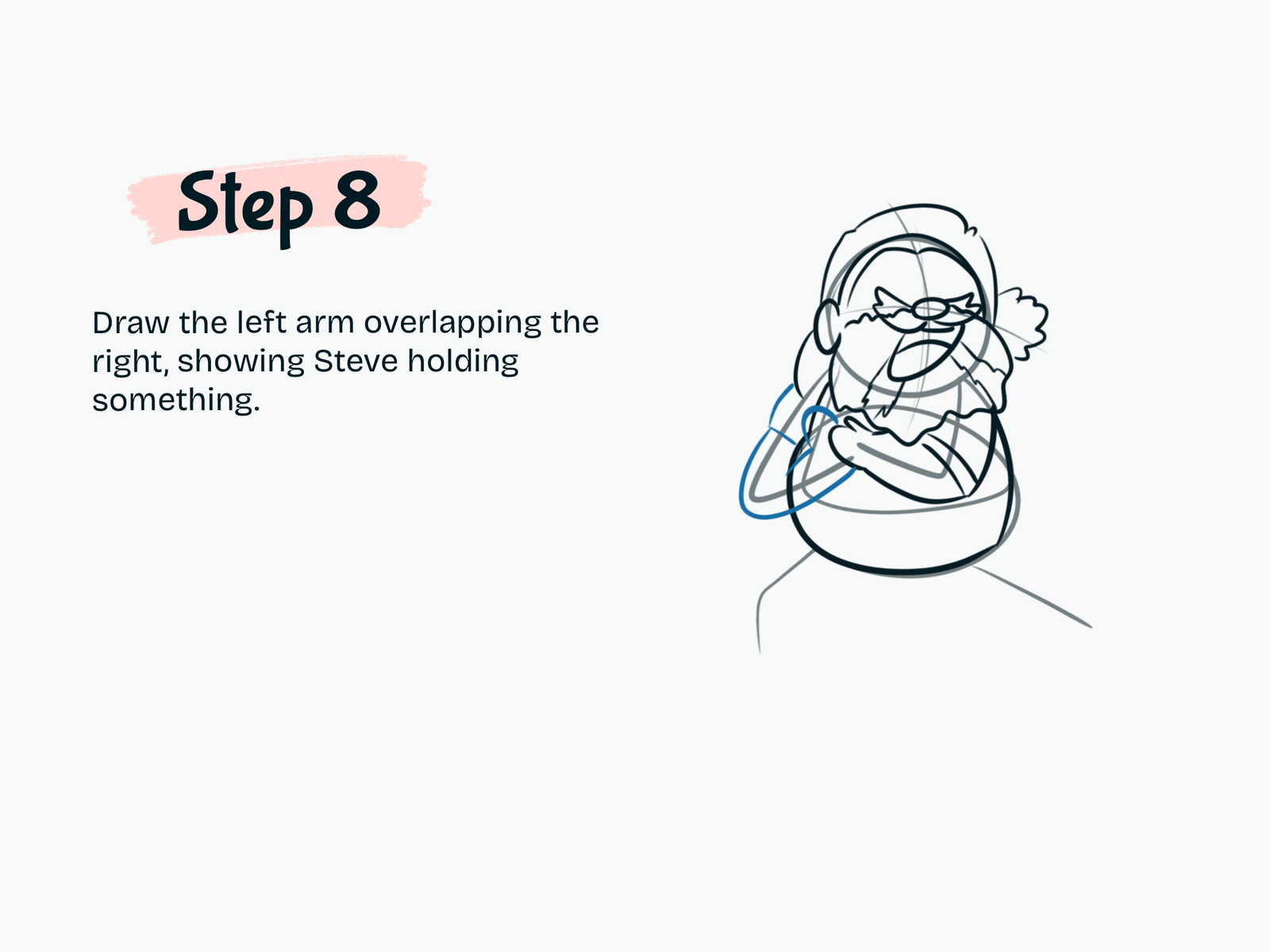
Draw the Left Arm

Add the second arm overlapping the first.

Position the hands together so Steve looks like he is holding an object.

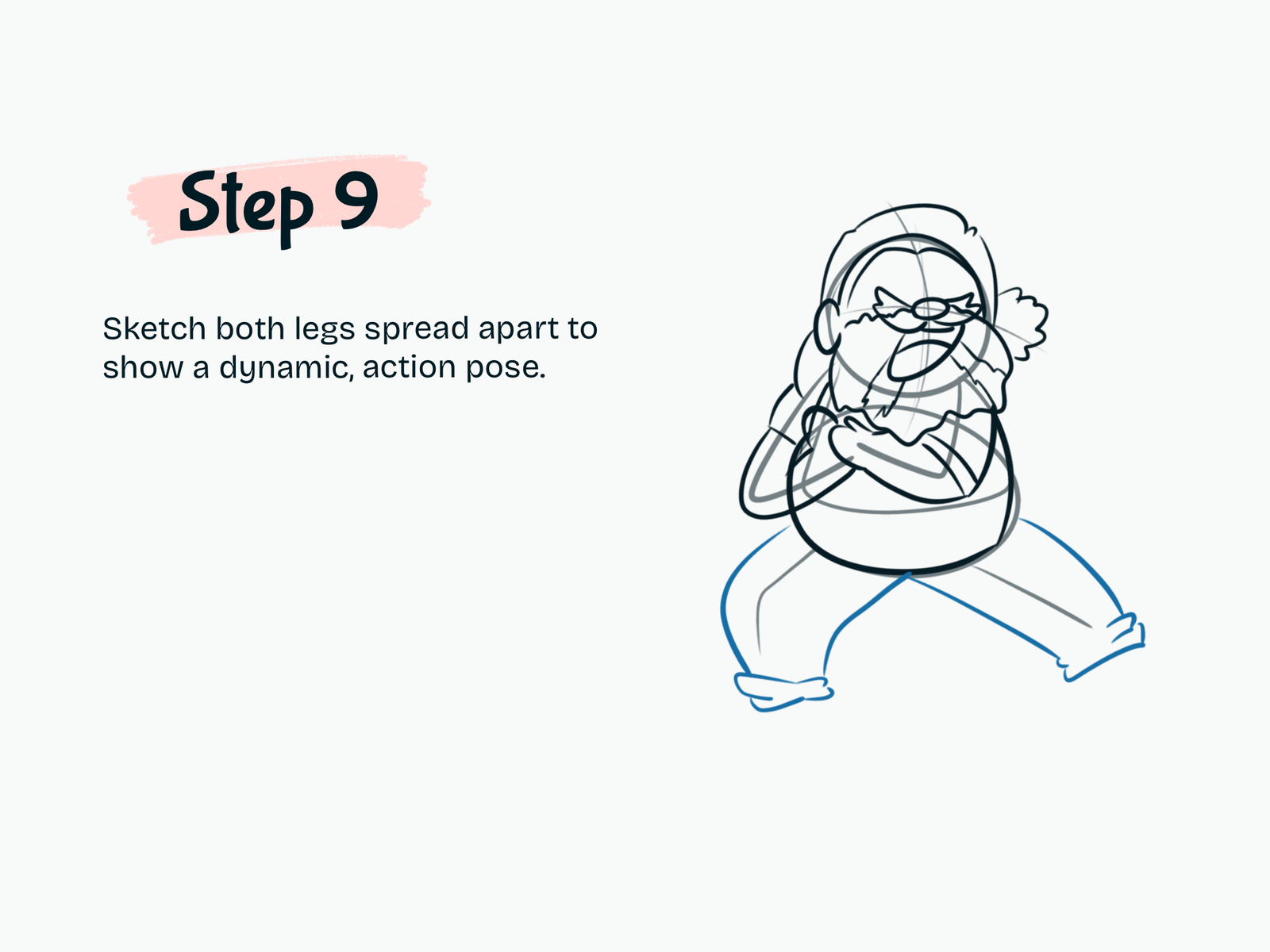
Step 9

Draw the Legs

Sketch both legs spreading outward from the body.

Use wide, bent shapes to create a strong and dynamic action pose.

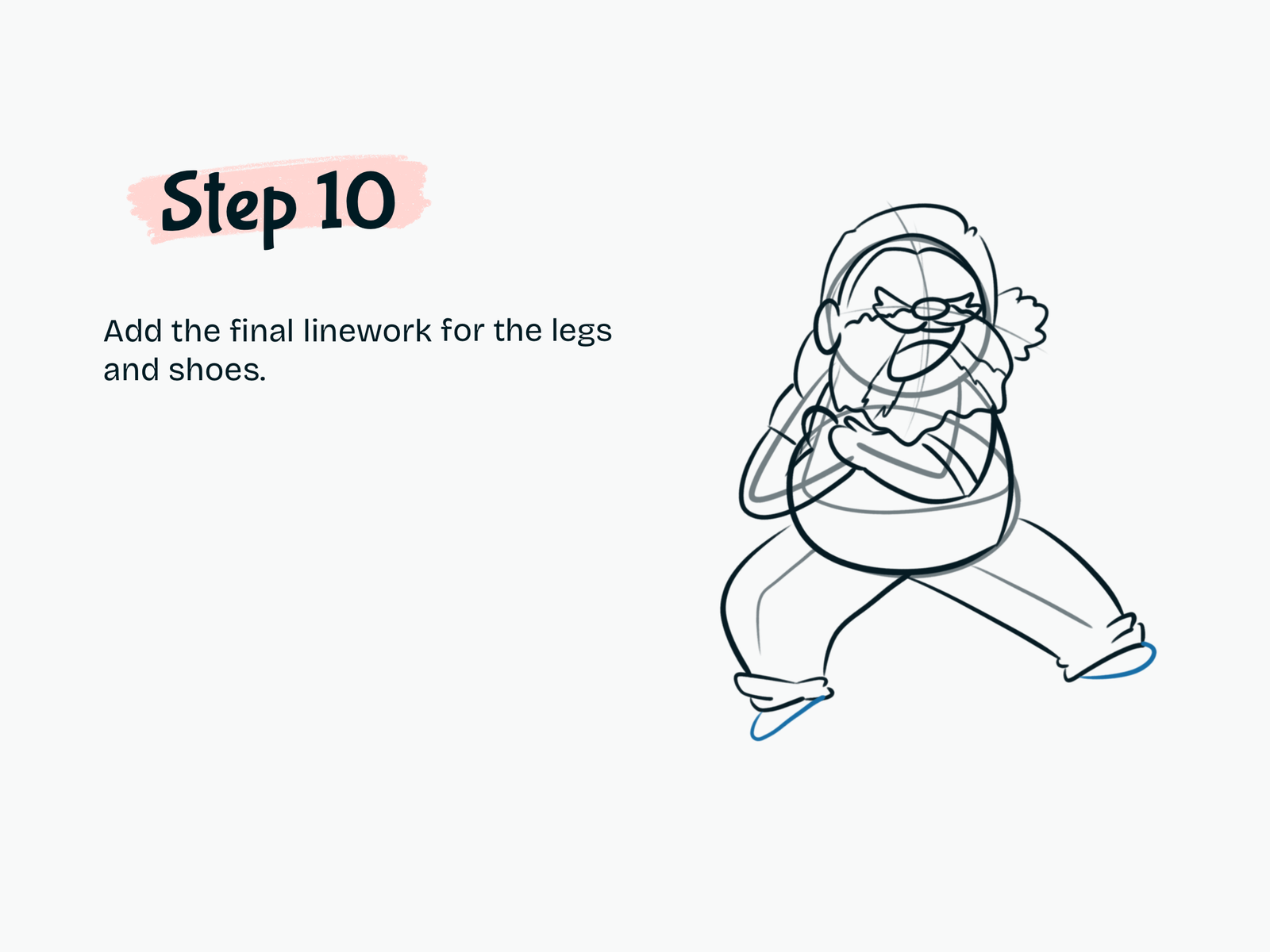
Step 10

Add the Shoes

Refine the lower legs.

Draw simple pointed shoes beneath the pant cuffs.

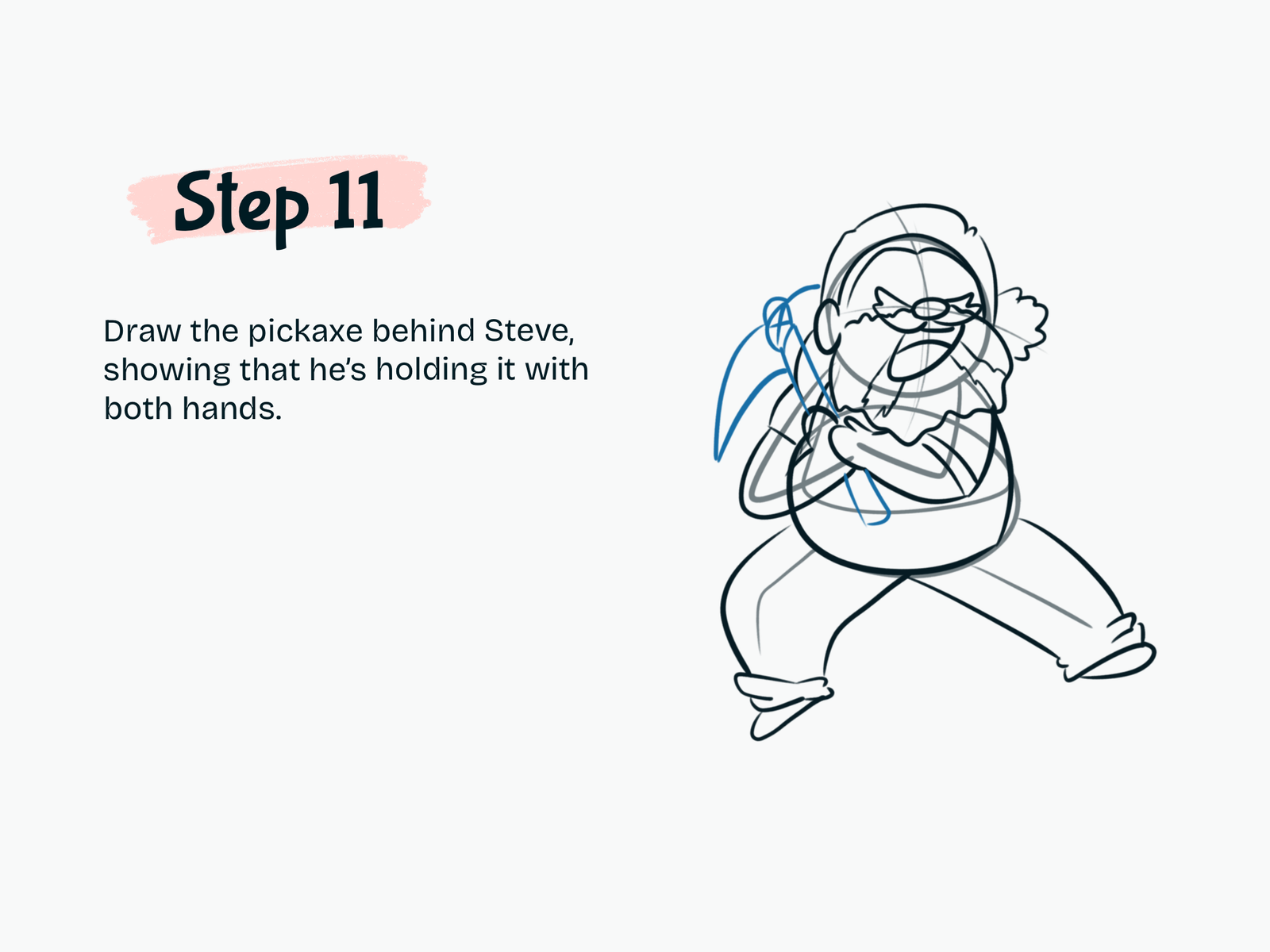
Step 11

Draw the Pickaxe

Sketch a pickaxe behind Steve.

Place the handle between his hands so it looks like he is holding it across his body.

Add the curved pickaxe head behind his shoulder.

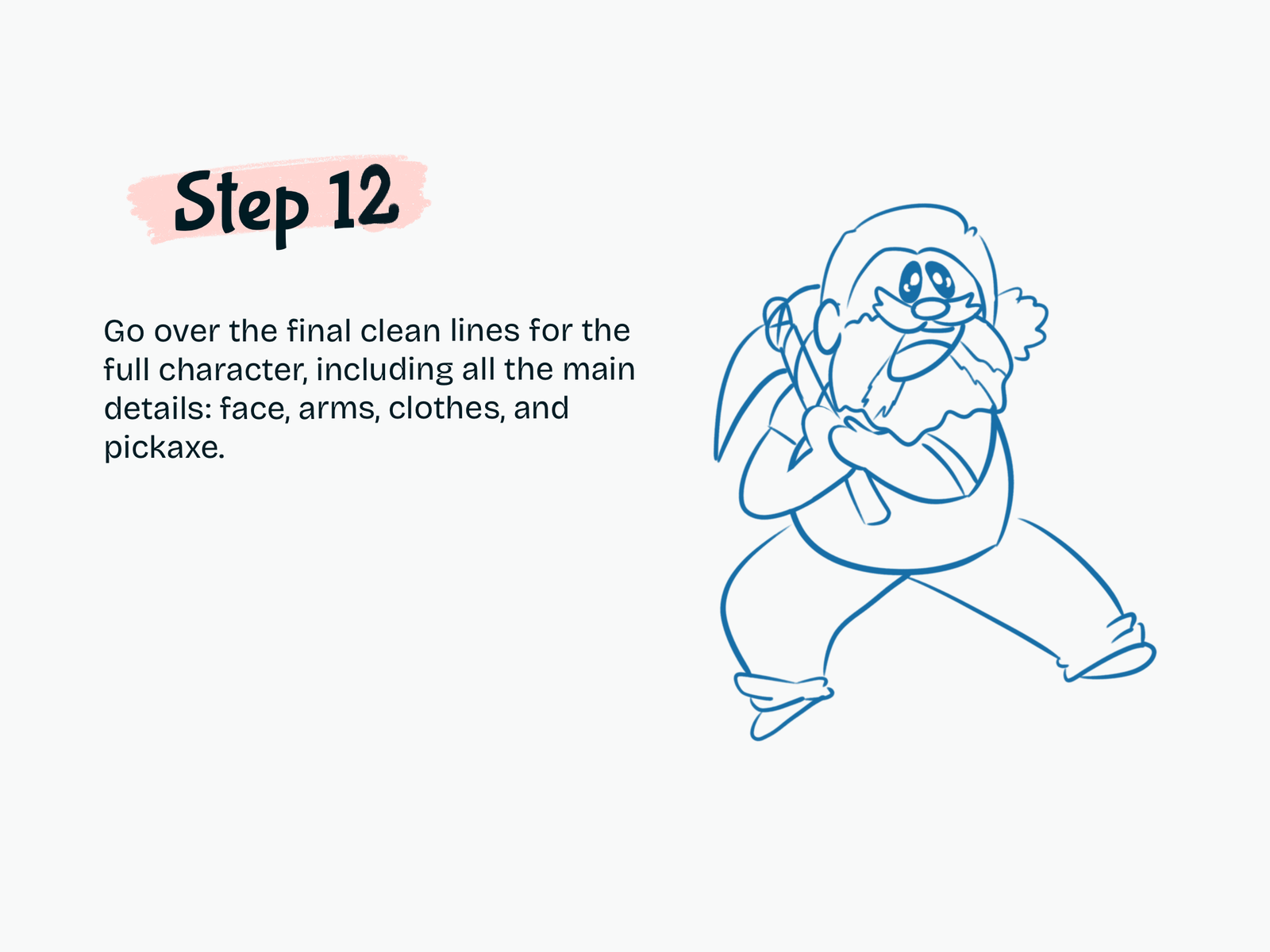
Step 12

Clean Up the Drawing

Trace the final lines for the entire character.

Refine:

  • Hair
  • Eyes and face
  • Beard
  • Arms and hands
  • Shirt
  • Pants
  • Shoes
  • Pickaxe

Erase the remaining construction guidelines.

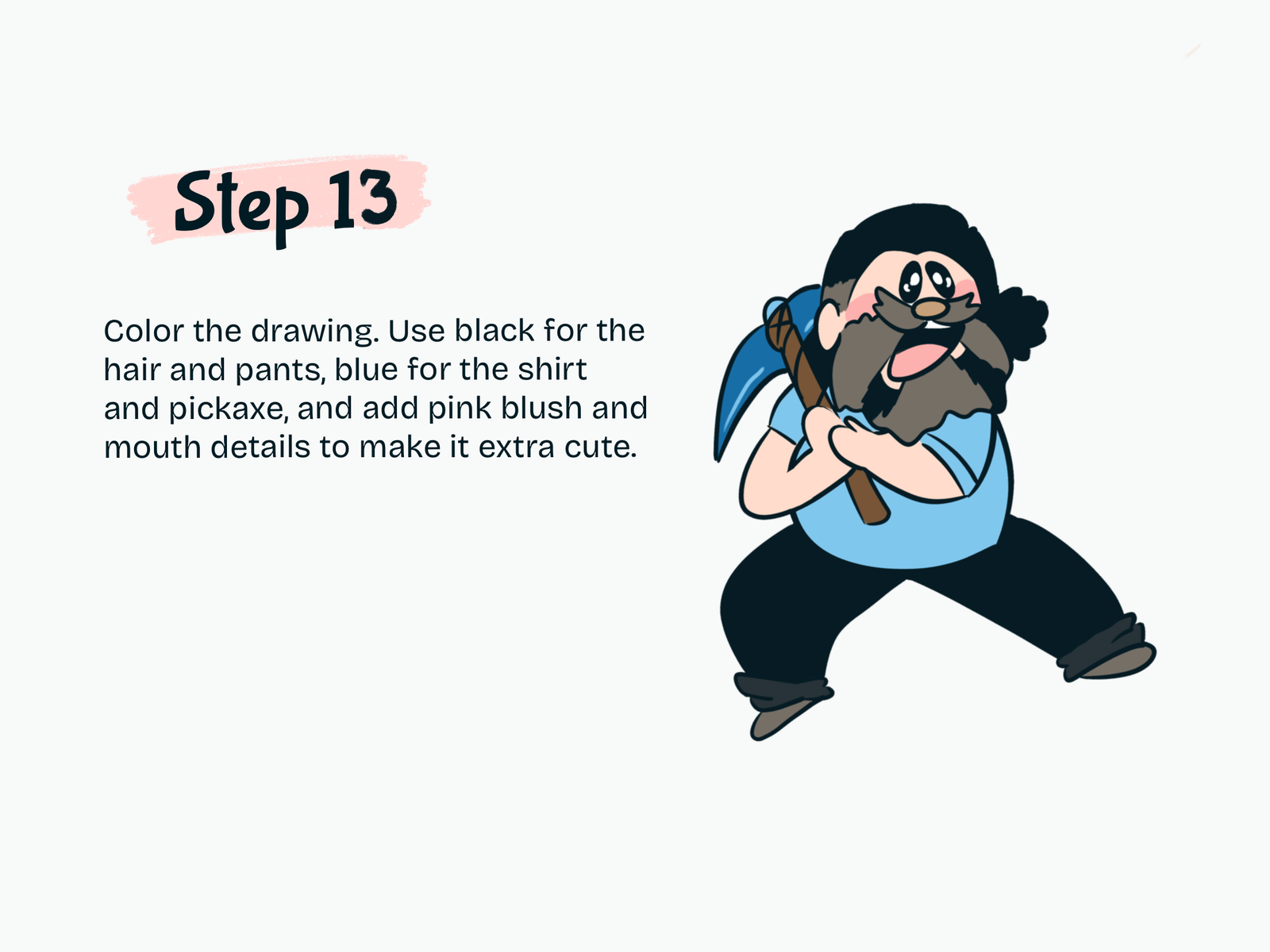
Step 13

Color Steve

Finish your kawaii Steve drawing with color.

Use:

  • Black for the hair and pants
  • Dark brown and gray-brown for the beard
  • Light blue for the shirt
  • Blue for the pickaxe
  • Brown for the pickaxe handle
  • Peach for the skin
  • Pink for the cheeks and mouth

Your kawaii Steve from A Minecraft Movie is complete.

Drawing Resources

A few tools and books that can make drawing easier and more fun.

Kawaii Drawing Book

Kawaii Drawing Book

A simple guide for cute characters and beginner-friendly sketching.

View on Amazon
iPad for Digital Drawing

iPad for Digital Drawing

A great digital drawing tool for sketching cute tutorials anywhere.

View on Amazon
Apple Pencil

Apple Pencil

Perfect for line art, note-taking, and digital doodling.

View on Amazon
Colors Alcohol Markers

Colors Alcohol Markers

Smooth, vibrant markers for coloring cute drawings.

View on Amazon
Sketchbook

Sketchbook

A nice everyday sketchbook for practice and doodles.

View on Amazon
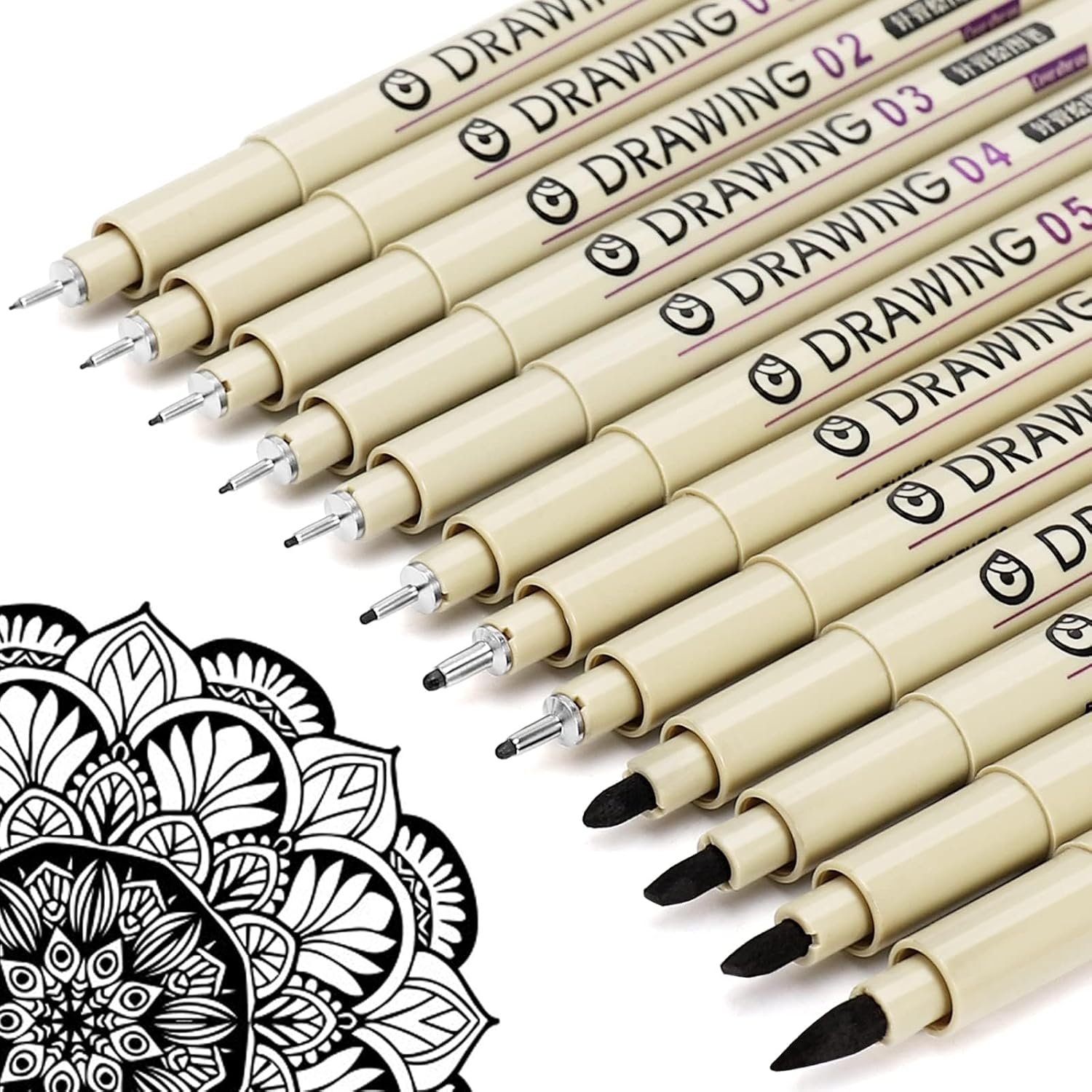
Fine Line Pens

Fine Line Pens

Helpful for clean outlines and cute little details.

View on Amazon

Some links may be affiliate links, which means Cute Thing Corner may earn a small commission at no extra cost to you.

Final Tips

You’ve now learned how to draw Steve from A Minecraft Movie in a cute kawaii style.

The key is to begin with simple rounded shapes, build the face and beard first, then add the crossed arms, wide action pose, and pickaxe.

Try drawing more Minecraft characters in the same cute style with Cute Thing Corner.

Leave a Comment