Cute Thing Corner
Buy me a coffee

Minecraft

How to Draw Kawaii Villager Minecraft – Easy Step-by-Step Tutorial

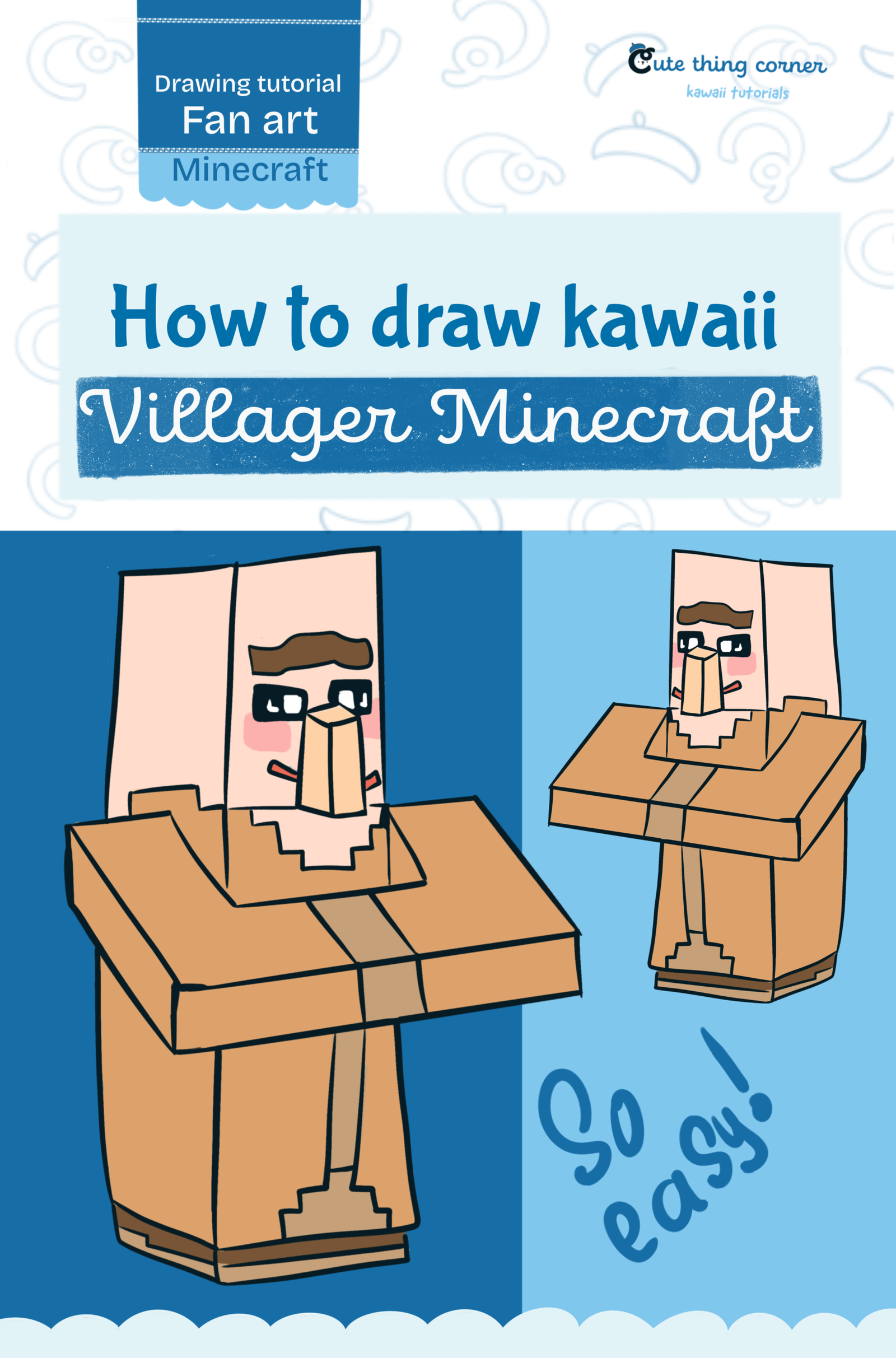
If you want to learn how to draw kawaii Villager Minecraft, this easy step-by-step tutorial is perfect for beginners. In this guide, you will draw a cute Minecraft Villager using simple blocky shapes, clean outlines, and…

  • Easy
  • 15 minutes
  • 10 steps
How to Draw Kawaii Villager Minecraft – Easy Step-by-Step Tutorial

Before You Start

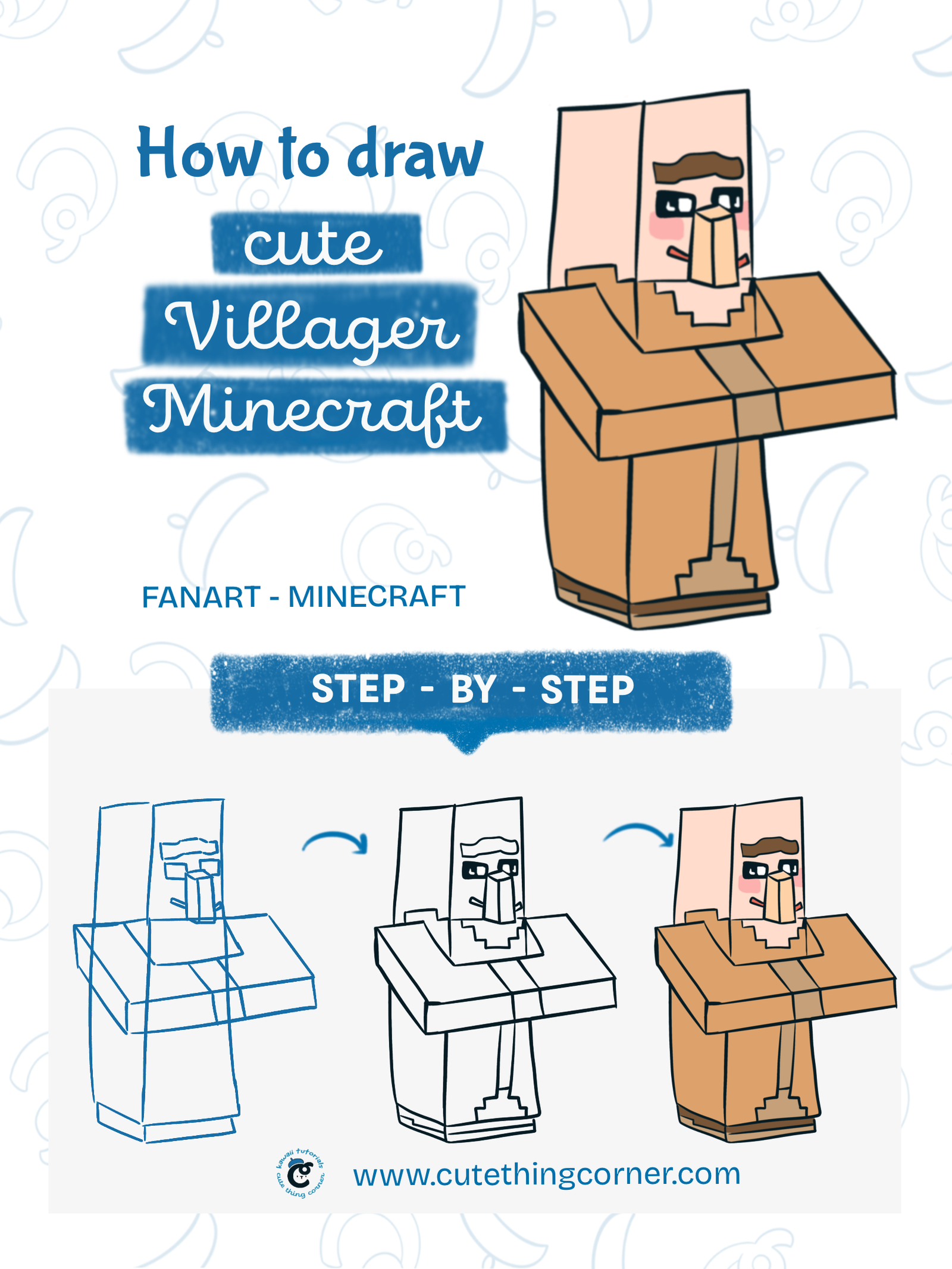
If you want to learn how to draw kawaii Villager Minecraft, this easy step-by-step tutorial is perfect for beginners. In this guide, you will draw a cute Minecraft Villager using simple blocky shapes, clean outlines, and soft colors.

This tutorial is great for kids, beginners, and anyone who loves drawing cute Minecraft characters.

What You Need

  • Pencil
  • Eraser
  • Black pen or fineliner
  • Paper or drawing tablet
  • Peach color
  • Brown color
  • Pink color
  • Black color

Step 1

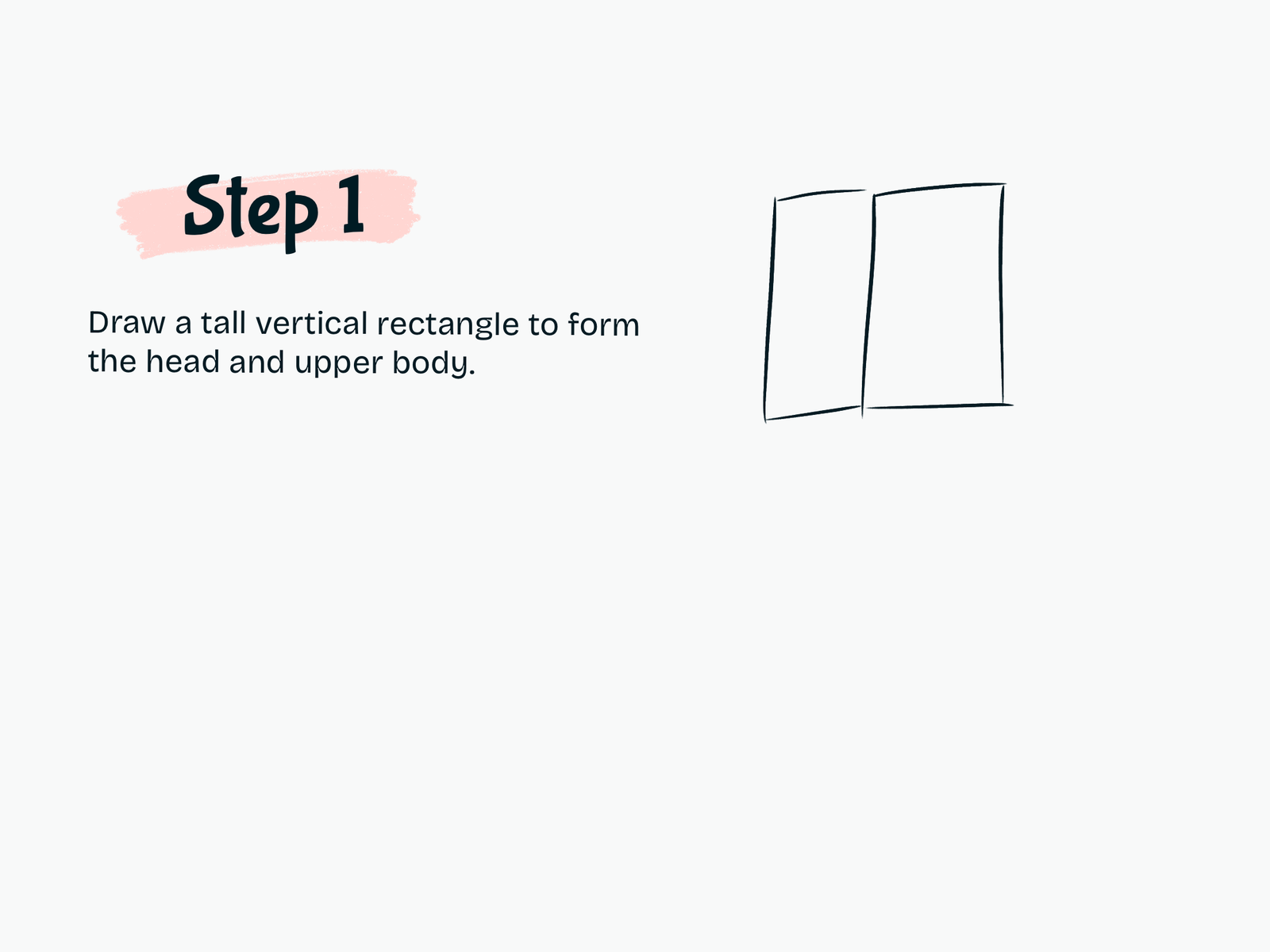
Draw the Main Head and Upper Body

Start by drawing a tall vertical rectangle to form the villager’s head and upper body.

Keep the shape long and boxy to match the Minecraft style.

Step 2

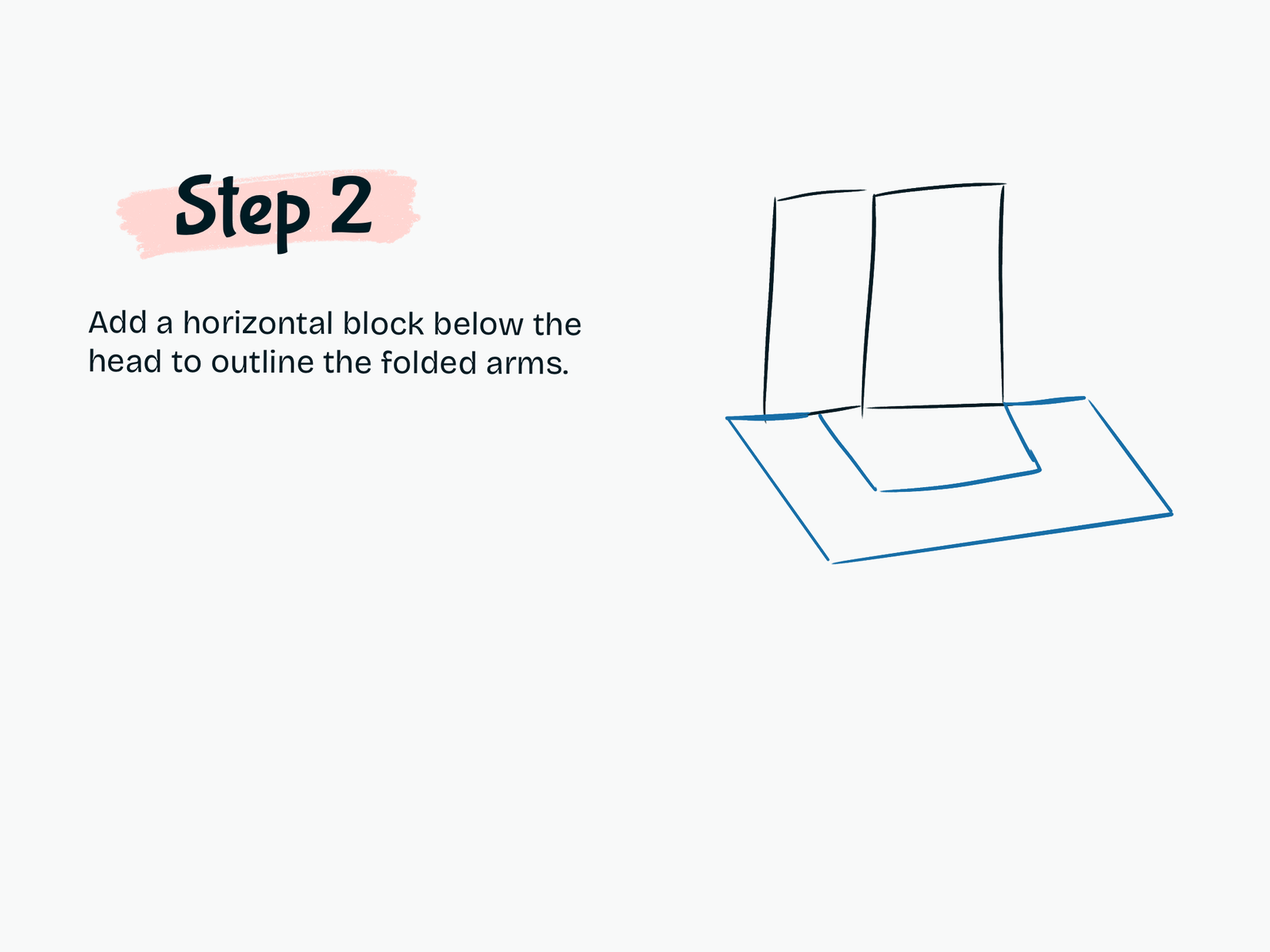
Add the Folded Arms

Draw a wide horizontal block below the head to outline the villager’s folded arms.

This helps create the classic Minecraft Villager pose.

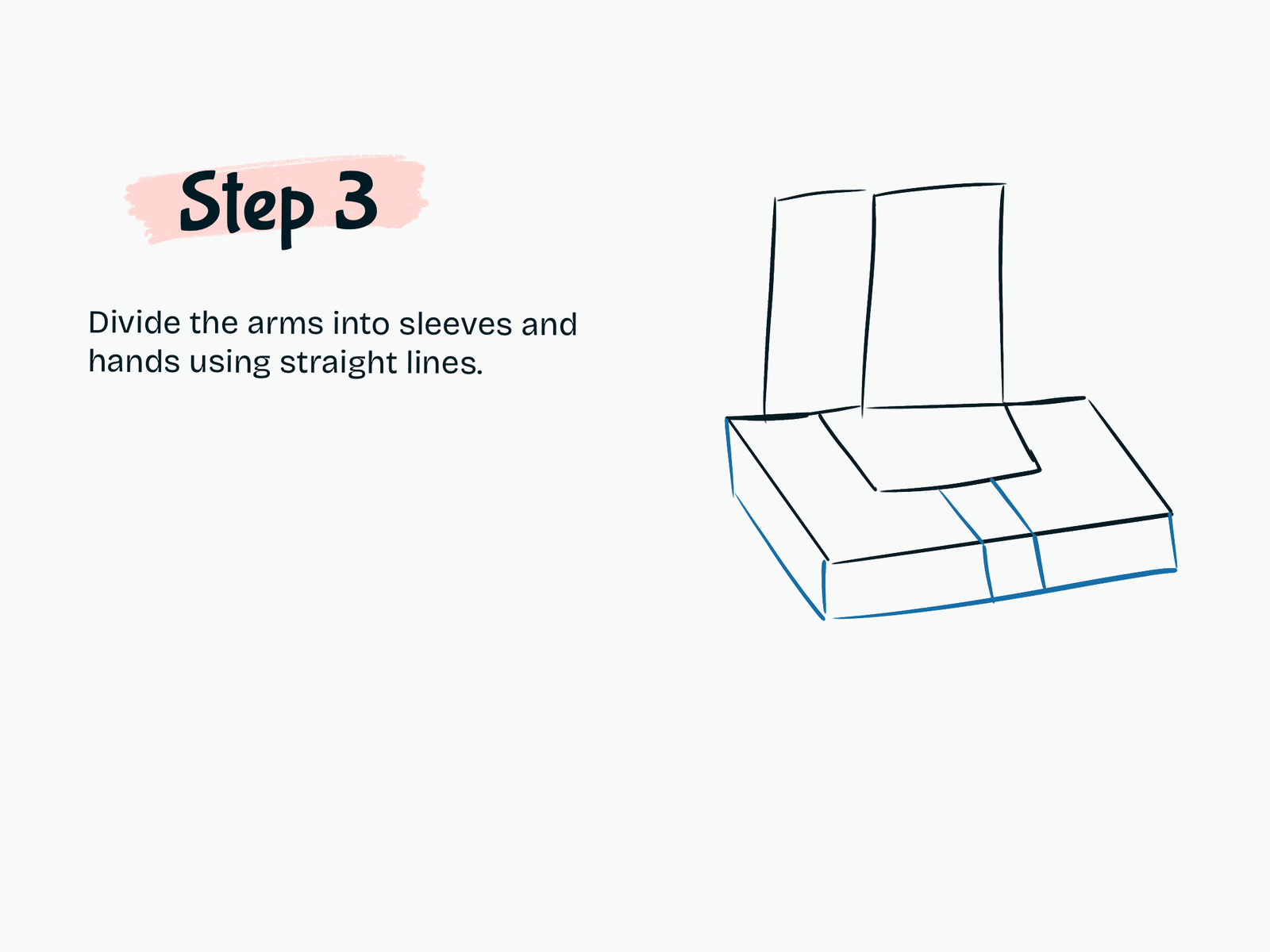
Step 3

Divide the Arms into Sections

Use straight lines to divide the folded arm block into sleeves and hand areas.

Keep the lines neat and geometric.

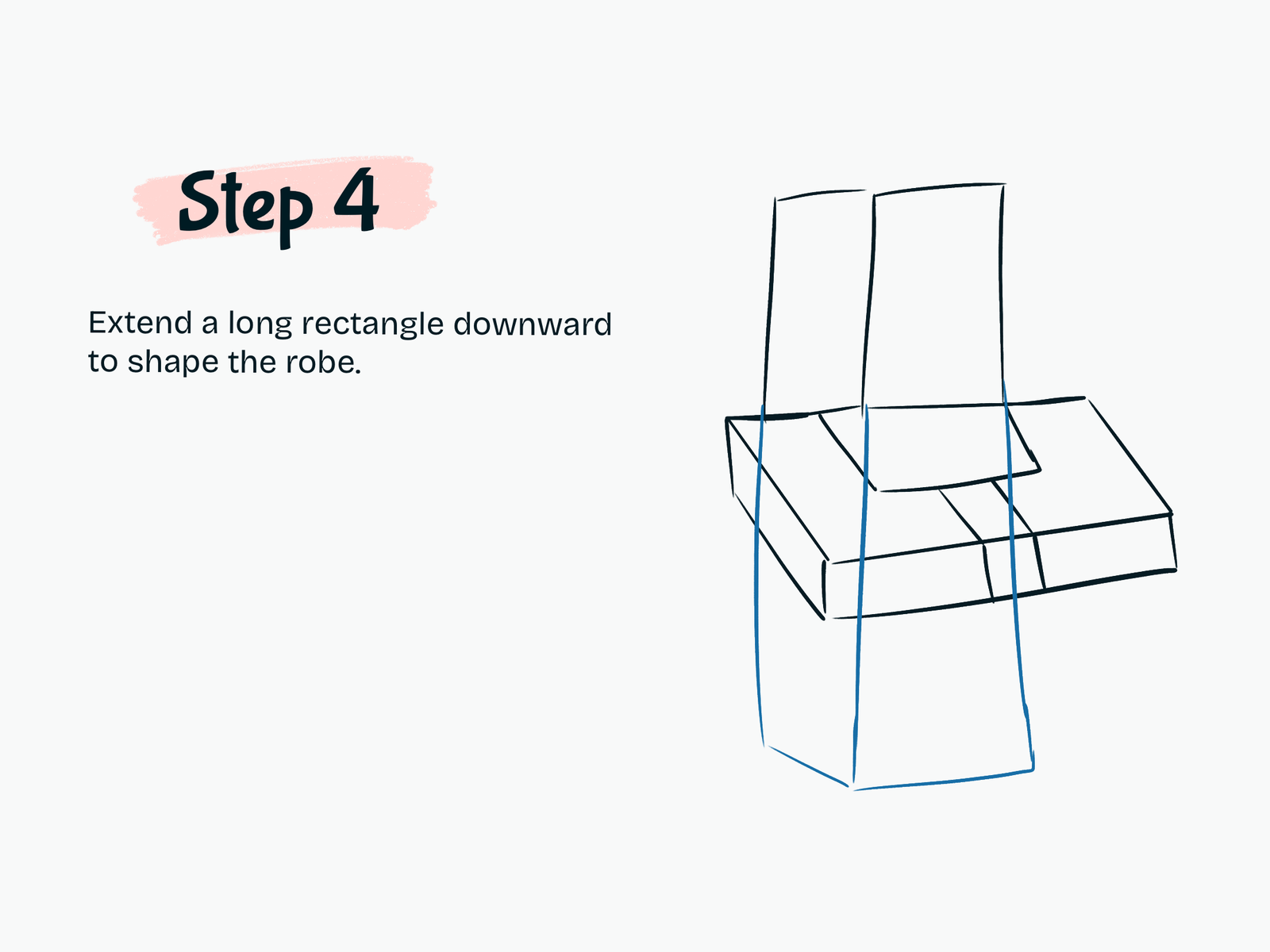
Step 4

Draw the Robe

Extend a long rectangle downward from the head and arms to shape the robe.

This becomes the main body of the villager.

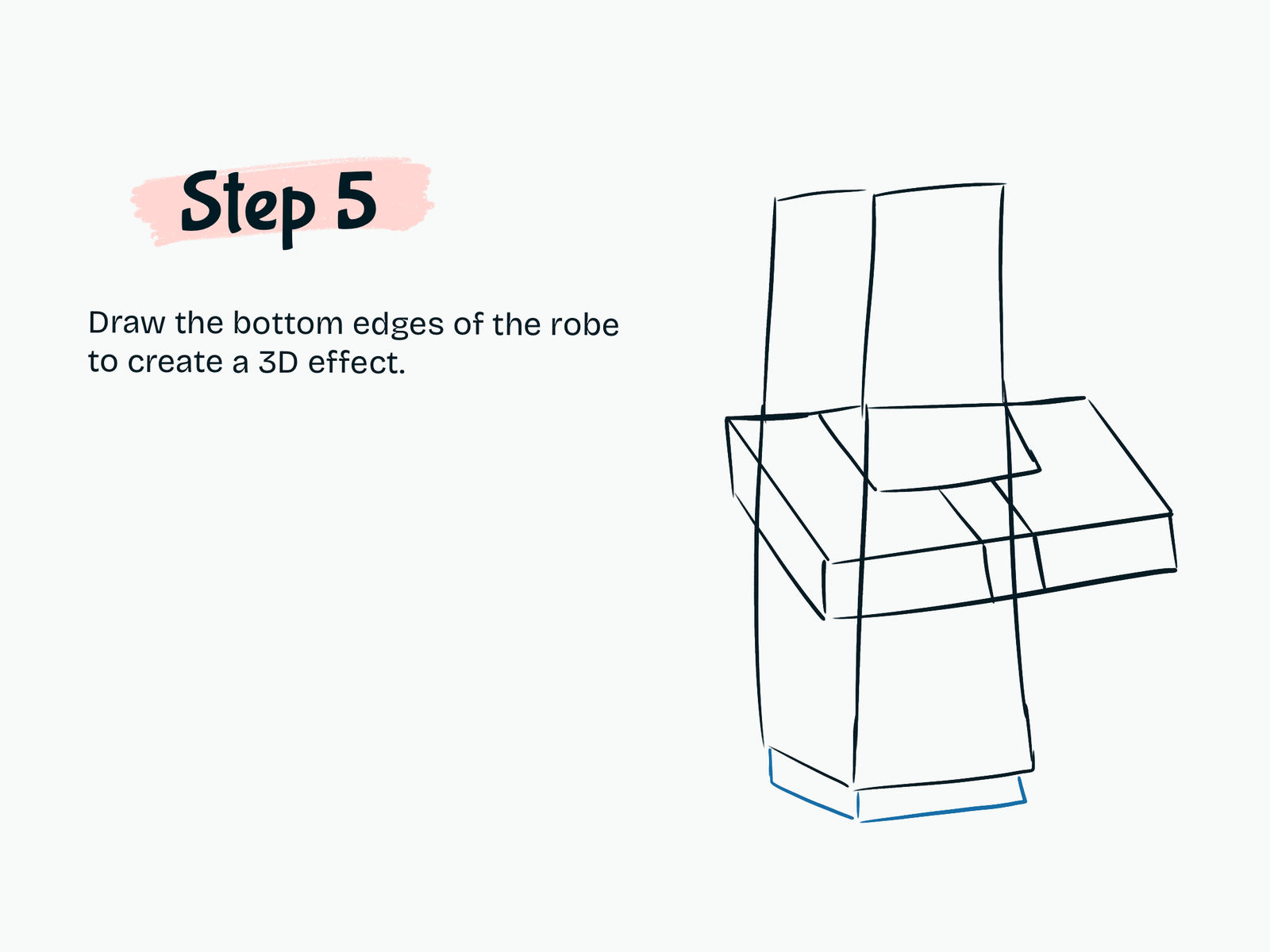
Step 5

Add the Bottom Edges

Draw the lower edges of the robe to create a simple 3D effect.

This makes the character look more solid and blocky.

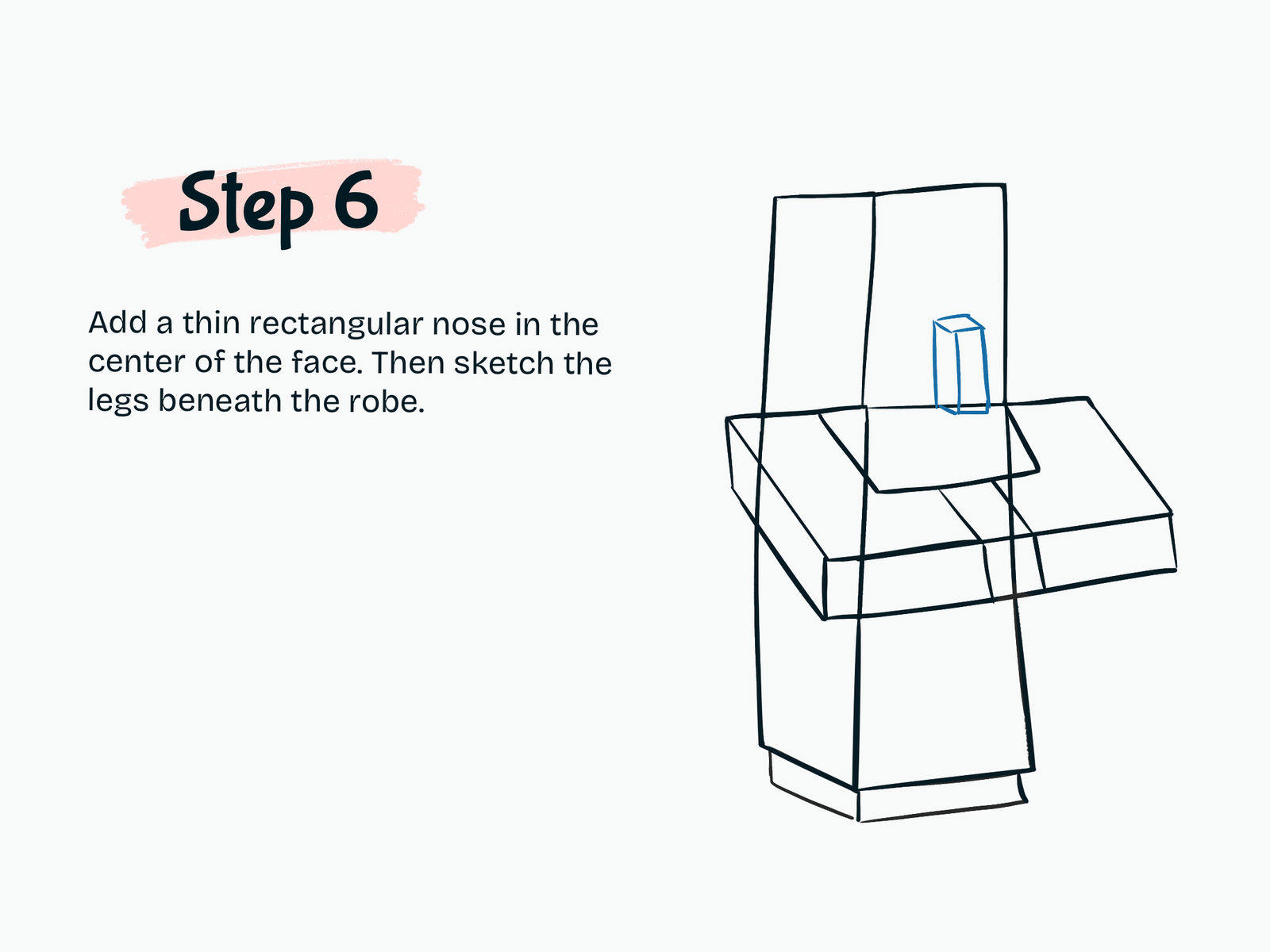
Step 6

Add the Nose and Legs

Draw a thin rectangular nose in the center of the face.

Then sketch the legs beneath the robe using simple straight shapes.

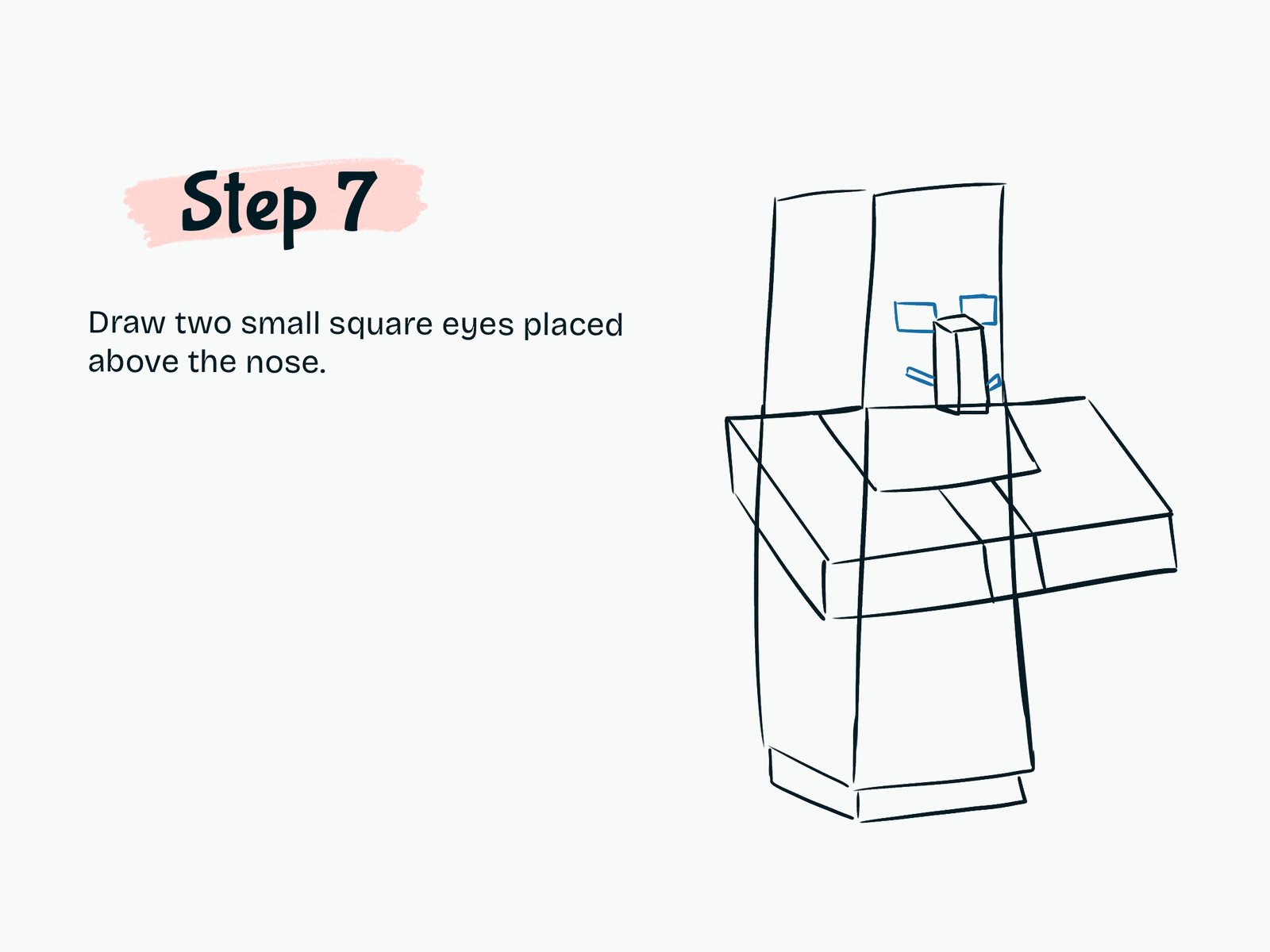
Step 7

Draw the Eyes

Add two small square eyes above the nose.

Keep them simple to match the cute kawaii Minecraft look.

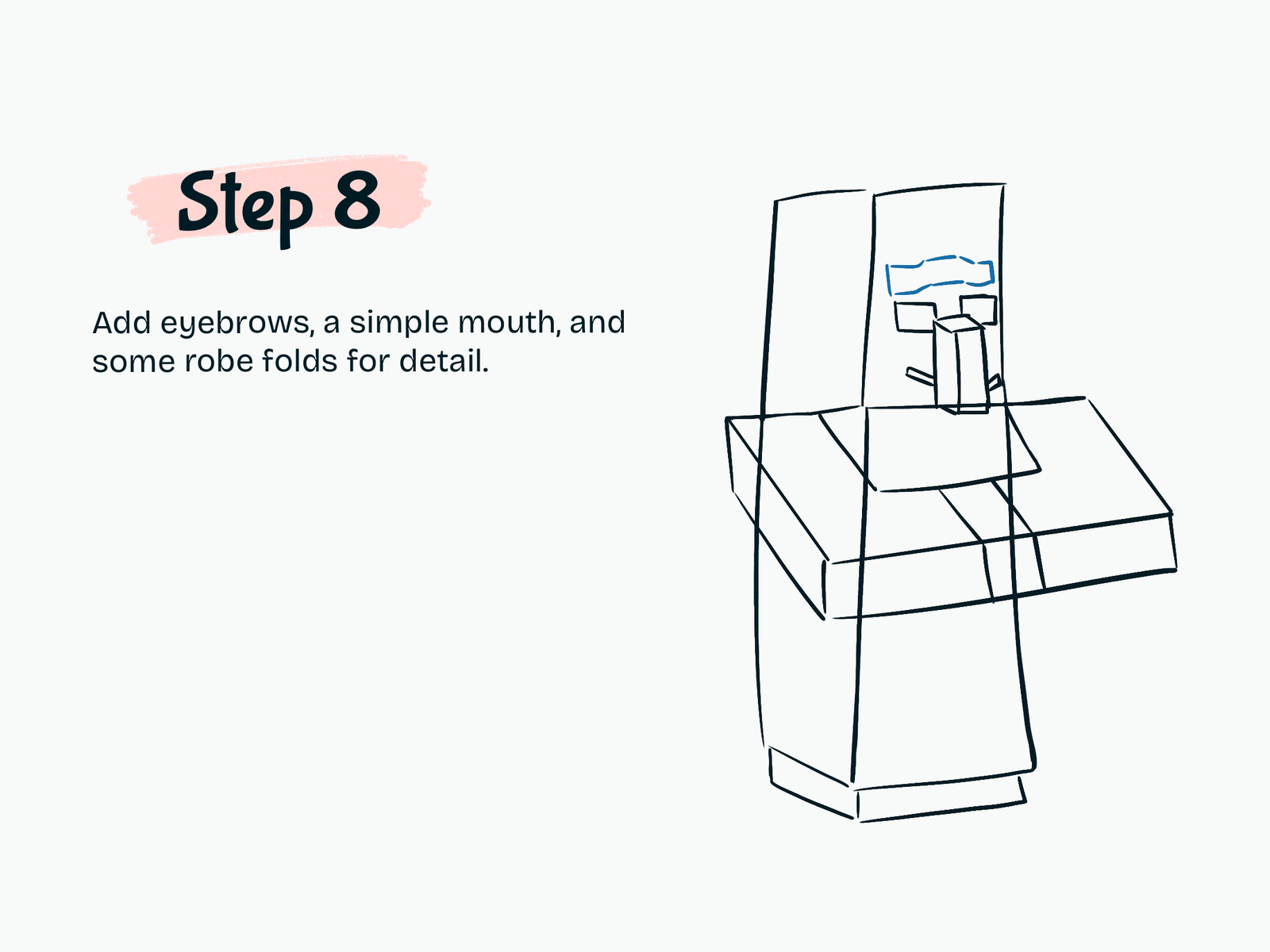
Step 8

Add Facial Details and Robe Folds

Draw the eyebrows and a simple mouth.

You can also add a few robe folds or small line details to make the drawing more interesting.

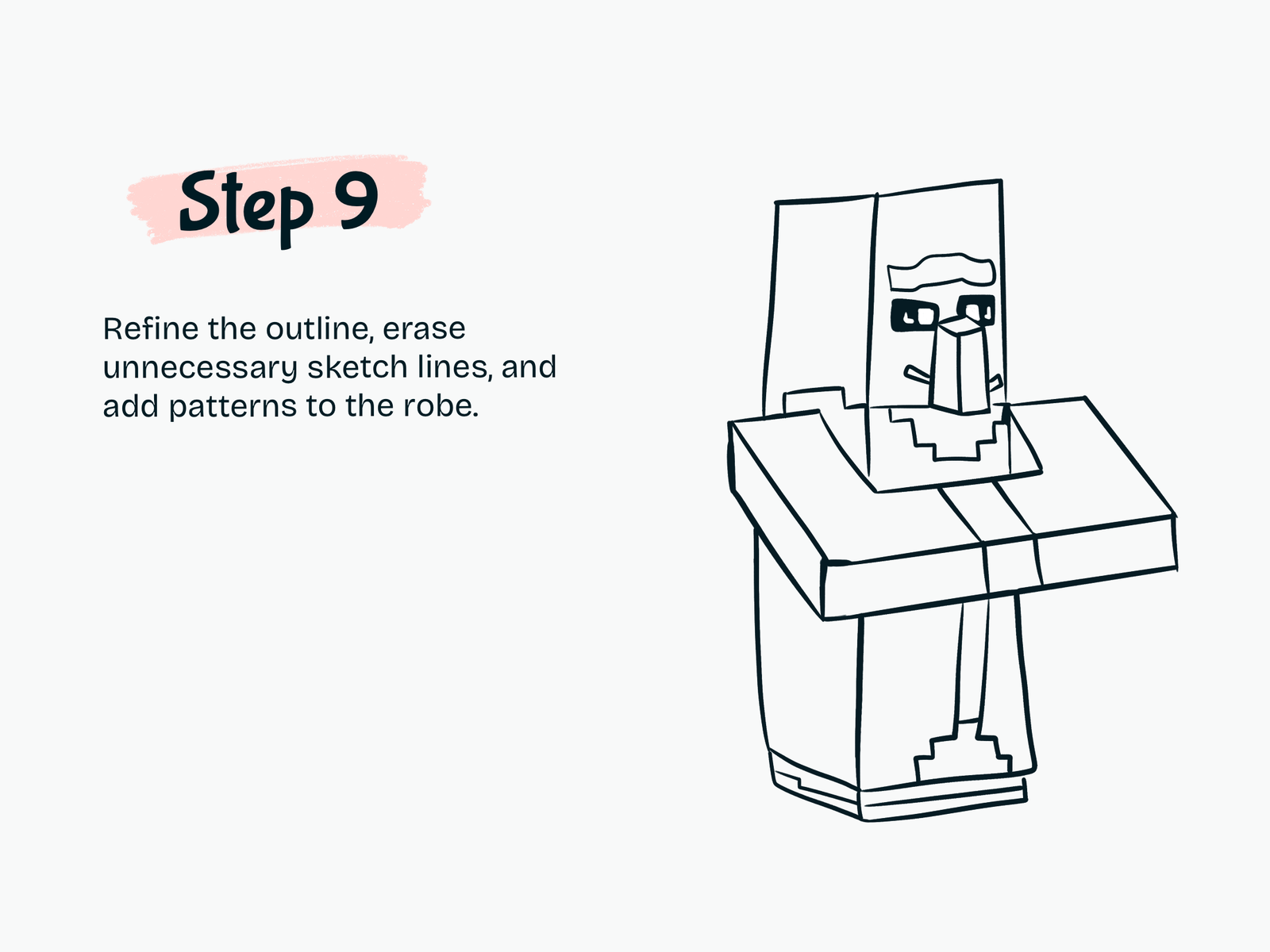
Step 9

Refine the Outline

Clean up the drawing by refining the outline, erasing unnecessary sketch lines, and adding robe patterns.

This step helps your villager look more polished.

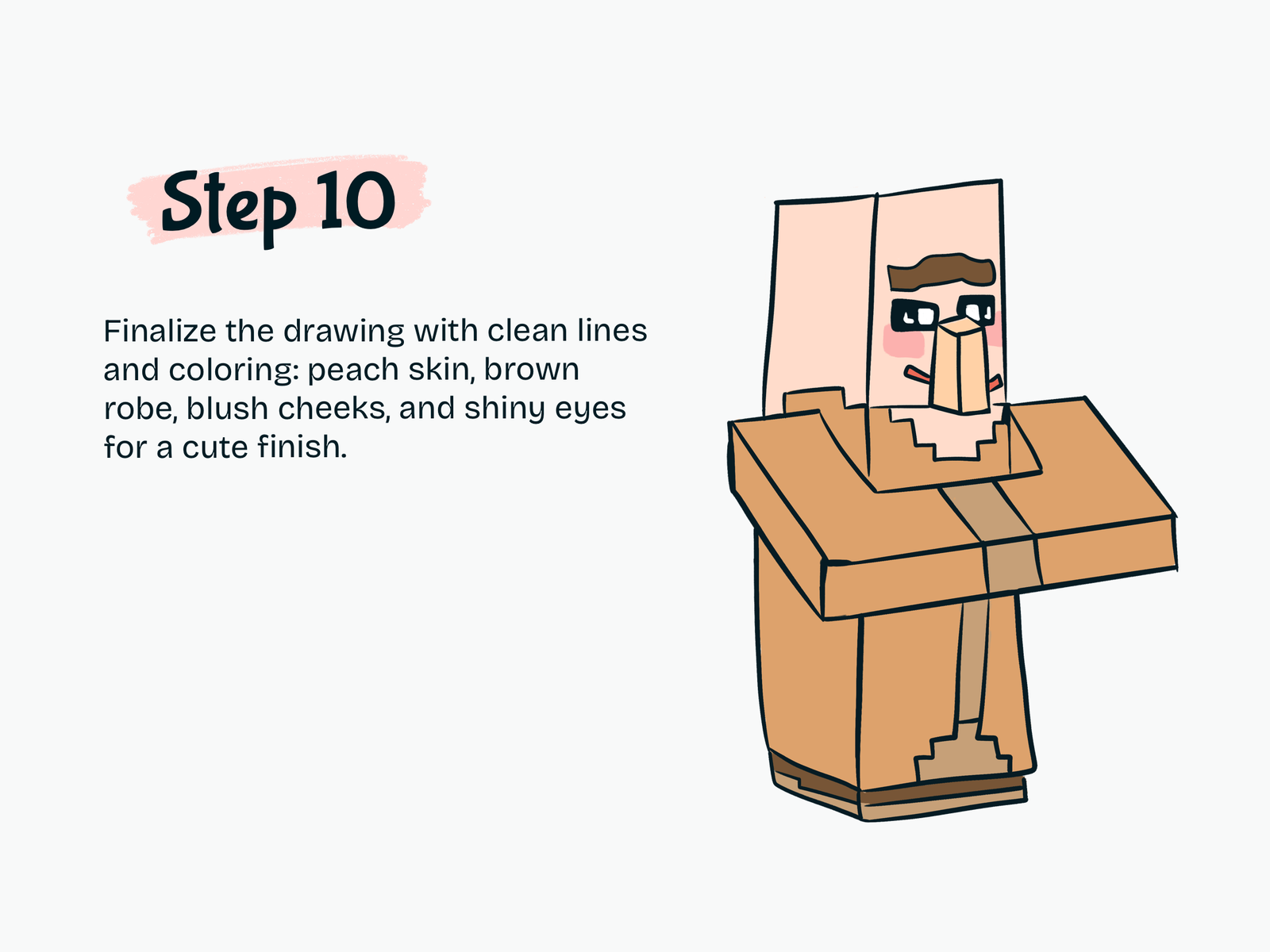
Step 10

Color Your Kawaii Minecraft Villager

Now fill in the drawing with color.

You can use:

  • Peach for the skin
  • Brown for the robe
  • Pink for the blush cheeks
  • Black for the eyes and outline

Add shiny eyes and soft blush to make the villager look extra cute.

Drawing Resources

A few tools and books that can make drawing easier and more fun.

Kawaii Drawing Book

Kawaii Drawing Book

A simple guide for cute characters and beginner-friendly sketching.

View on Amazon
iPad for Digital Drawing

iPad for Digital Drawing

A great digital drawing tool for sketching cute tutorials anywhere.

View on Amazon
Apple Pencil

Apple Pencil

Perfect for line art, note-taking, and digital doodling.

View on Amazon
Colors Alcohol Markers

Colors Alcohol Markers

Smooth, vibrant markers for coloring cute drawings.

View on Amazon
Sketchbook

Sketchbook

A nice everyday sketchbook for practice and doodles.

View on Amazon
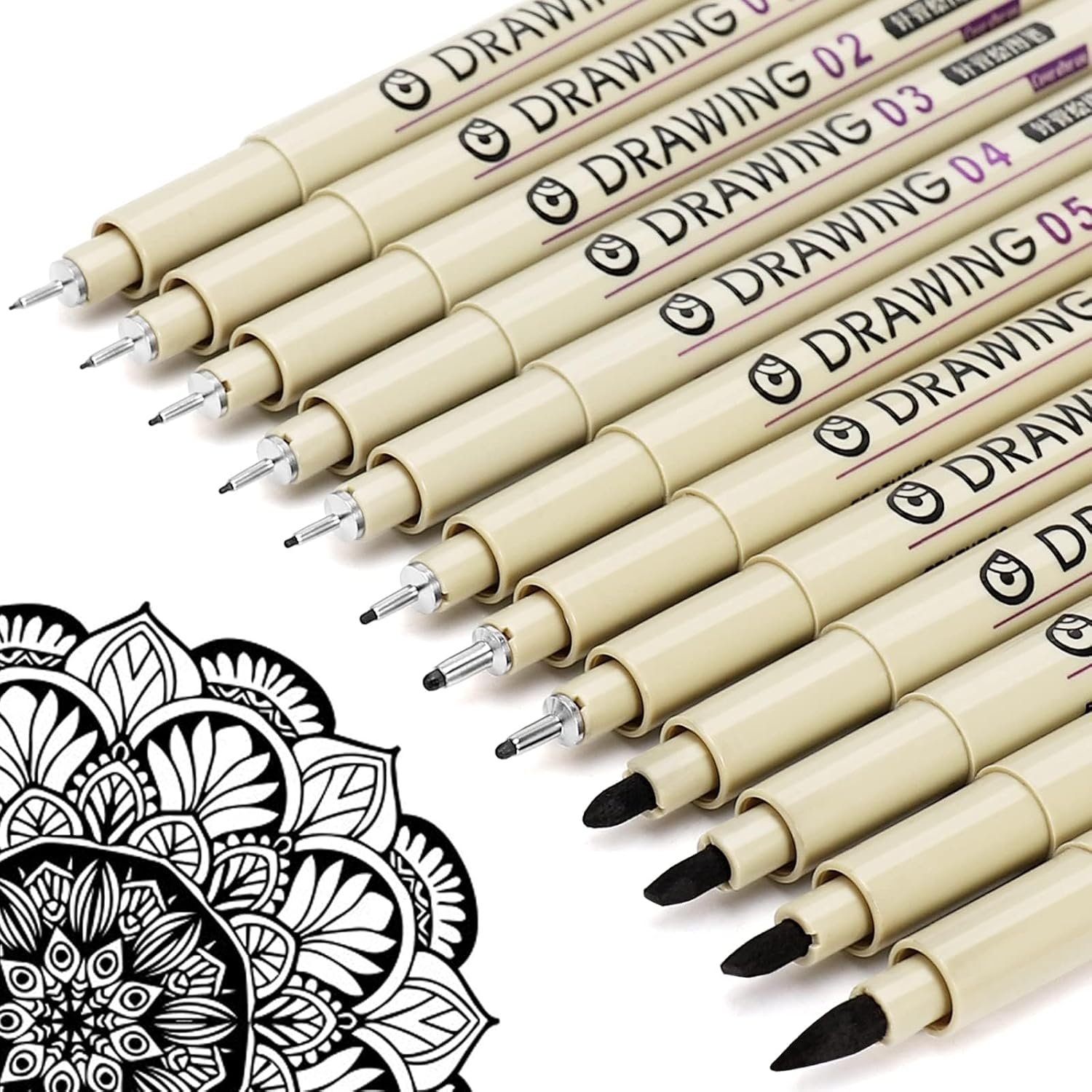
Fine Line Pens

Fine Line Pens

Helpful for clean outlines and cute little details.

View on Amazon

Some links may be affiliate links, which means Cute Thing Corner may earn a small commission at no extra cost to you.

Final Tips

Now you know how to draw kawaii Villager Minecraft step by step. By using simple rectangles and clean lines, you can create an adorable Minecraft Villager in an easy and beginner-friendly way.

This tutorial is perfect for anyone who wants to practice cute game character drawing.

Learning how to draw a kawaii Minecraft Villager is a fun and simple activity for artists of all ages. With a few easy blocky shapes, you can build the head, folded arms, robe, and face, then finish the drawing with cute colors and details.

If you enjoy this tutorial, you can also draw other kawaii Minecraft characters in the same style.
Leave a Comment